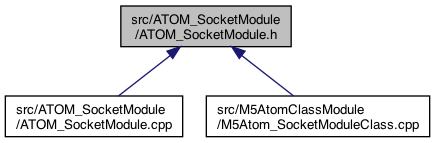
Go to the source code of this file.
Functions | |
| void | setup_ATOM_SocketModule () |
| void | loop_ATOM_SocketModule () |
| called for the loop() of this plugin More... | |
| void | messageSetVal_ATOM_SocketModule (char *setName, char *valValue, boolean deviceNameSpecified) |
| void | messageSend_ATOM_SocketModule (char *sendValue) |
| void | buttonA_ShortPress_ATOM_SocketModule () |
| void | buttonA_LongPress_ATOM_SocketModule () |
| long press on buttonA (top button) More... | |
| char * | currentStatusURL_ATOM_SocketModule () |
| returns a string in in URL so: status&battery=84'&buzzon='off' } .. etc More... | |
| char * | currentStatusJSON_ATOM_SocketModule () |
Function Documentation
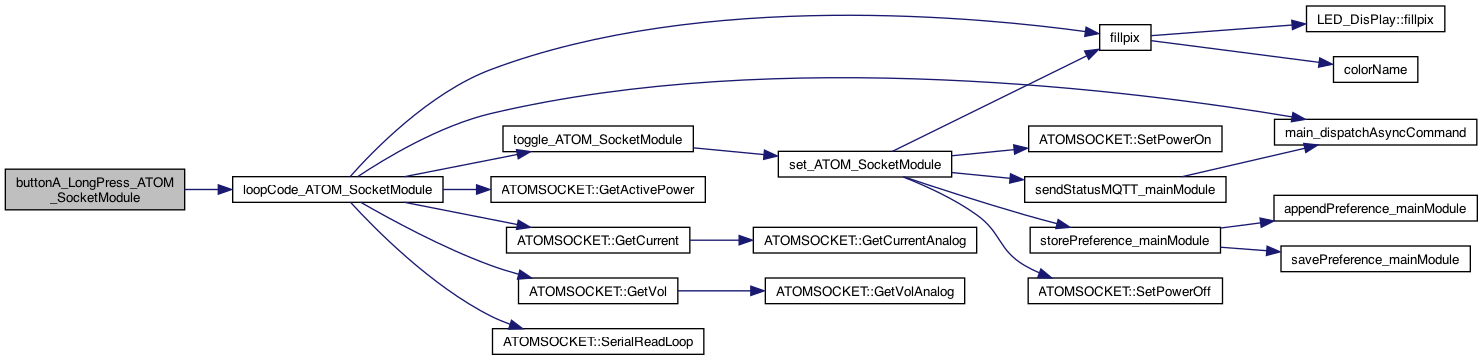
◆ buttonA_LongPress_ATOM_SocketModule()
| void buttonA_LongPress_ATOM_SocketModule | ( | ) |
long press on buttonA (top button)
Definition at line 274 of file ATOM_SocketModule.cpp.

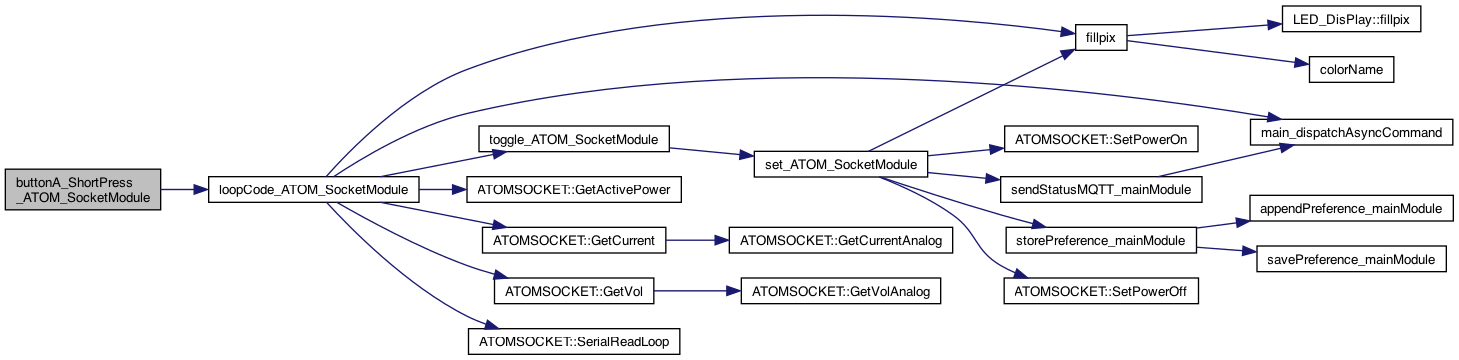
◆ buttonA_ShortPress_ATOM_SocketModule()
| void buttonA_ShortPress_ATOM_SocketModule | ( | ) |
BUTTON PROCESSING abstraction short press on buttonA (top button)
Definition at line 263 of file ATOM_SocketModule.cpp.

◆ currentStatusJSON_ATOM_SocketModule()
| char * currentStatusJSON_ATOM_SocketModule | ( | ) |
returns a string in in JSON so: status&battery=84'&buzzon='off' } .. etc starts with "&"*
Definition at line 402 of file ATOM_SocketModule.cpp.

◆ currentStatusURL_ATOM_SocketModule()
| char * currentStatusURL_ATOM_SocketModule | ( | ) |
returns a string in in URL so: status&battery=84'&buzzon='off' } .. etc
returns a string in in URL so: status&battery=84'&buzzon='off' } .. etc starts with "&"*
8.4.25 add k=PWR
Definition at line 391 of file ATOM_SocketModule.cpp.

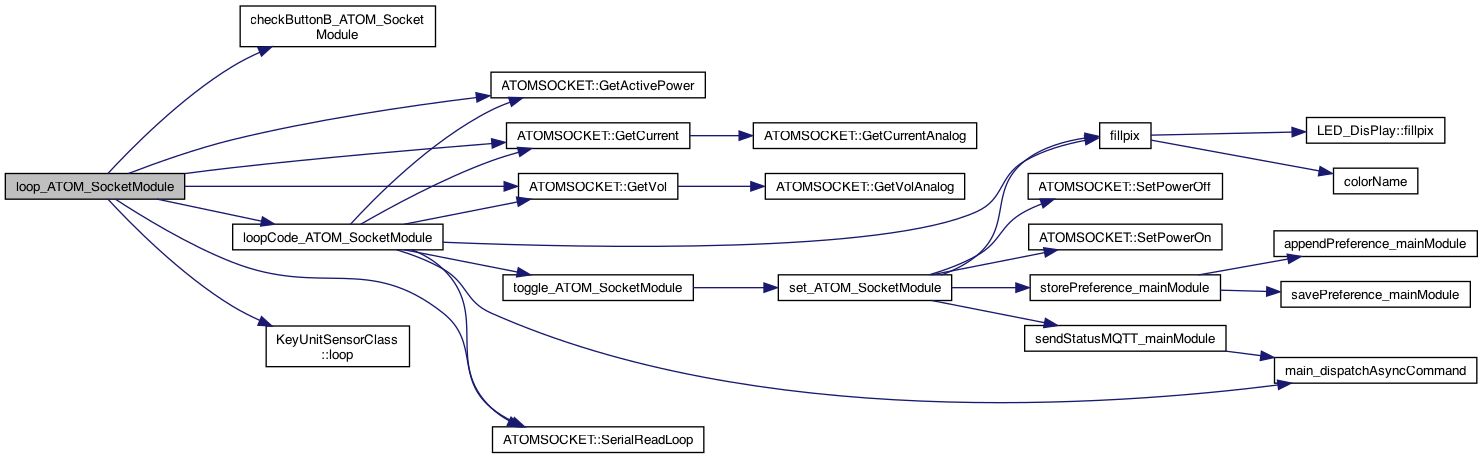
◆ loop_ATOM_SocketModule()
| void loop_ATOM_SocketModule | ( | ) |
called for the loop() of this plugin
TODO..
do loop code
Definition at line 230 of file ATOM_SocketModule.cpp.

◆ messageSend_ATOM_SocketModule()
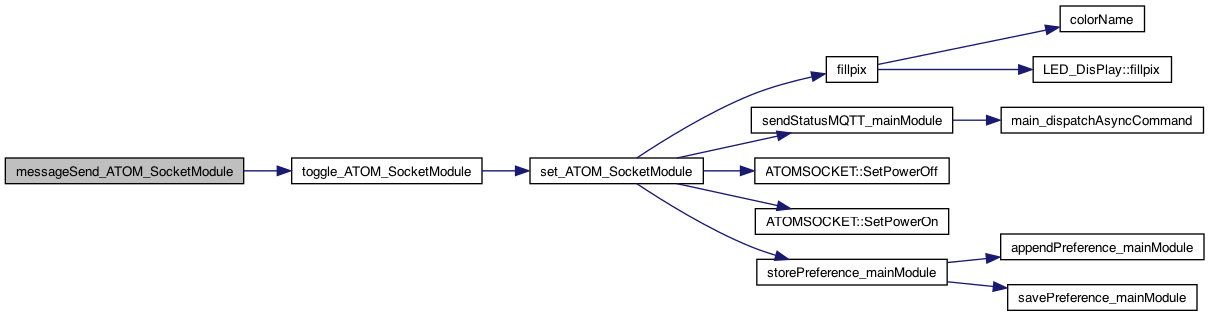
| void messageSend_ATOM_SocketModule | ( | char * | sendValue | ) |
12.28.23, 8.28.23 Adding a way for others to get informed on messages that arrive for the set,val 5.21.22 note tthe SEND and CMD are both routed through "send"
12.28.23, 8.28.23 Adding a way for others to get informed on messages that arrive for the send
Definition at line 151 of file ATOM_SocketModule.cpp.

◆ messageSetVal_ATOM_SocketModule()
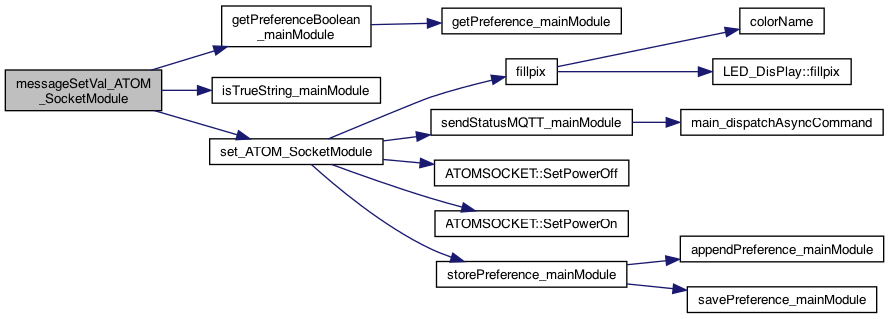
| void messageSetVal_ATOM_SocketModule | ( | char * | setName, |
| char * | valValue, | ||
| boolean | deviceNameSpecified | ||
| ) |
8.28.23 Adding a way for others to get informed on messages that arrive for the set,val 12.27.23 support setName == "socket" 1.10.24 if deviceNameSpecified then this matches this device, otherwise for all. It's up to the receiver to decide if it has to be specified
8.28.23 Adding a way for others to get informed on messages that arrive for the set,val 2.27.23 support setName == "socket" 1.10.24 if deviceNameSpecified then this matches this device, otherwise for all. It's up to the receiver to decide if it has to be specified 1.12.24 AtomSocketGlobalOnOff to turn on/off global onoff
see if global on/off is supported.. So if globalOnOff definitely perform action. If deviceNameSpecified - perform action so OR of them
Definition at line 132 of file ATOM_SocketModule.cpp.

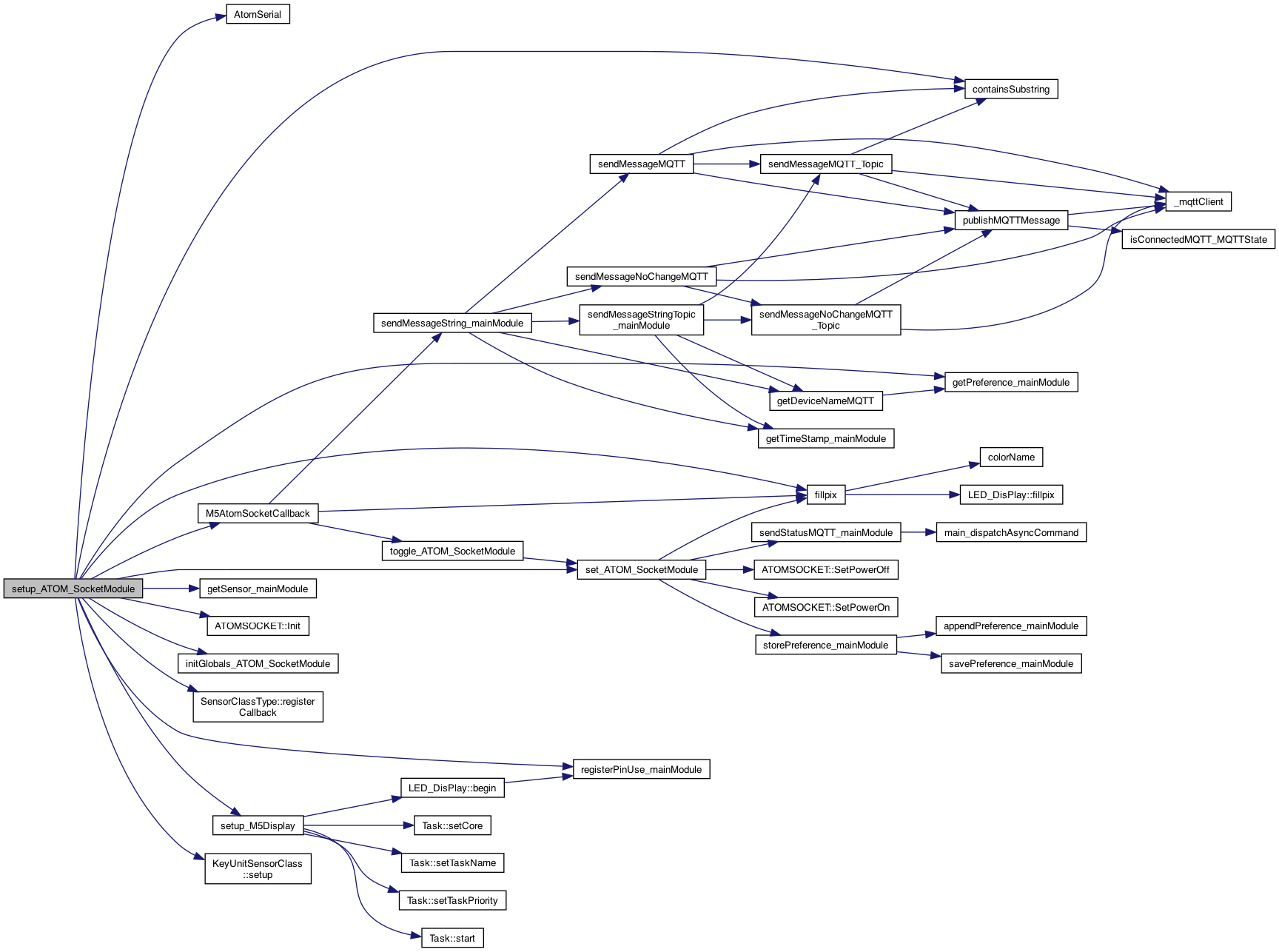
◆ setup_ATOM_SocketModule()
| void setup_ATOM_SocketModule | ( | ) |
THIS IS the setup() and loop() but using the "component" name, eg AudioModule() This will perform preference initializtion as well called from the setup() Pass in the method to call on a loud (over a threshhold. The parameter for value will be sent
5.3.25 register our PIN use
1.1.24 syntax: socket=on or socket=off (somewhere in the string..)
8.2.26 LED working
ijnit the ATOM Socket
default whatever was the last mode Persistently..
NOTE: error without (char*) – warning: ISO C++ forbids converting a string constant to 'char' [-Wwrite-strings]
if the Buzzer isn't on .. then we are good to go try this 5.14.25 .. But this is probablly wrong .. is should be just the KeyUnitSensorClass .. and maybe more generic..
create instance..
specify the callback
call the setup
Definition at line 172 of file ATOM_SocketModule.cpp.