#include "../../Defines.h"#include "TokenParser.h"#include "ModelController.h"#include "PreferencesController.h"#include "TimerDelayClass.h"#include "../M5AtomClassModule/M5AtomClassType.h"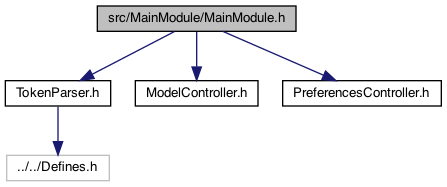
Go to the source code of this file.
Classes | |
| struct | PinUseStruct |
Macros | |
| #define | PT_SERVICE_UUID "b0e6a4bf-cccc-ffff-330c-0000000000f0" |
| #define | PT_CHARACTERISTIC_UUID "b0e6a4bf-cccc-ffff-330c-0000000000f1" |
| #define | LED 2 |
| #define | TOPIC_TO_SEND (char*)"usersP/bark" |
| #define | NO_POWEROFF_AMOUNT_MAIN 10000 |
| 10000 == no poweroff More... | |
| #define | NO_POWEROFF_AMOUNT_STRING_MAIN (char*)"10000" |
| #define | THRESHOLD_KIND_LIGHT 0 |
| #define | THRESHOLD_KIND_DARK 1 |
| #define | CALLBACKS_MQTT 0 |
| #define | CALLBACKS_BUTTON_MODULE 1 |
| #define | CALLBACKS_BLE_CLIENT 2 |
| #define | CALLBACKS_BLE_SERVER 3 |
| #define | CALLBACKS_MODULE_MAX 4 |
| #define | SINGLE_CLICK_BM 0 |
| #define | MAX_CALLBACKS_BM 1 |
| #define | ASYNC_CALL_OTA_UPDATE 0 |
| TODO: make this a registeration approach. More... | |
| #define | ASYNC_CALL_CLEAN_CREDENTIALS 1 |
| cleans out the credentials and restarts in AP (Access Point) mode. More... | |
| #define | ASYNC_CALL_CLEAN_EPROM 2 |
| cleans the EPROM totally, and reboots More... | |
| #define | ASYNC_CALL_FEED_COMMAND 3 |
| sends a 'c' to the BLE end of the code (assuming a feeder is connected). Need to morph if a real feeder More... | |
| #define | ASYNC_CALL_BUZZ_ON 4 |
| sends a 'B' to the BLE end of the code (assuming a feeder is connected). More... | |
| #define | ASYNC_CALL_BUZZ_OFF 5 |
| sends a 'b' to the BLE end of the code (assuming a feeder is connected). More... | |
| #define | ASYNC_SEND_MQTT_FEED_MESSAGE 6 |
| sends a message (like FEED) on the users topic More... | |
| #define | ASYNC_SEND_MQTT_STATUS_URL_MESSAGE 7 |
| sends the status from the main module URL More... | |
| #define | ASYNC_SET_GATEWAY_ON 8 |
| sets the GATEWAY mode on More... | |
| #define | ASYNC_SET_GATEWAY_OFF 9 |
| sets the GATEWAY mode off More... | |
| #define | ASYNC_REBOOT 10 |
| sets the GATEWAY mode off More... | |
| #define | ASYNC_POWEROFF 11 |
| sets the GATEWAY mode off More... | |
| #define | ASYNC_BLANKSCREEN 12 |
| blank the screen More... | |
| #define | ASYNC_SWAP_WIFI 13 |
| swaps WIFI 'w' More... | |
| #define | ASYNC_NEXT_WIFI 14 |
| next WIFI 'n' More... | |
| #define | ASYNC_RESTART_WIFI_MQTT 15 |
| restarts the WIFI (after BLE interrupt over) More... | |
| #define | ASYNC_CLICK_SOUND 16 |
| 5.15.25 add a BUZZ command (or CLICK) More... | |
| #define | ASYNC_CALL_MAX 17 |
| the max one greater than last one More... | |
| #define | ASYNC_CALL_BLE_CLIENT_PARAMETER 0 |
| these are the async with a string parameter. This sends a BLE command unless MQTT More... | |
| #define | ASYNC_CALL_OTA_FILE_UPDATE_PARAMETER 1 |
| these are the async with a string parameter More... | |
| #define | ASYNC_JSON_MESSAGE_PARAMETER 2 |
| these are the async with a string parameter More... | |
| #define | ASYNC_JSON_MQTT_MESSAGE_PARAMETER 3 |
| these are the async with a string parameter More... | |
| #define | ASYNC_REST_CALL_MESSAGE_PARAMETER 4 |
| send REST call More... | |
| #define | ASYNC_CALL_PARAMETERS_MAX 5 |
| the max one greater than last one More... | |
| #define | SYNC_CLICK_SOUND 0 |
| #define | SYNC_CALL_MAX 1 |
| #define | SM_home_simple 0 |
| #define | SM_home_simple_1 1 |
| #define | SM_home_simple_2 2 |
| #define | SM_home_simple_3 3 |
| #define | SM_HOME_SIMPLE_LAST SM_home_simple_3 |
| #define | SM_smart_clicker_homepage 4 |
| //! homepage More... | |
| #define | SM_status 5 |
| //status More... | |
| #define | SM_WIFI_ssid 6 |
| WIFI ssid. More... | |
| #define | SM_guest_page 7 |
| guest page More... | |
| #define | SM_ap_mode 8 |
| AP MODE. More... | |
| #define | SM_guest_feed 9 |
| guest feed More... | |
| #define | SM_pair_dev 10 |
| guest feed device More... | |
| #define | SM_help 11 |
| HELP. More... | |
| #define | SM_doc_follow 12 |
| docfollow More... | |
| #define | SM_timer 13 |
| timer .. todo More... | |
| #define | SM_reboot 14 |
| REboot. More... | |
| #define | SM_LAST SM_reboot |
| #define | MAX_SM_MIN_MODES (SM_HOME_SIMPLE_LAST + 1) |
| note for now, heep the max the same – so only goes through zoom or not zoom More... | |
| #define | MAX_SM_EXPANDED_MODES (SM_LAST + 1) |
| #define | PIN_USE_MAX 20 |
Enumerations | |
| enum | ColorsUnified { RED_LED = TFT_RED , BLUE_LED = TFT_BLUE , GREEN_LED = TFT_GREEN , CYAN_LED = TFT_CYAN , YELLOW_LED = TFT_YELLOW , WHITE_LED = TFT_WHITE } |
Functions | |
| void | stopMotor_mainModule () |
| added 9.29.22 to support wildcards #196 More... | |
| boolean | isPTFeeder_mainModule () |
| gets if PTFeeder a surrogate for the M5Atom class More... | |
| char * | getServerServiceName_mainModule () |
| void | setup_mainModule () |
| called from the setup() More... | |
| void | loop_mainModule () |
| called for the loop() of this plugin More... | |
| void | cleanEPROM_mainModule () |
| cleans the main module EPROM More... | |
| void | stopProcessesForOTAUpdate_mainModule () |
| stop all loops... while OTA working.. More... | |
| boolean | stopAllProcesses_mainModule () |
| if stopped More... | |
| void | restartProcessesForOTAUpdate_mainModule () |
| restart all loops... while OTA working.. More... | |
| void | setClockwiseMotorDirection_mainModule (boolean isClockwiseFlag) |
| 8.18.24 setting this will check for the factory setting.. More... | |
| char * | groupTopicFullName (char *groupName) |
| returns a groupTopic to use as a topic More... | |
| void | setLUXThreshold_mainModule (int thresholdKind, int luxVal) |
| set the threshold val More... | |
| int | getLUXThreshold_mainModule (int thresholdKind) |
| get the threshold val More... | |
| void | processClientCommandChar_mainModule (char cmd) |
| single character version of processClientCommand (since many used that already) More... | |
| void | registerCallbackMain (int callbacksModuleId, int callbackType, void(*callback)(char *)) |
| register the callback based on the callbackType. use the callbacksModuleId for which one.. More... | |
| void | callCallbackMain (int callbacksModuleId, int callbackType, char *message) |
| performs the indirect callback based on the callbackType More... | |
| void | sendMessageString_mainModule (char *messageString) |
| adding a synchronous call to send a message over the network (assuming MQTT but not specified), this tacks on {device} and {t:time} More... | |
| void | sendMessageStringTopic_mainModule (char *messageString, char *topicString) |
| adding a synchronous call to send a message over the network (assuming MQTT but not specified), this tacks on {device} and {t:time} More... | |
| void | feedMessageCallback (char *message) |
| void | solidLightOnOff (boolean flag) |
| supports turning on the solid light.. More... | |
| void | espBegin_mainModule (int num) |
| void | espUpdate_mainModule (int num) |
| the Update aggrgate More... | |
| void | onWriteBLEServerCallback (char *message) |
| The callback for "onWrite" of the bluetooth "onWrite'. More... | |
| void | onBLEServerCallback (char *message) |
| The callback for "onWrite" of the bluetooth "onWrite'. More... | |
| void | onStatusMessageBLEServerCallback (char *message) |
| ** The callback for "status messages" of the bluetooth More... | |
| void | main_printModuleConfiguration () |
| void | singleClickTouched (char *whichButton) |
| void | solidLight (char *message) |
| callback for SOLID blinking led More... | |
| void | blinkMessageCallback (char *message) |
| callback for blinking led More... | |
| void | cleanSSID_EPROM_MessageCallback (char *message) |
| take a picture (calls the camera module).. what to do with picture??? TODO More... | |
| void | solidLightMessageCallback (char *message) |
| callback for SOLID blinking led More... | |
| void | main_cleanSavedWIFICredentials () |
| clean the saved WIFI credential, otherwise the AP mode doesn't work (6.3.22) More... | |
| void | main_credentialsUpdated () |
| moved here 4.25.22 (entirely from ESP_IOT.ino) More... | |
| char * | main_JSONStringForWIFICredentials () |
| retrieve a JSON string for the ssid and ssid_password: {'ssid':<ssid>,'ssidPassword':<pass>"} More... | |
| char * | main_nextJSONWIFICredential () |
| ! cycle through the next WIFI saved credential - return next one that isn't our current one.. More... | |
| void | main_updateMQTTInfo (char *ssid, char *ssid_password, char *username, char *password, char *guestPassword, char *deviceName, char *host, char *port, char *locationString) |
| sets the WIFI and MQTT user/password. It's up to the code to decide who needs to know (currently this calls APmodule..) More... | |
| char * | main_getUsername () |
| char * | main_getPassword () |
| return password More... | |
| char * | main_getScannedDeviceName () |
| return devicename More... | |
| void | main_setScannedDeviceName (char *deviceName) |
| set the scanned device name More... | |
| void | main_setScannedGroupName (char *groupName) |
| char * | main_getScannedGroupNameTopic () |
| void | main_dispatchAsyncCommand (int asyncCallCommand) |
| dispatches a call to the command specified. This is run on the next loop() More... | |
| void | main_dispatchAsyncCommandWithString (int asyncCallCommand, char *parameter) |
| void | initAsyncCallFlags () |
| storage for asyncCallCommands More... | |
| void | invokeAsyncCommands () |
| checks if any async commands are in 'dispatch' mode, and if so, invokes them, and sets their flag to false More... | |
| void | main_dispatchSyncCommand (int syncCallCommand) |
| the main sync command (no parameters yet) More... | |
| uint32_t | getChipId () |
| 3.17.24 get the chip id More... | |
| char * | getChipIdString () |
| 3.17.24 get the chip id as a string More... | |
| char * | createCopy (char *stringA) |
| boolean | startsWithChar (char *str, char c) |
| a char* version of startsWith (after skipping spaces) More... | |
| boolean | isEmptyString (char *stringA) |
| if an empty string More... | |
| bool | containsSubstring (String message, String substring) |
| check if the string contains the other string (if substring is "" then no match) More... | |
| bool | stringMatch (String message, String substring) |
| check if the string matches More... | |
| int | getTimeStamp_mainModule () |
| char * | main_currentStatusJSON () |
| returns a string in JSON format, such that {'battery':'84'}, {'buzzon':'off'} .. etc More... | |
| char * | main_currentStatusURL (boolean fullStatus) |
| float | getTemperature_mainModule () |
| retrieves the temperature in F. More... | |
| float | getBatPercentage_mainModule () |
| start of the sensor updates ... TODO: tie these to the MQTT messaging as well.. More... | |
| int | getFeedCount_mainModule () |
| feedcount info.. More... | |
| void | incrementFeedCount_mainModule () |
| increments .. and if MAX goes to 0 – and sends a message on MQTT More... | |
| void | resetFeedCount_mainModule () |
| sets the feed count max More... | |
| void | refreshDelayButtonTouched_MainModule () |
| called by the feed operation to say the device is still running.. and count it as a button click. More... | |
| int | getFeederType_mainModule () |
| get the feeder type (Sepper 1,2,3 ...) More... | |
| int | feedCountMax_mainModule () |
| returns the max for this feeder More... | |
| void | showText_mainModule (String text) |
| void | setSemanticMarkerDocFollow_mainModule (char *SMDocFollowAddress) |
| sed the address to follow More... | |
| char * | getSemanticMarkerDocFollow_mainModule () |
| get the latest semantic marker for doc follow More... | |
| void | sendSemanticMarkerDocFollow_mainModule (const char *SMDocFollowAddress) |
| sends the SM on the DOCFOLLOW channel (publish it..) More... | |
| char * | deviceName_mainModule () |
| gets the device name More... | |
| void | rebootDevice_mainModule () |
| void | poweroff_mainModule () |
| power off More... | |
| void | setCurrentSMMode_mainModule (int whichSMMode) |
| sets the current screen mode .. which can be used by Button and Display processing More... | |
| int | getCurrentSMMode_mainModule () |
| returns the current SM Mode More... | |
| void | incrementSMMode_mainModule () |
| increment the currentSMMode, wrapping and using the max menu More... | |
| void | decrementSMMode_mainModule () |
| increment the currentSMMode, wrapping and using the max menu More... | |
| int | maxMenuModes_mainModule () |
| returns the current max of the menu modes (using the setting of min or expanded) to determine More... | |
| int | minMenuModesMax_mainModule () |
| returns the current max of the MIN menu modes (using the setting of min or expanded) to determine More... | |
| int | whichSMMode_mainModule (char *cmd) |
| returns an index from 0..max of SM matching cmd, or -1 if none More... | |
| boolean | matchesSMMode_mainModule (char *cmd, int whichSMMode) |
| returns if a match the mode. whichSMMode is 0..12 and == sm0 .. smn More... | |
| char * | charSMMode_mainModule (int whichSMMode) |
| returns string form whichSMMode, sg "sm0", sm1 ... More... | |
| boolean | isMinimalMenuMode_mainModule () |
| returns which mode in (min or expanded) More... | |
| void | toggleMinimalMenuMode_mainModule () |
| toggles the menu mode More... | |
| void | setConnectedBLEDevice_mainModule (char *deviceName, boolean isGEN3) |
| boolean | connectedBLEDeviceIsGEN3_mainModule () |
| whether the connected is a GEN3 (so the name isn't valid). More... | |
| char * | connectedBLEDeviceName_mainModule () |
| returns the connected BLE Device name (the :NAME of advertisment, Address: 01:39:3f:33 part of name, or "" if nothing (not null) More... | |
| char * | getFullBLEDeviceName_mainModule () |
| returns full name and address, and service. More... | |
| char * | connectedBLEDeviceNameAddress_mainModule () |
| returns address part of name. More... | |
| void | buttonA_ShortPress_mainModule () |
| void | buttonA_LongPress_mainModule () |
| long press on buttonA (top button) More... | |
| void | buttonA_LongLongPress_mainModule () |
| long long press on buttonA (top button) More... | |
| void | buttonB_LongPress_mainModule () |
| the long press of the side button More... | |
| void | buttonB_ShortPress_mainModule () |
| the short press of the side button More... | |
| void | restartAllMenuStates_mainModule () |
| restarts all the menu states to the first one .. useful for getting a clean start. This doesn't care if the menu is being shown More... | |
| void | loop_Sensors_mainModule () |
| 1.22.24 add setup and loop at main so it can call appropriate plugs More... | |
| void | setup_Sensors_mainModule () |
| setup of buttons and sensors More... | |
| boolean | isTrueString_mainModule (String valCmdString) |
| whether the string is TRUE, ON, 1 More... | |
| void | messageSetVal_mainModule (char *setName, char *valValue, boolean deviceNameSpecified) |
| void | messageSend_mainModule (char *sendValue, boolean deviceNameSpecified) |
| TODO: have a callback regist approach. More... | |
| void | sendStatusMQTT_mainModule () |
| TODO: have a callback regist approach. More... | |
| void | changeButtonColor_MainModule () |
| 2.21.25 add a way to change the button color (if any) More... | |
| char * | semanticMarkerToJSON_mainModule (char *semanticMarker) |
| boolean | registerPinUse_mainModule (long pin, String pinName, String moduleName, boolean isI2C) |
| PinUseStruct * | getPinUseStruct_mainModule () |
| get the pin use array More... | |
| void | setConfiguration_mainModule (char *configurationName) |
| char * | createCopy2 (const char *stringA) |
| ColorsUnified | getRandomColor () |
| 7.24.25 return a (semi) random color More... | |
| String | getColorString (ColorsUnified color) |
| returns a string for the color int More... | |
| void | setLEDColor (ColorsUnified color) |
| uses colors.. _GREEN_LED to be typed values More... | |
Macro Definition Documentation
◆ ASYNC_BLANKSCREEN
| #define ASYNC_BLANKSCREEN 12 |
blank the screen
Definition at line 227 of file MainModule.h.
◆ ASYNC_CALL_BLE_CLIENT_PARAMETER
| #define ASYNC_CALL_BLE_CLIENT_PARAMETER 0 |
these are the async with a string parameter. This sends a BLE command unless MQTT
Definition at line 241 of file MainModule.h.
◆ ASYNC_CALL_BUZZ_OFF
| #define ASYNC_CALL_BUZZ_OFF 5 |
sends a 'b' to the BLE end of the code (assuming a feeder is connected).
Definition at line 211 of file MainModule.h.
◆ ASYNC_CALL_BUZZ_ON
| #define ASYNC_CALL_BUZZ_ON 4 |
sends a 'B' to the BLE end of the code (assuming a feeder is connected).
Definition at line 209 of file MainModule.h.
◆ ASYNC_CALL_CLEAN_CREDENTIALS
| #define ASYNC_CALL_CLEAN_CREDENTIALS 1 |
cleans out the credentials and restarts in AP (Access Point) mode.
Definition at line 203 of file MainModule.h.
◆ ASYNC_CALL_CLEAN_EPROM
| #define ASYNC_CALL_CLEAN_EPROM 2 |
cleans the EPROM totally, and reboots
Definition at line 205 of file MainModule.h.
◆ ASYNC_CALL_FEED_COMMAND
| #define ASYNC_CALL_FEED_COMMAND 3 |
sends a 'c' to the BLE end of the code (assuming a feeder is connected). Need to morph if a real feeder
Definition at line 207 of file MainModule.h.
◆ ASYNC_CALL_MAX
| #define ASYNC_CALL_MAX 17 |
the max one greater than last one
Definition at line 238 of file MainModule.h.
◆ ASYNC_CALL_OTA_FILE_UPDATE_PARAMETER
| #define ASYNC_CALL_OTA_FILE_UPDATE_PARAMETER 1 |
these are the async with a string parameter
Definition at line 243 of file MainModule.h.
◆ ASYNC_CALL_OTA_UPDATE
| #define ASYNC_CALL_OTA_UPDATE 0 |
TODO: make this a registeration approach.
3.21.22 these are to setup for the next time the main loop() runs to call these commands.. The implementation is hard coded in the ESP_IO.ino
Definition at line 201 of file MainModule.h.
◆ ASYNC_CALL_PARAMETERS_MAX
| #define ASYNC_CALL_PARAMETERS_MAX 5 |
the max one greater than last one
Definition at line 251 of file MainModule.h.
◆ ASYNC_CLICK_SOUND
| #define ASYNC_CLICK_SOUND 16 |
5.15.25 add a BUZZ command (or CLICK)
Definition at line 236 of file MainModule.h.
◆ ASYNC_JSON_MESSAGE_PARAMETER
| #define ASYNC_JSON_MESSAGE_PARAMETER 2 |
these are the async with a string parameter
Definition at line 245 of file MainModule.h.
◆ ASYNC_JSON_MQTT_MESSAGE_PARAMETER
| #define ASYNC_JSON_MQTT_MESSAGE_PARAMETER 3 |
these are the async with a string parameter
Definition at line 247 of file MainModule.h.
◆ ASYNC_NEXT_WIFI
| #define ASYNC_NEXT_WIFI 14 |
next WIFI 'n'
Definition at line 232 of file MainModule.h.
◆ ASYNC_POWEROFF
| #define ASYNC_POWEROFF 11 |
sets the GATEWAY mode off
Definition at line 225 of file MainModule.h.
◆ ASYNC_REBOOT
| #define ASYNC_REBOOT 10 |
sets the GATEWAY mode off
Definition at line 223 of file MainModule.h.
◆ ASYNC_REST_CALL_MESSAGE_PARAMETER
| #define ASYNC_REST_CALL_MESSAGE_PARAMETER 4 |
send REST call
Definition at line 249 of file MainModule.h.
◆ ASYNC_RESTART_WIFI_MQTT
| #define ASYNC_RESTART_WIFI_MQTT 15 |
restarts the WIFI (after BLE interrupt over)
Definition at line 234 of file MainModule.h.
◆ ASYNC_SEND_MQTT_FEED_MESSAGE
| #define ASYNC_SEND_MQTT_FEED_MESSAGE 6 |
sends a message (like FEED) on the users topic
Definition at line 213 of file MainModule.h.
◆ ASYNC_SEND_MQTT_STATUS_URL_MESSAGE
| #define ASYNC_SEND_MQTT_STATUS_URL_MESSAGE 7 |
sends the status from the main module URL
Definition at line 215 of file MainModule.h.
◆ ASYNC_SET_GATEWAY_OFF
| #define ASYNC_SET_GATEWAY_OFF 9 |
sets the GATEWAY mode off
Definition at line 220 of file MainModule.h.
◆ ASYNC_SET_GATEWAY_ON
| #define ASYNC_SET_GATEWAY_ON 8 |
sets the GATEWAY mode on
Definition at line 218 of file MainModule.h.
◆ ASYNC_SWAP_WIFI
| #define ASYNC_SWAP_WIFI 13 |
swaps WIFI 'w'
Definition at line 230 of file MainModule.h.
◆ CALLBACKS_BLE_CLIENT
| #define CALLBACKS_BLE_CLIENT 2 |
Definition at line 92 of file MainModule.h.
◆ CALLBACKS_BLE_SERVER
| #define CALLBACKS_BLE_SERVER 3 |
Definition at line 93 of file MainModule.h.
◆ CALLBACKS_BUTTON_MODULE
| #define CALLBACKS_BUTTON_MODULE 1 |
Definition at line 91 of file MainModule.h.
◆ CALLBACKS_MODULE_MAX
| #define CALLBACKS_MODULE_MAX 4 |
Definition at line 94 of file MainModule.h.
◆ CALLBACKS_MQTT
| #define CALLBACKS_MQTT 0 |
New RegisterCallback that works across a number of callback modules
callbacksModuleId
Definition at line 90 of file MainModule.h.
◆ LED
| #define LED 2 |
Definition at line 62 of file MainModule.h.
◆ MAX_CALLBACKS_BM
| #define MAX_CALLBACKS_BM 1 |
Definition at line 98 of file MainModule.h.
◆ MAX_SM_EXPANDED_MODES
| #define MAX_SM_EXPANDED_MODES (SM_LAST + 1) |
Definition at line 406 of file MainModule.h.
◆ MAX_SM_MIN_MODES
| #define MAX_SM_MIN_MODES (SM_HOME_SIMPLE_LAST + 1) |
note for now, heep the max the same – so only goes through zoom or not zoom
Definition at line 405 of file MainModule.h.
◆ NO_POWEROFF_AMOUNT_MAIN
| #define NO_POWEROFF_AMOUNT_MAIN 10000 |
10000 == no poweroff
Definition at line 71 of file MainModule.h.
◆ NO_POWEROFF_AMOUNT_STRING_MAIN
| #define NO_POWEROFF_AMOUNT_STRING_MAIN (char*)"10000" |
Definition at line 72 of file MainModule.h.
◆ PIN_USE_MAX
| #define PIN_USE_MAX 20 |
note these are the sets of pin use 8.18.25 OUCH>.. 10 .. now 20 max
Definition at line 509 of file MainModule.h.
◆ PT_CHARACTERISTIC_UUID
| #define PT_CHARACTERISTIC_UUID "b0e6a4bf-cccc-ffff-330c-0000000000f1" |
Definition at line 59 of file MainModule.h.
◆ PT_SERVICE_UUID
| #define PT_SERVICE_UUID "b0e6a4bf-cccc-ffff-330c-0000000000f0" |
Definition at line 58 of file MainModule.h.
◆ SINGLE_CLICK_BM
| #define SINGLE_CLICK_BM 0 |
Definition at line 97 of file MainModule.h.
◆ SM_ap_mode
| #define SM_ap_mode 8 |
AP MODE.
Definition at line 385 of file MainModule.h.
◆ SM_doc_follow
| #define SM_doc_follow 12 |
docfollow
Definition at line 396 of file MainModule.h.
◆ SM_guest_feed
| #define SM_guest_feed 9 |
guest feed
Definition at line 389 of file MainModule.h.
◆ SM_guest_page
| #define SM_guest_page 7 |
guest page
Definition at line 382 of file MainModule.h.
◆ SM_help
| #define SM_help 11 |
HELP.
Definition at line 393 of file MainModule.h.
◆ SM_home_simple
| #define SM_home_simple 0 |
Semantic Marker definitions defines the semantic markers for now.. Minimal 0..6 (max = 7)
Definition at line 367 of file MainModule.h.
◆ SM_home_simple_1
| #define SM_home_simple_1 1 |
Definition at line 368 of file MainModule.h.
◆ SM_home_simple_2
| #define SM_home_simple_2 2 |
Definition at line 369 of file MainModule.h.
◆ SM_home_simple_3
| #define SM_home_simple_3 3 |
Definition at line 370 of file MainModule.h.
◆ SM_HOME_SIMPLE_LAST
| #define SM_HOME_SIMPLE_LAST SM_home_simple_3 |
Definition at line 371 of file MainModule.h.
◆ SM_LAST
| #define SM_LAST SM_reboot |
Definition at line 401 of file MainModule.h.
◆ SM_pair_dev
| #define SM_pair_dev 10 |
guest feed device
Definition at line 391 of file MainModule.h.
◆ SM_reboot
| #define SM_reboot 14 |
REboot.
Definition at line 400 of file MainModule.h.
◆ SM_smart_clicker_homepage
| #define SM_smart_clicker_homepage 4 |
//! homepage
Definition at line 376 of file MainModule.h.
◆ SM_status
| #define SM_status 5 |
//status
Definition at line 378 of file MainModule.h.
◆ SM_timer
| #define SM_timer 13 |
timer .. todo
Definition at line 398 of file MainModule.h.
◆ SM_WIFI_ssid
| #define SM_WIFI_ssid 6 |
WIFI ssid.
Definition at line 380 of file MainModule.h.
◆ SYNC_CALL_MAX
| #define SYNC_CALL_MAX 1 |
Definition at line 269 of file MainModule.h.
◆ SYNC_CLICK_SOUND
| #define SYNC_CLICK_SOUND 0 |
5.16.25 Fountainhead, Raining cold weekend start SYNC calls starting with the SYNC_CLICK_SOUND
Definition at line 268 of file MainModule.h.
◆ THRESHOLD_KIND_DARK
| #define THRESHOLD_KIND_DARK 1 |
Definition at line 78 of file MainModule.h.
◆ THRESHOLD_KIND_LIGHT
| #define THRESHOLD_KIND_LIGHT 0 |
1.12.24 add a temporary LUX dark threshholdKind = 0 (LIGHT), 1=(DARK) .. others might be 2=super dark
Definition at line 77 of file MainModule.h.
◆ TOPIC_TO_SEND
| #define TOPIC_TO_SEND (char*)"usersP/bark" |
Definition at line 65 of file MainModule.h.
Enumeration Type Documentation
◆ ColorsUnified
| enum ColorsUnified |
2 year breakthrough - 8.1.26 create enum for our colors (so we user _RED or TFT_RED
| Enumerator | |
|---|---|
| RED_LED | |
| BLUE_LED | |
| GREEN_LED | |
| CYAN_LED | |
| YELLOW_LED | |
| WHITE_LED | |
Definition at line 535 of file MainModule.h.
Function Documentation
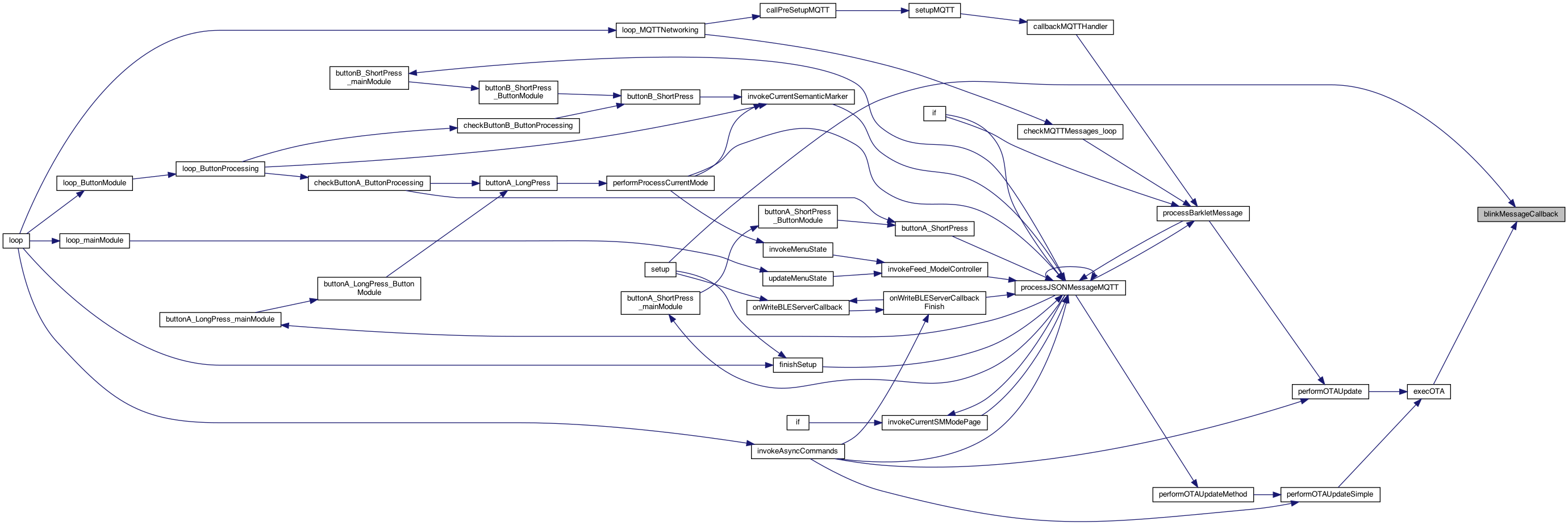
◆ blinkMessageCallback()
| void blinkMessageCallback | ( | char * | message | ) |
callback for blinking led
12.19.25 Power back on, Snowing in mountains support the blink but using the plugin class 5.15.25 try the async CLICK click call 5.26.25 SYNC version
Definition at line 1993 of file MainModule.cpp.

◆ buttonA_LongLongPress_mainModule()
| void buttonA_LongLongPress_mainModule | ( | ) |
long long press on buttonA (top button)
11.25.25 add long long long press on buttonA (top button)
5.6.25 use object version
Definition at line 4090 of file MainModule.cpp.


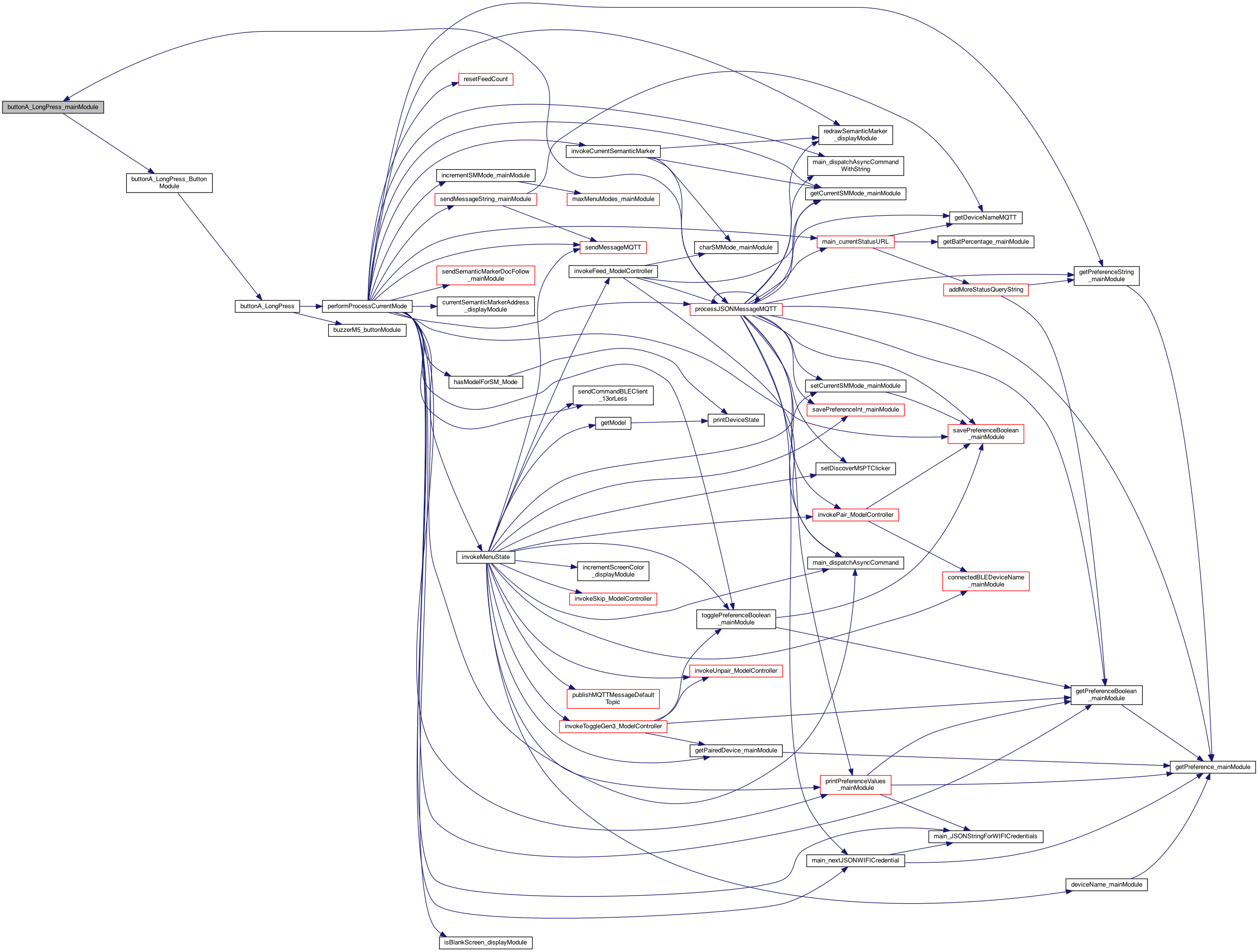
◆ buttonA_LongPress_mainModule()
| void buttonA_LongPress_mainModule | ( | ) |
long press on buttonA (top button)
5.6.25 use object version
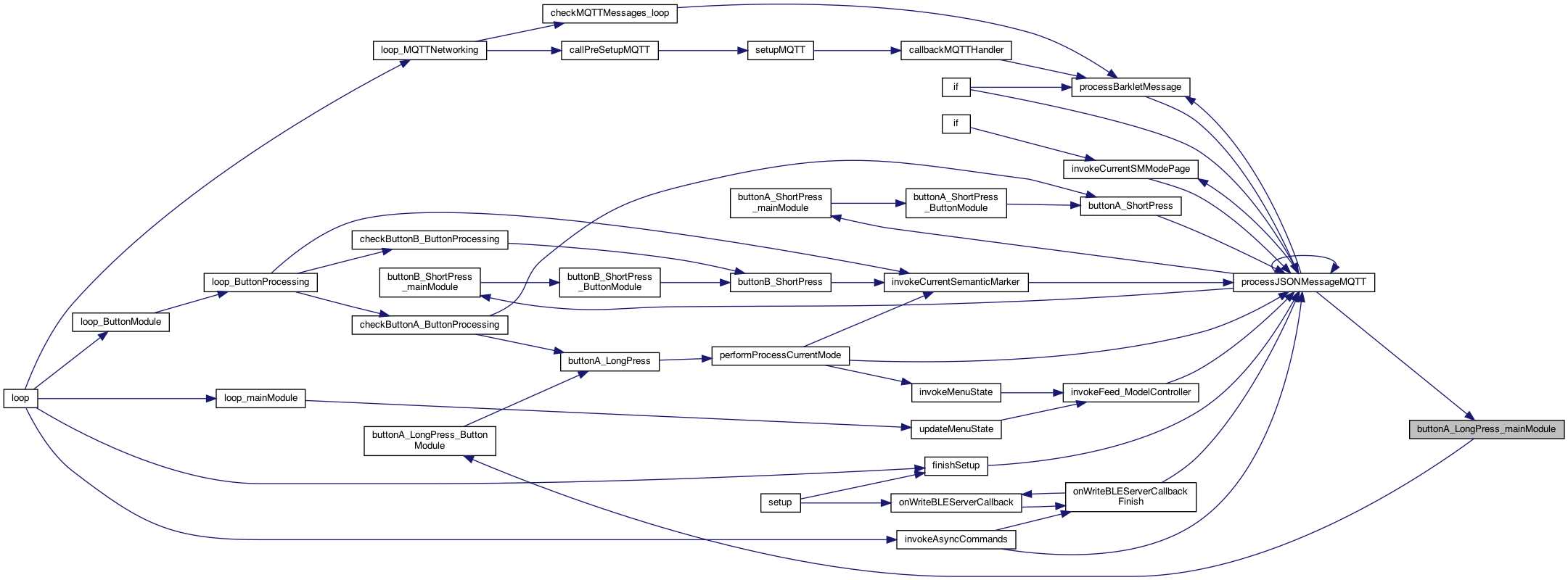
Definition at line 4066 of file MainModule.cpp.
◆ buttonA_ShortPress_mainModule()
| void buttonA_ShortPress_mainModule | ( | ) |
1.22.24 refactored to only ButtonModule knows about plugins.. BUTTON PROCESSING abstraction (NOTE these are only for the M5 since the M5 Atom has it backwards) short press on buttonA (top button)
BUTTON PROCESSING abstraction short press on buttonA (top button)
5.6.25 use object version
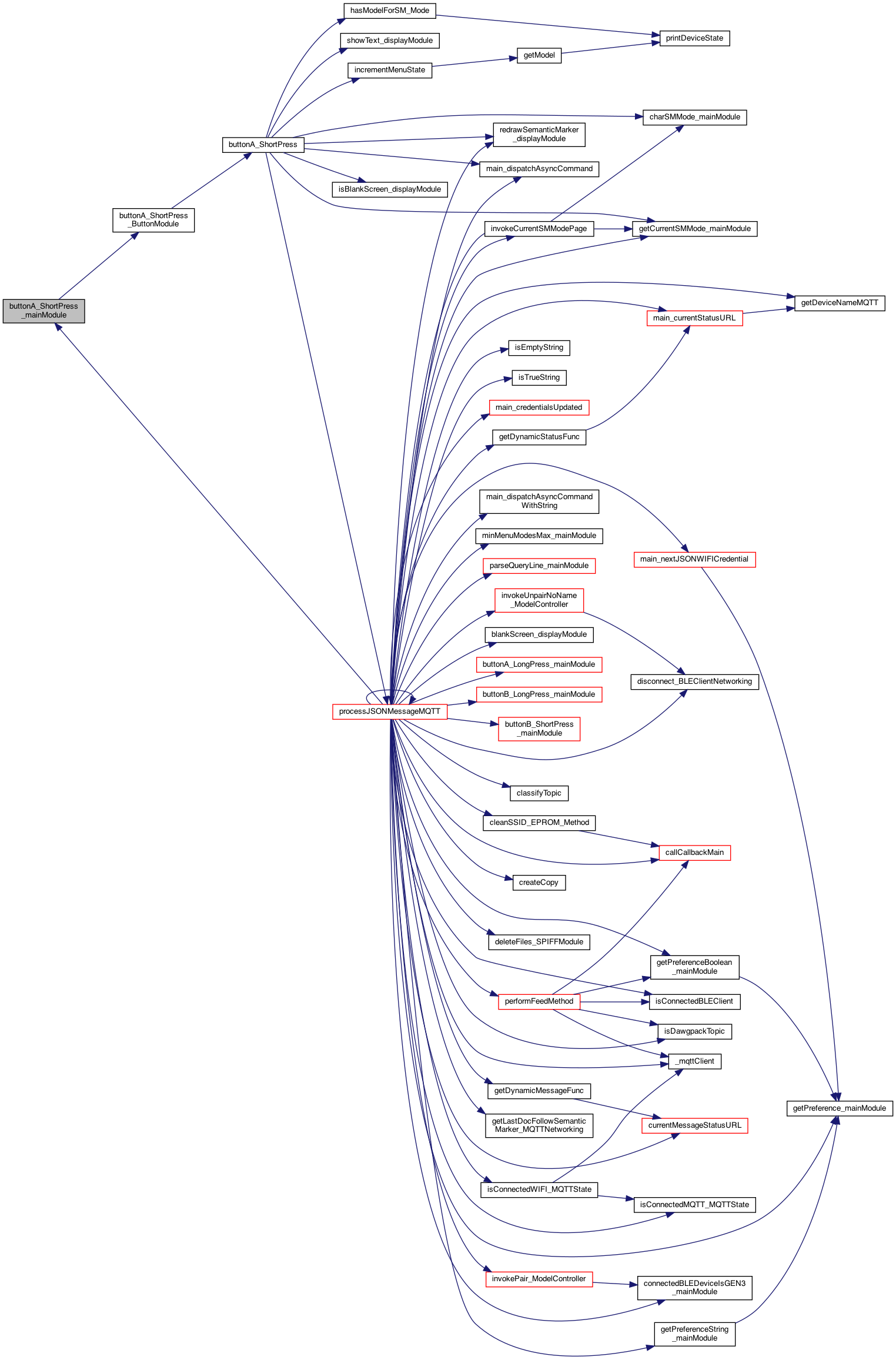
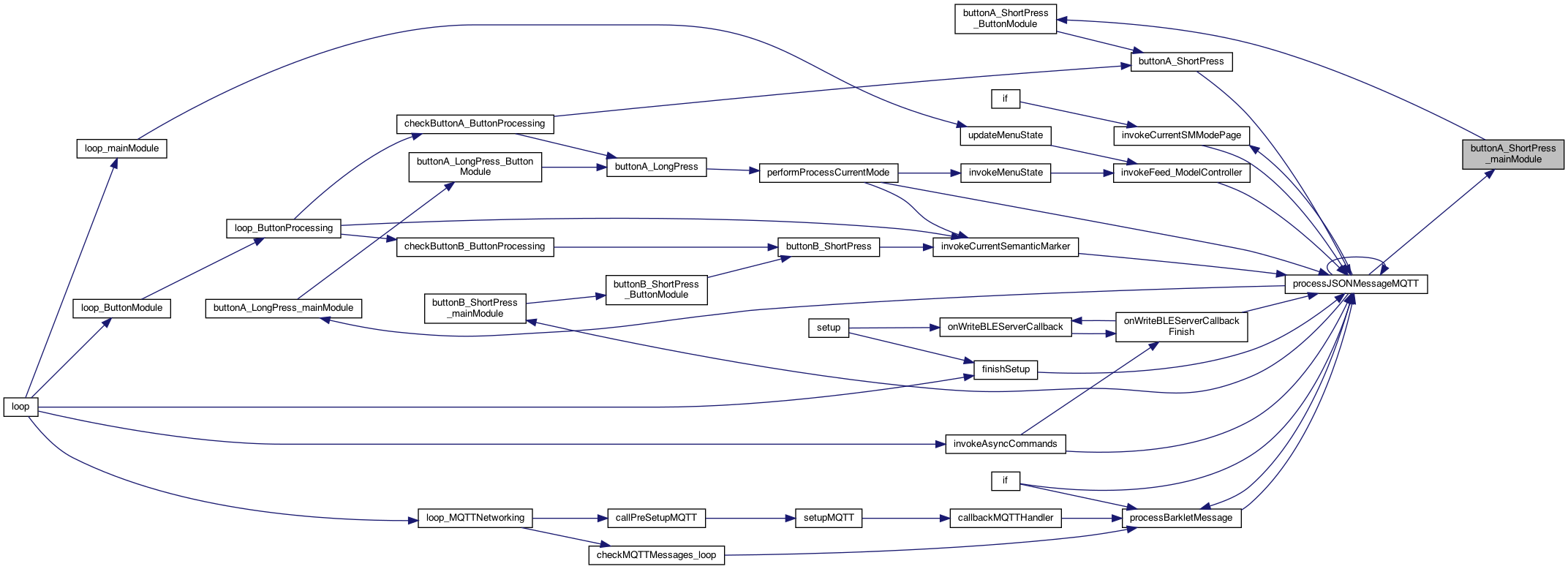
Definition at line 4043 of file MainModule.cpp.
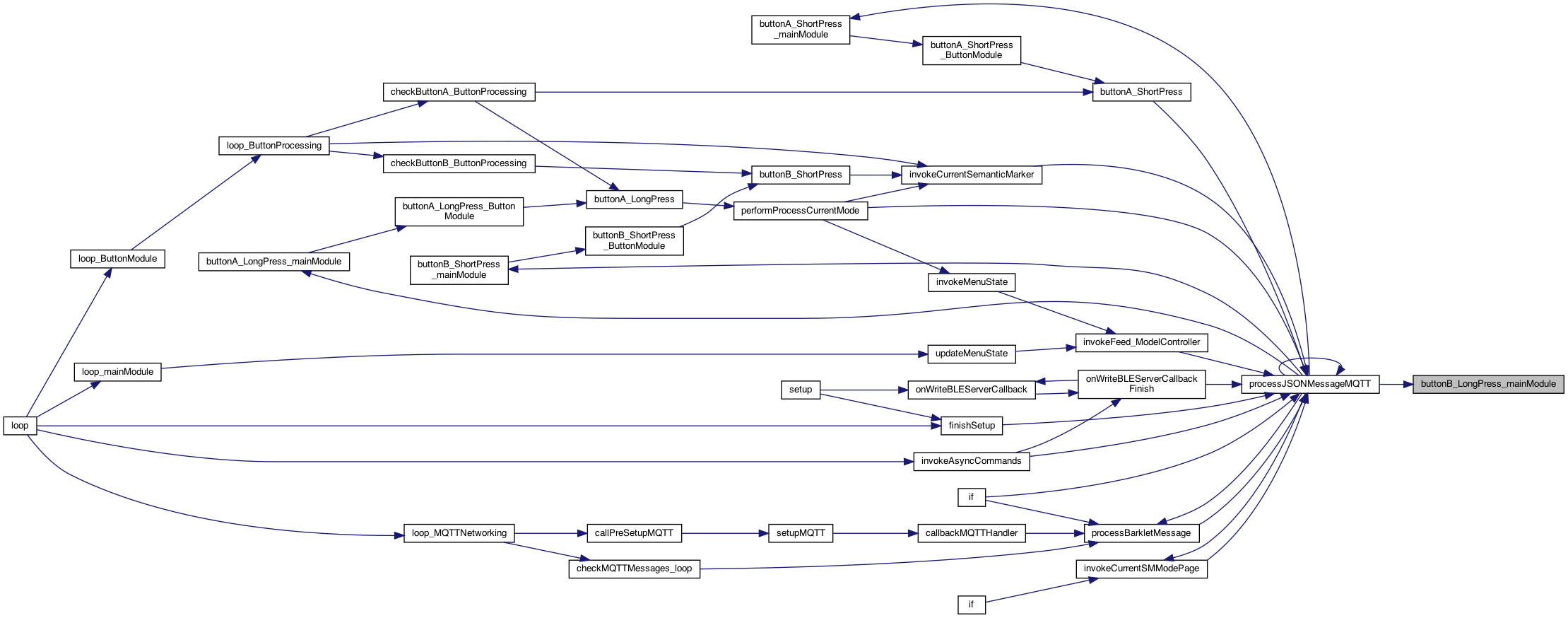
◆ buttonB_LongPress_mainModule()
| void buttonB_LongPress_mainModule | ( | ) |
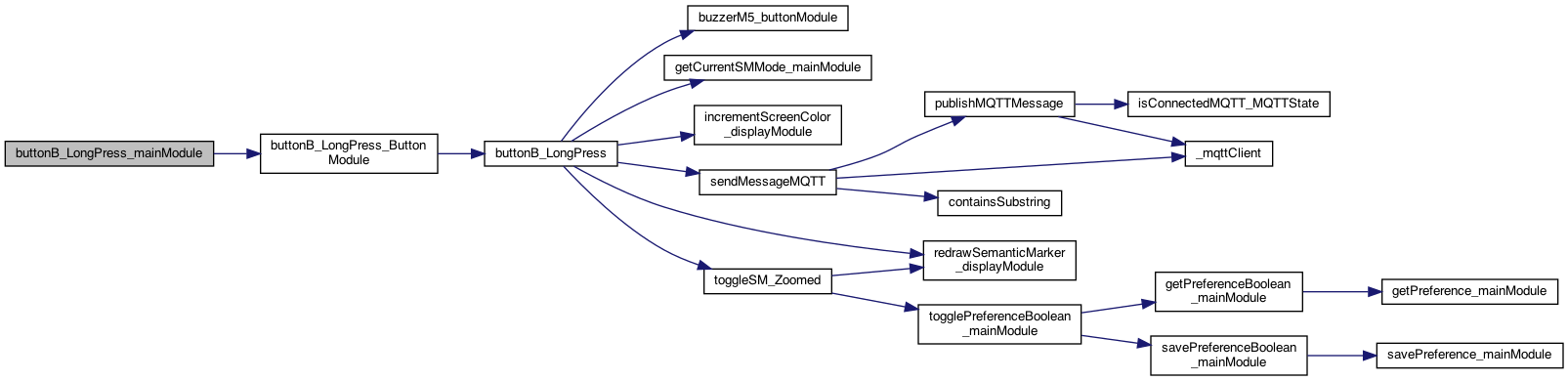
the long press of the side button
Definition at line 4121 of file MainModule.cpp.
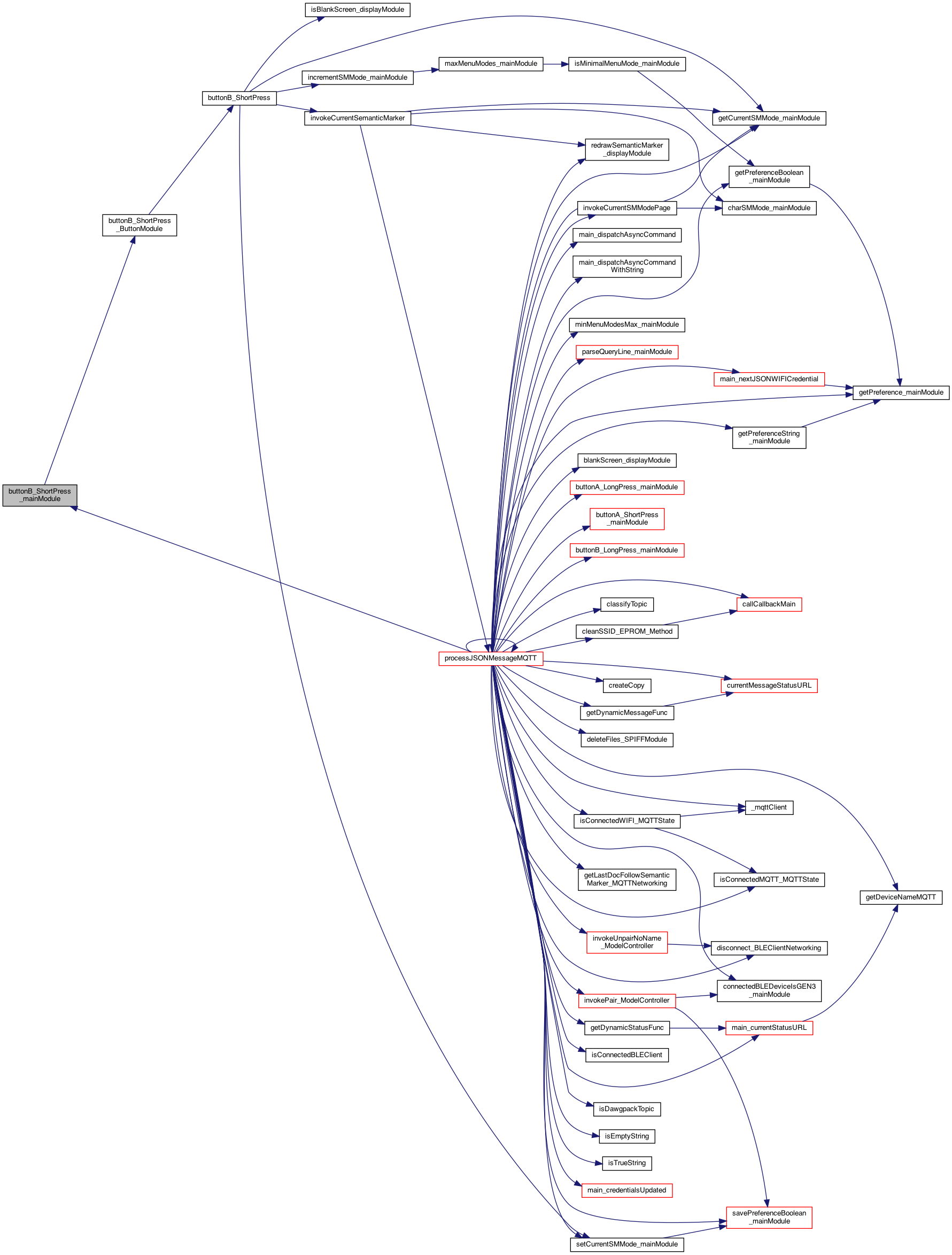
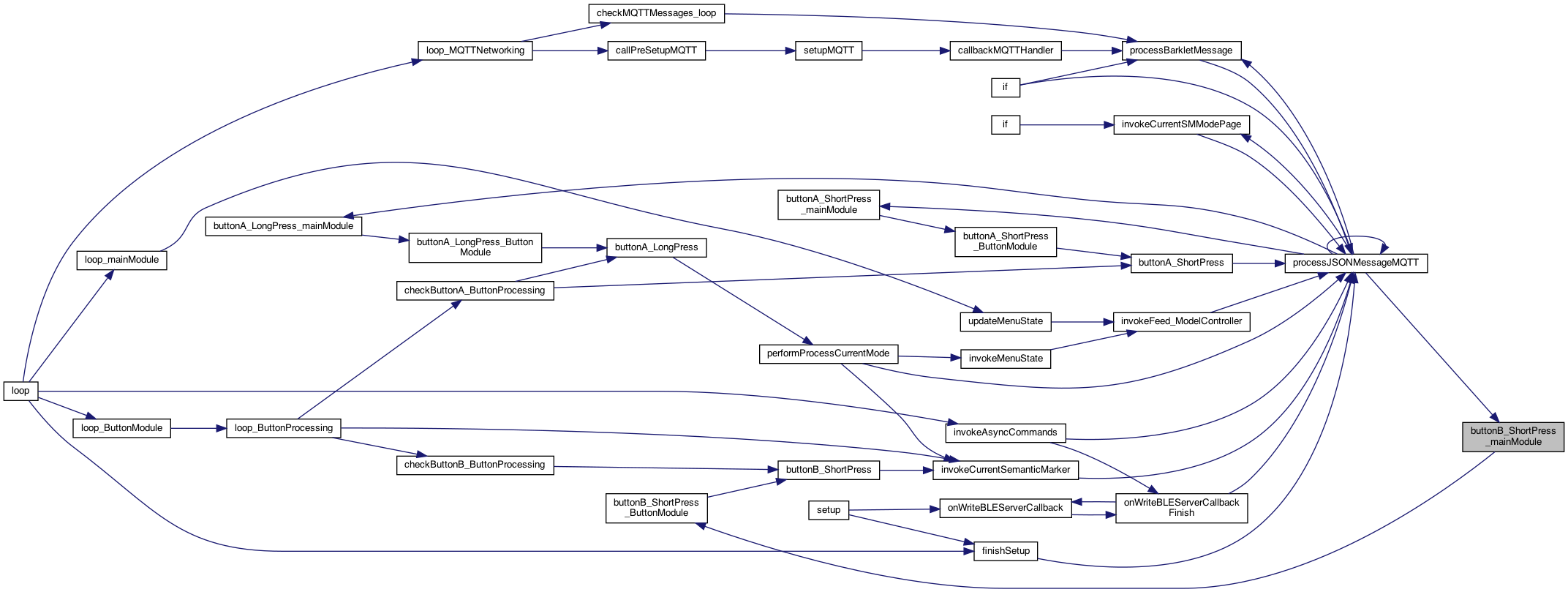
◆ buttonB_ShortPress_mainModule()
| void buttonB_ShortPress_mainModule | ( | ) |
the short press of the side button
Definition at line 4132 of file MainModule.cpp.
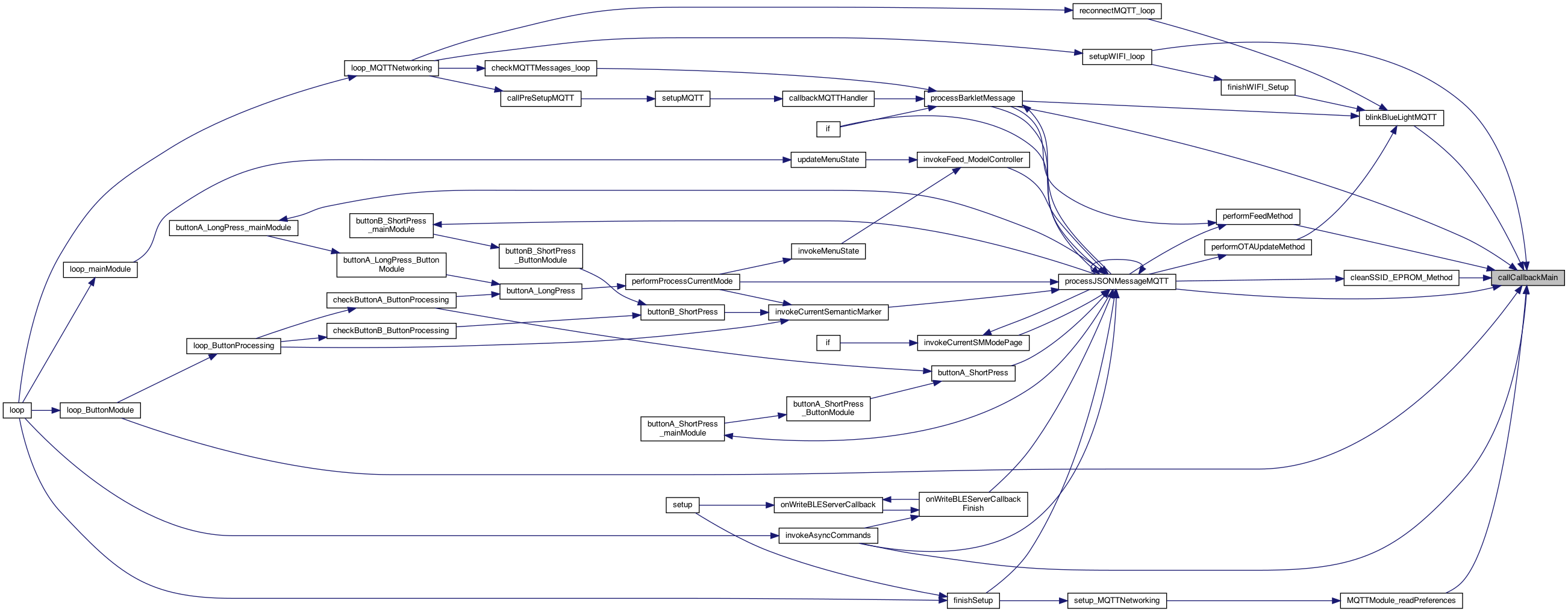
◆ callCallbackMain()
| void callCallbackMain | ( | int | callbacksModuleId, |
| int | callbackType, | ||
| char * | message | ||
| ) |
performs the indirect callback based on the callbackType
Definition at line 900 of file MainModule.cpp.

◆ changeButtonColor_MainModule()
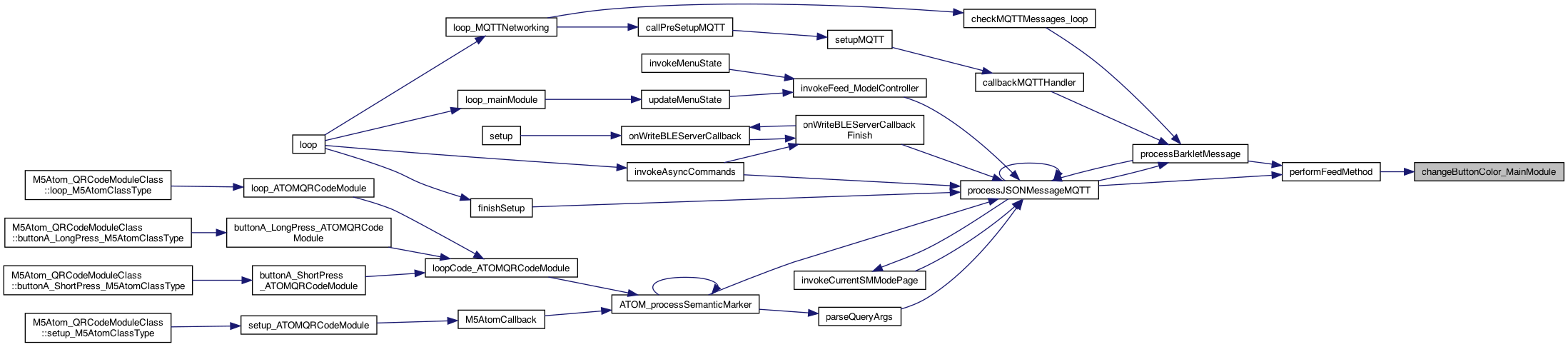
| void changeButtonColor_MainModule | ( | ) |
2.21.25 add a way to change the button color (if any)
Definition at line 1908 of file MainModule.cpp.
◆ charSMMode_mainModule()
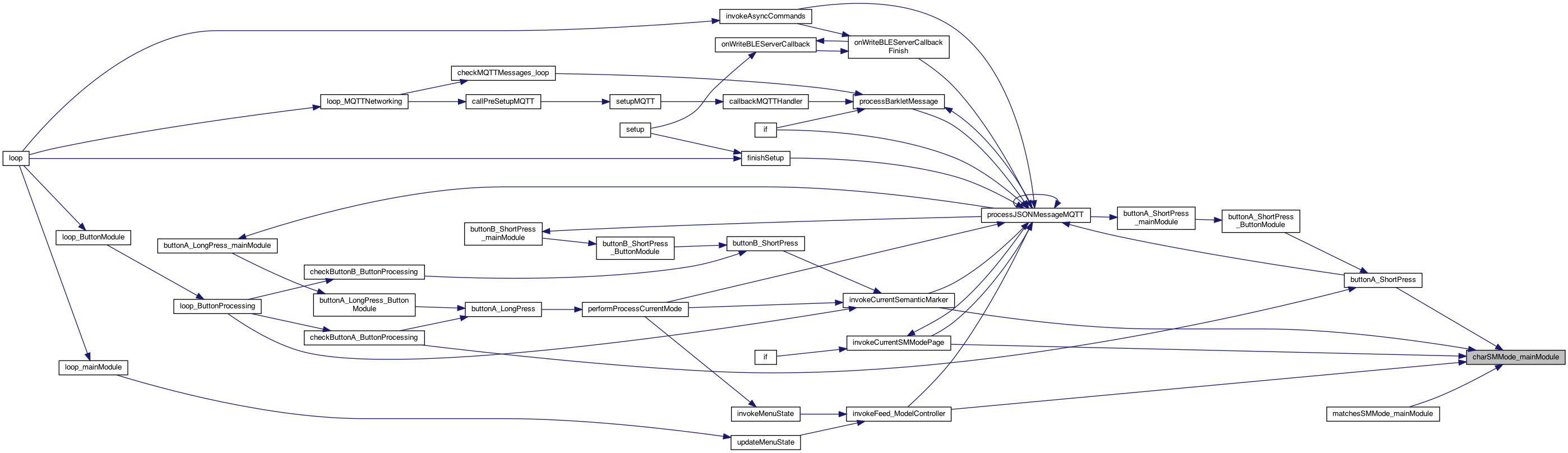
| char * charSMMode_mainModule | ( | int | whichSMMode | ) |
returns string form whichSMMode, sg "sm0", sm1 ...
returns string form whichSMMode, sg "sm0", sm1 ... This can (and is) called by multiple places (like ButtonProcessing and MainModule
Definition at line 3649 of file MainModule.cpp.
◆ cleanEPROM_mainModule()
| void cleanEPROM_mainModule | ( | ) |
cleans the main module EPROM
cleans the main module EPROM
Definition at line 530 of file PreferencesController.cpp.

◆ cleanSSID_EPROM_MessageCallback()
| void cleanSSID_EPROM_MessageCallback | ( | char * | message | ) |
take a picture (calls the camera module).. what to do with picture??? TODO
clean the SSID eprom (MQTT_CLEAN_SSID_EPROM)
take a picture (calls the camera module).. what to do with picture??? TODO
call the already defined solid led defined in Dispense.cpp 8.16.25 WIFI AP clean_SSID_WIFICredentials(); now register an async call..
Definition at line 2032 of file MainModule.cpp.


◆ connectedBLEDeviceIsGEN3_mainModule()
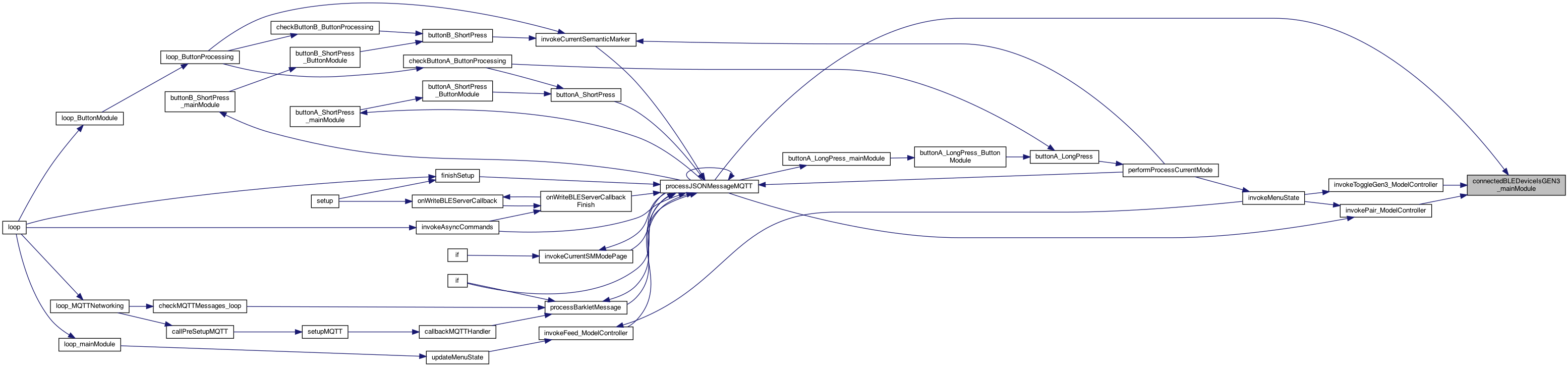
| boolean connectedBLEDeviceIsGEN3_mainModule | ( | ) |
whether the connected is a GEN3 (so the name isn't valid).
whether the connected is a GEN3 (so the name isn't valid).
Definition at line 3744 of file MainModule.cpp.
◆ connectedBLEDeviceName_mainModule()
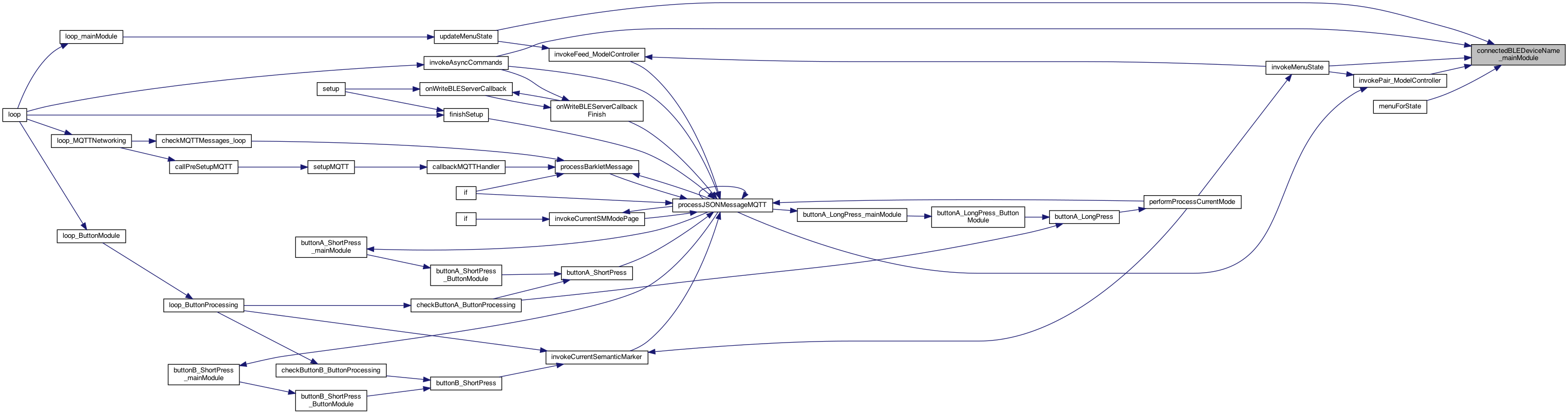
| char * connectedBLEDeviceName_mainModule | ( | ) |
returns the connected BLE Device name (the :NAME of advertisment, Address: 01:39:3f:33 part of name, or "" if nothing (not null)
ISSUE: if BLE, can only return the address.. it's up to the caller to know it might not match the Paired Name (eg DukeGEN3) returns the connected BLE Device name (the :NAME of advertisment, Address: 01:39:3f:33 part of name
8.16.25 BLE CLIENT
if connected, return the connected name, otherwise return empty string
Definition at line 3840 of file MainModule.cpp.

◆ connectedBLEDeviceNameAddress_mainModule()
| char * connectedBLEDeviceNameAddress_mainModule | ( | ) |
returns address part of name.
8.16.25 BLE CLIENT
if connected, return the connected name, otherwise return empty string
Definition at line 3864 of file MainModule.cpp.

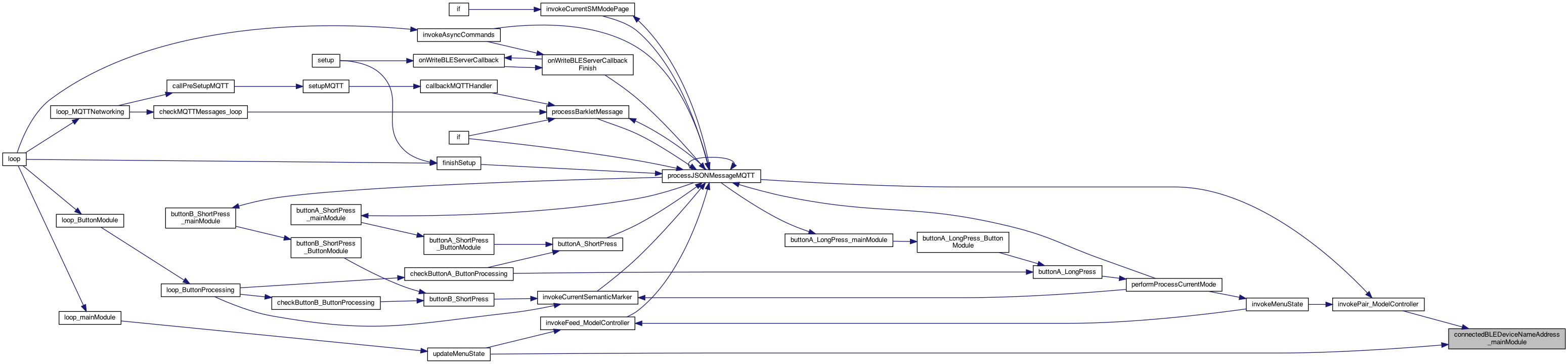
◆ containsSubstring()
| bool containsSubstring | ( | String | message, |
| String | substring | ||
| ) |
check if the string contains the other string (if substring is "" then no match)
check if the string contains the other string (if substring is "" then no match)
Definition at line 765 of file MainModule.cpp.
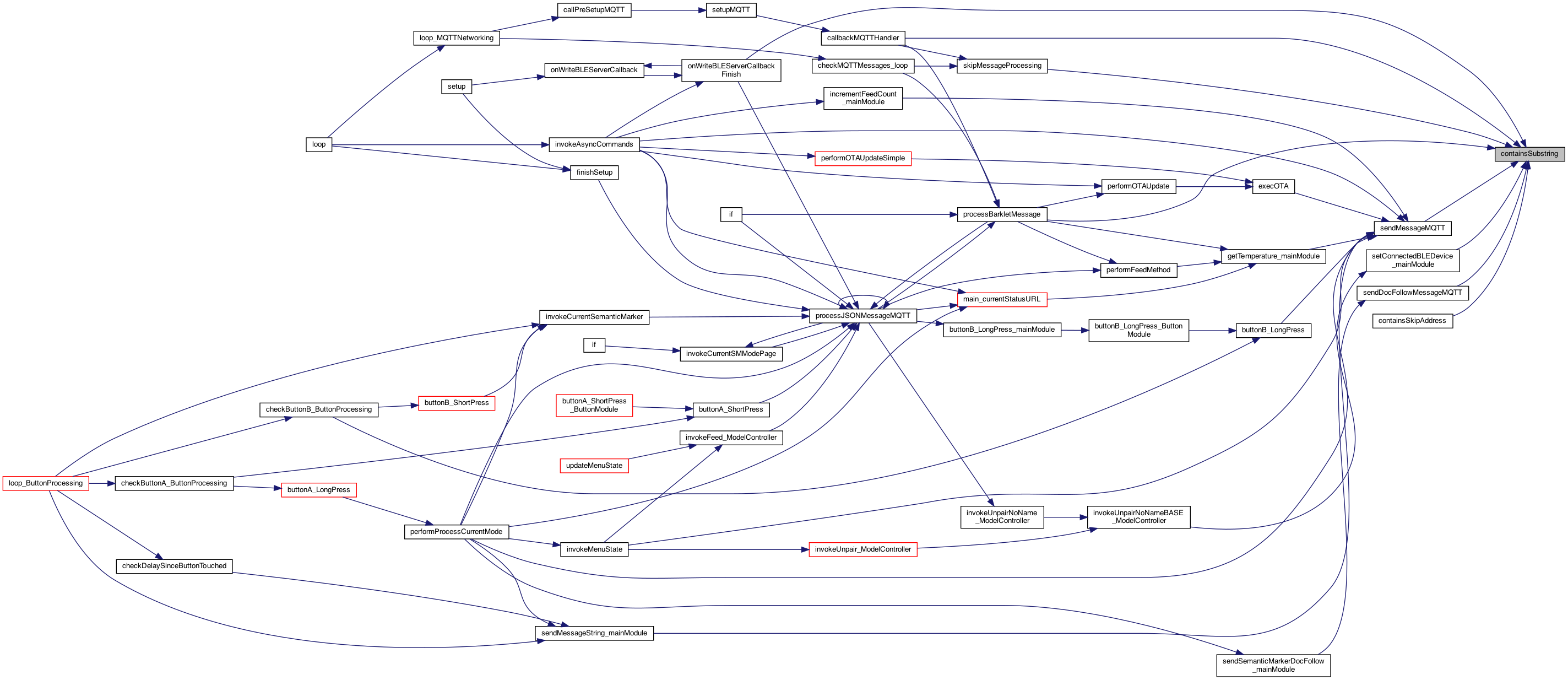
◆ createCopy()
| char * createCopy | ( | char * | stringA | ) |
If nil it create one with just the null, so strlen = 0 NOTE: the strdup() might be used later..
Definition at line 2239 of file MainModule.cpp.
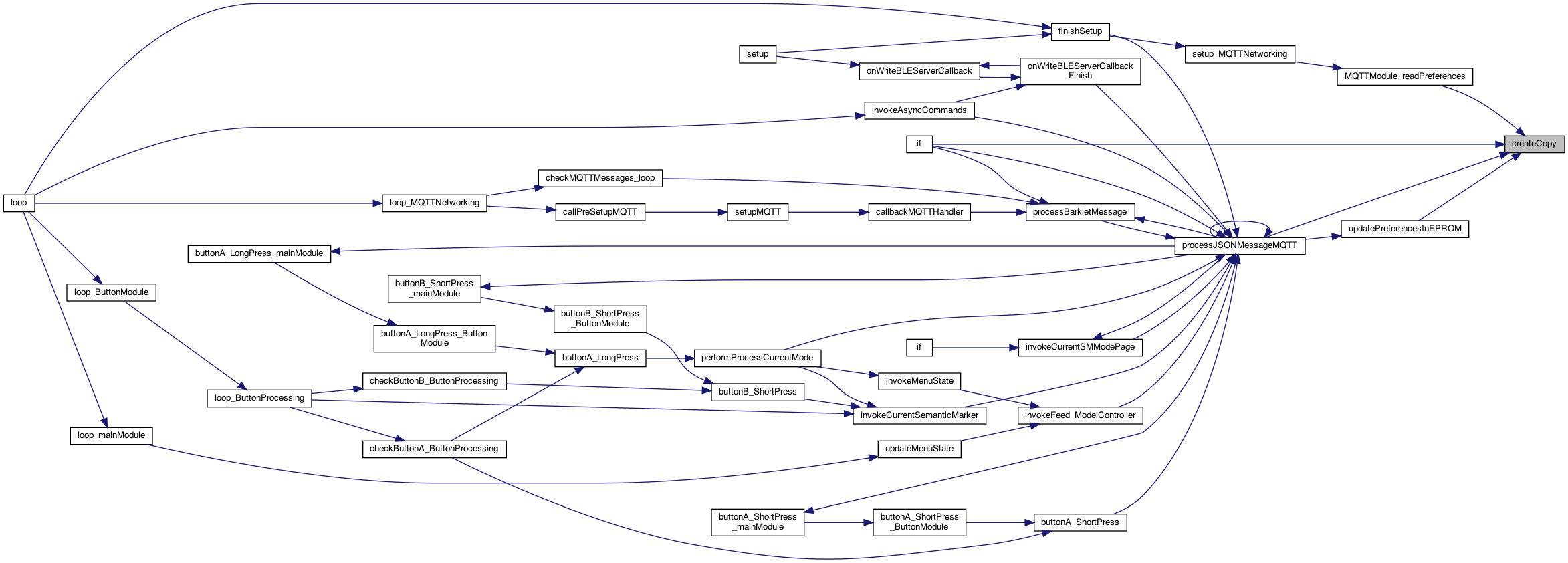
◆ createCopy2()
| char * createCopy2 | ( | const char * | stringA | ) |
If nil it create one with just the null, so strlen = 0 NOTE: the strdup() might be used later..
Definition at line 2249 of file MainModule.cpp.
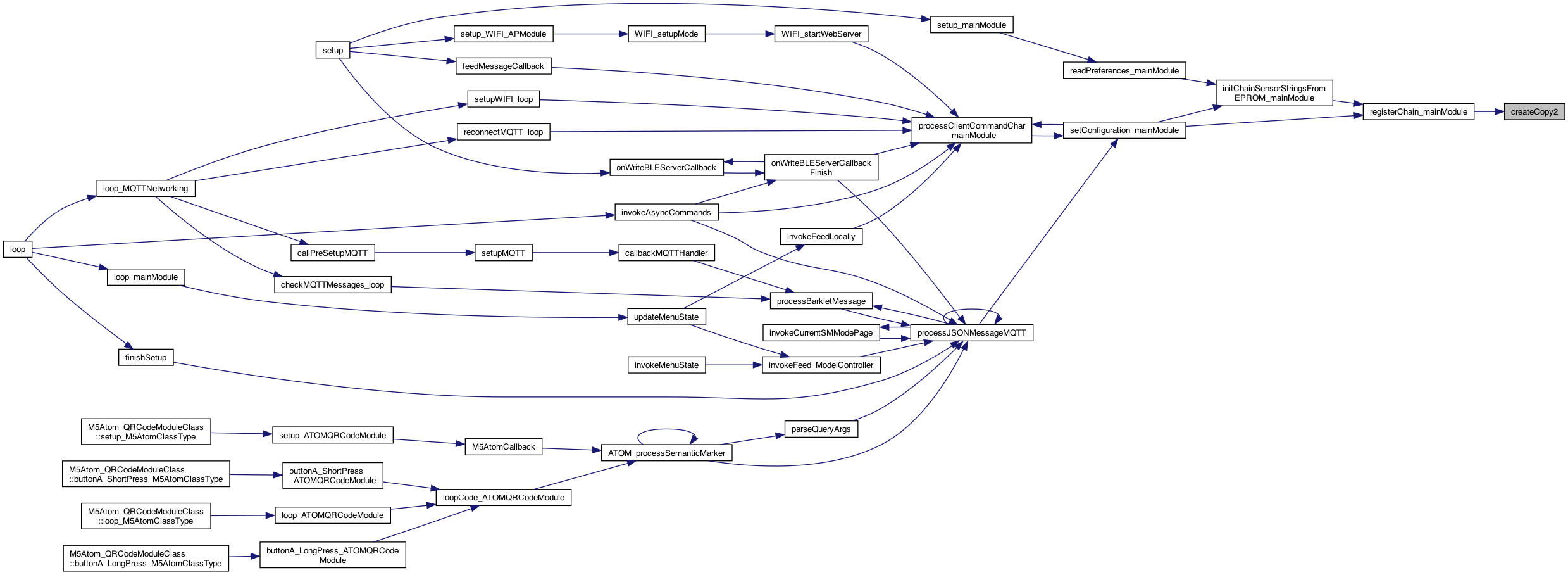
◆ decrementSMMode_mainModule()
| void decrementSMMode_mainModule | ( | ) |
increment the currentSMMode, wrapping and using the max menu
Definition at line 3721 of file MainModule.cpp.
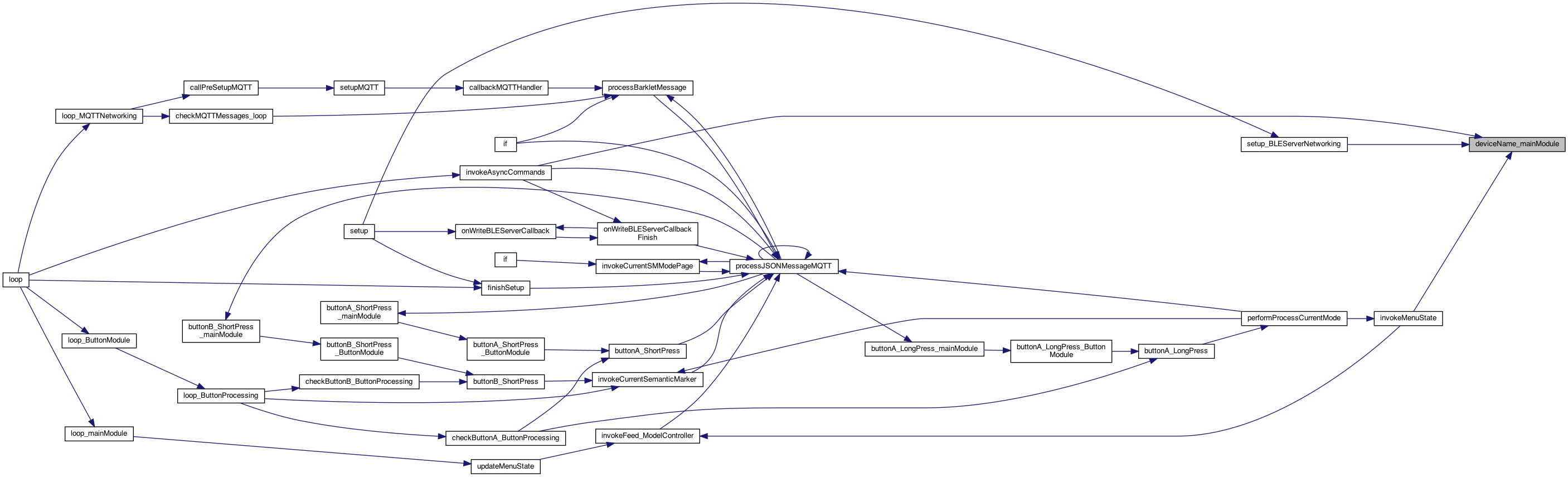
◆ deviceName_mainModule()
| char * deviceName_mainModule | ( | ) |
gets the device name
Definition at line 1224 of file MainModule.cpp.

◆ espBegin_mainModule()
| void espBegin_mainModule | ( | int | num | ) |
main BEGIN and UPDATE .. everyone calls this .. and we can see if done too many times 7.26.26 pass num to see if duplicates being called
main BEGIN and UPDATE .. everyone calls this .. and we can see if dont too many times 7.26.26 the Beging aggregate
Definition at line 508 of file MainModule.cpp.

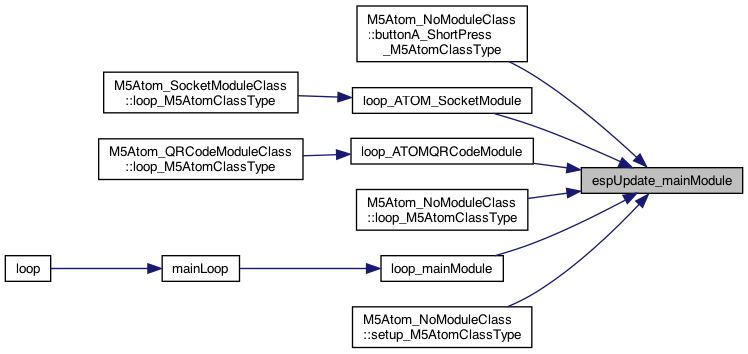
◆ espUpdate_mainModule()
| void espUpdate_mainModule | ( | int | num | ) |
the Update aggrgate
Definition at line 521 of file MainModule.cpp.
◆ feedCountMax_mainModule()
| int feedCountMax_mainModule | ( | ) |
returns the max for this feeder
Definition at line 706 of file MainModule.cpp.


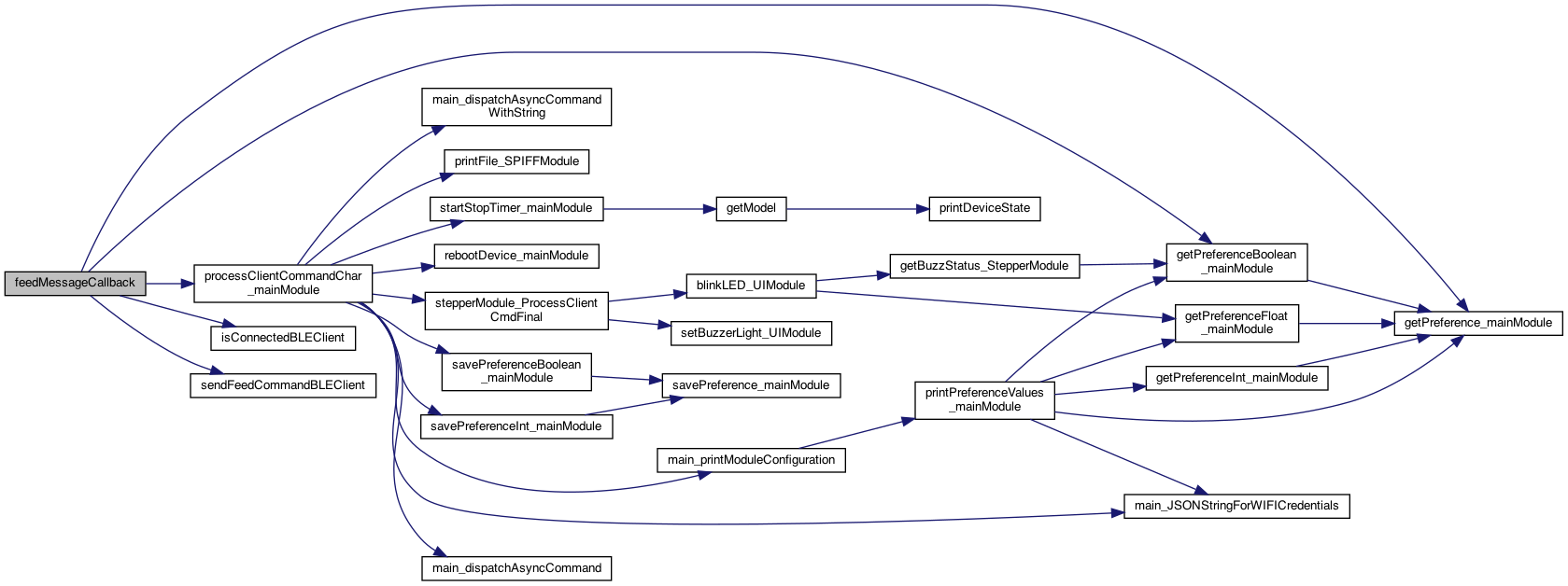
◆ feedMessageCallback()
| void feedMessageCallback | ( | char * | message | ) |
8.16.25 MQTT example callback: but the scope would have the pCharacteristic defined, etc.. This is pased just before the setupMQTTNetworking() is called..
8.16.25 MQTT example callback: but the scope would have the pCharacteristic defined, etc.. This is passed just before the setupMQTTNetworking() is called..
sends this single character to the StepperModule
increment the feed count .. TODO .. see if this is good place..
the FEED was send over MQTT, now what to do? WIth the StepperModule – it just performs the feeding internalls if using the BLE_CLIENT then we have the potential to send to over BLE to the server (another feeder, GEN3 or ESP32). The issue is that ESP32 feeders are receiving the same MQTT message (usually unless MQTT turned off So the gatewayMode can be set (or in the EPROM) using {'cmd':'gatewayOn'}
8.16.25 BLE CLIENT
send the feed over the BLE client (if connected)
Definition at line 977 of file MainModule.cpp.

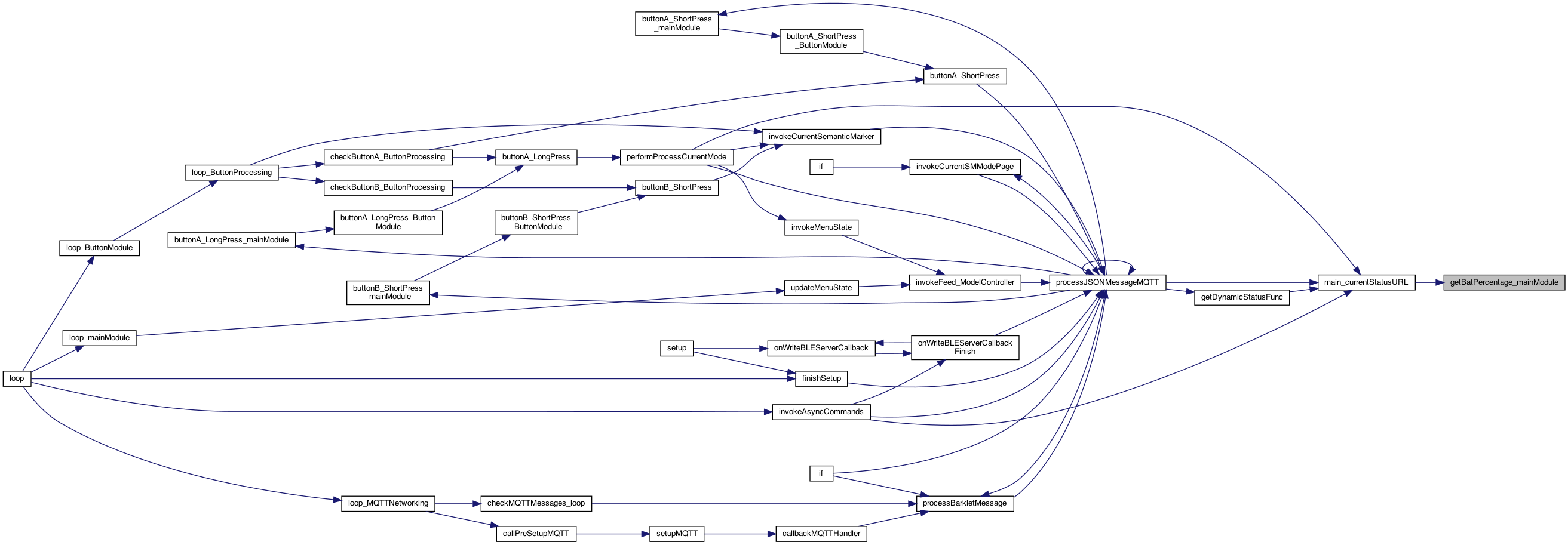
◆ getBatPercentage_mainModule()
| float getBatPercentage_mainModule | ( | ) |
start of the sensor updates ... TODO: tie these to the MQTT messaging as well..
the M5.Axp.GetBatVoltage() is VERY slow on the M5 (as there isn't one..)
Definition at line 2293 of file MainModule.cpp.
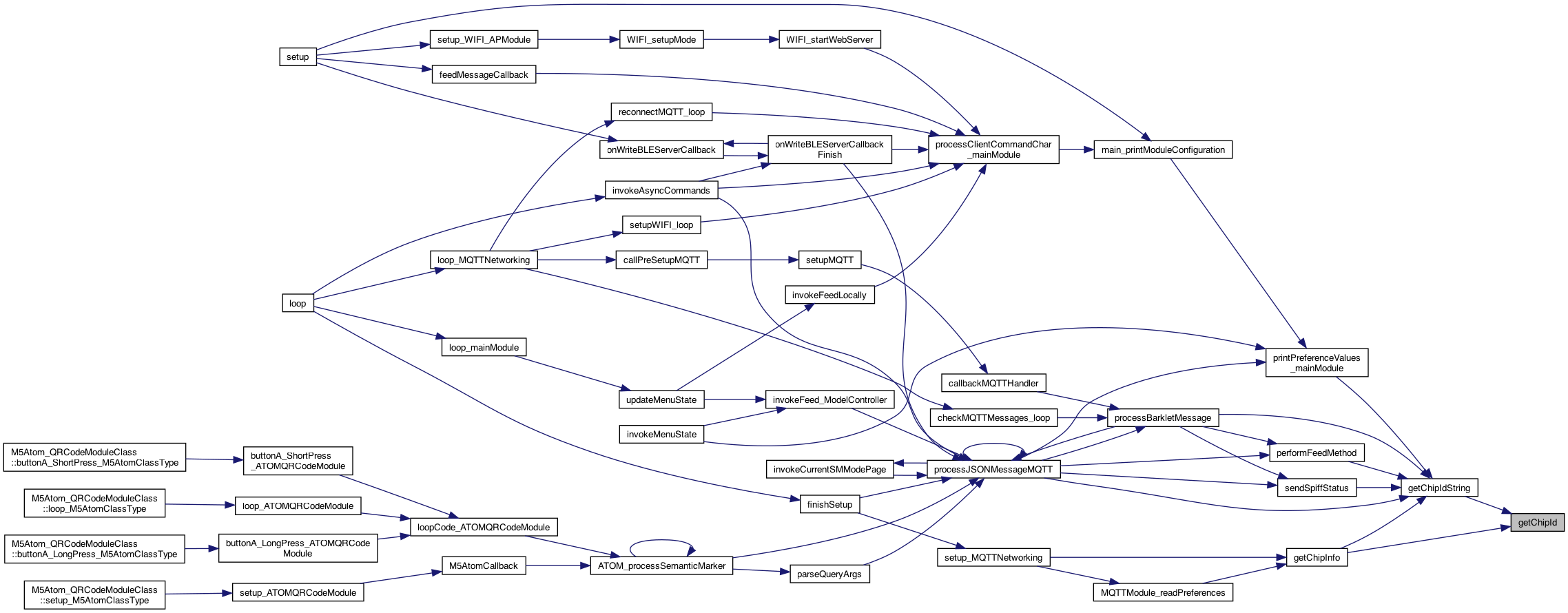
◆ getChipId()
| uint32_t getChipId | ( | ) |
3.17.24 get the chip id
Definition at line 1922 of file MainModule.cpp.
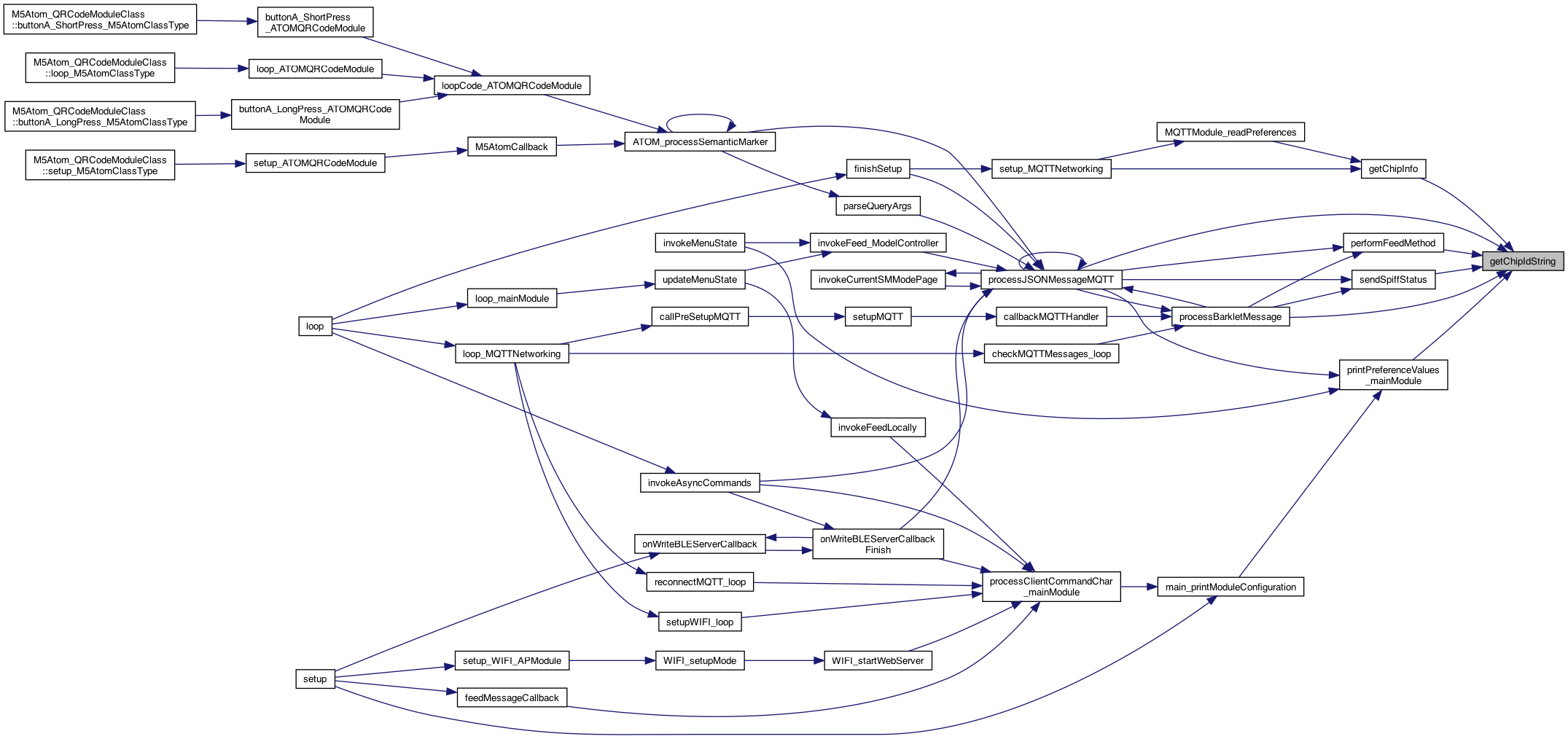
◆ getChipIdString()
| char * getChipIdString | ( | ) |
3.17.24 get the chip id as a string
Definition at line 1937 of file MainModule.cpp.

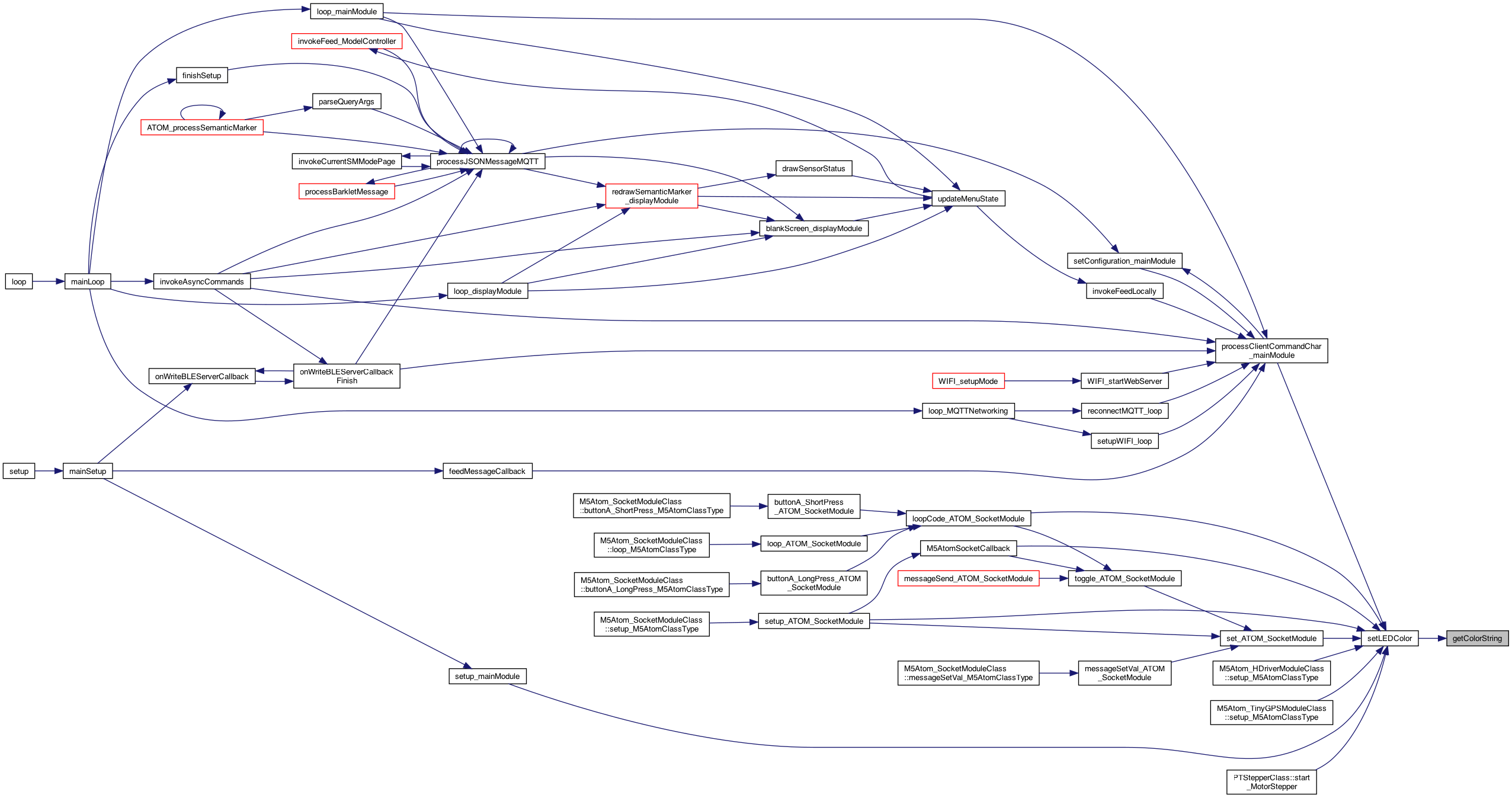
◆ getColorString()
| String getColorString | ( | ColorsUnified | color | ) |
returns a string for the color int
Definition at line 4522 of file MainModule.cpp.
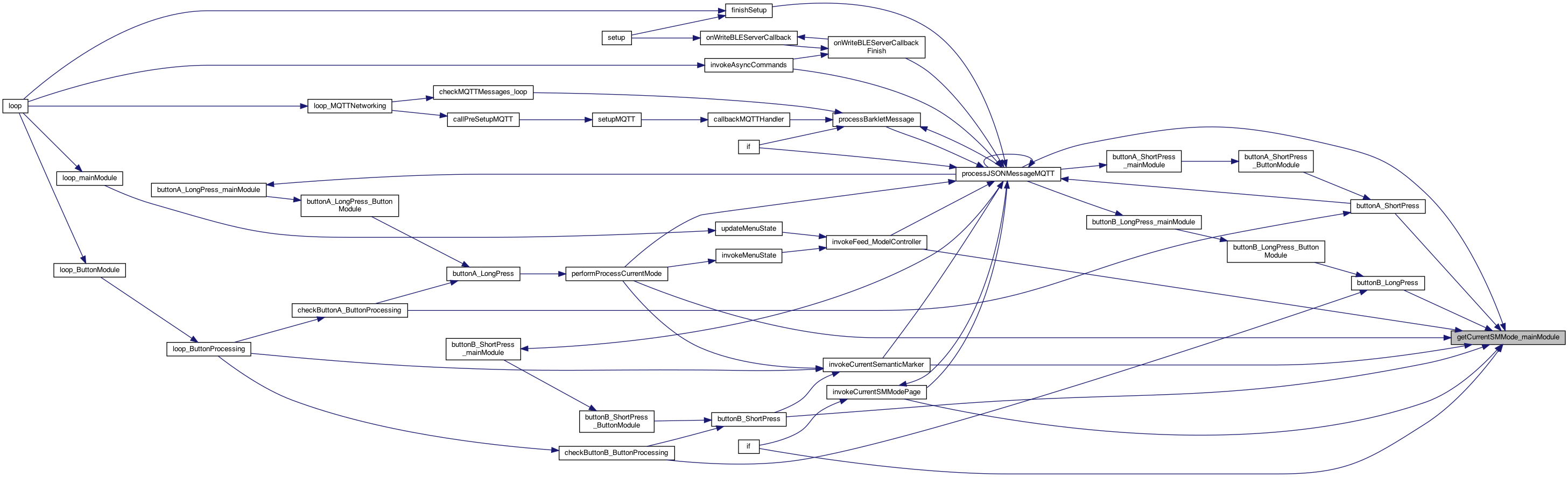
◆ getCurrentSMMode_mainModule()
| int getCurrentSMMode_mainModule | ( | ) |
returns the current SM Mode
Definition at line 3703 of file MainModule.cpp.
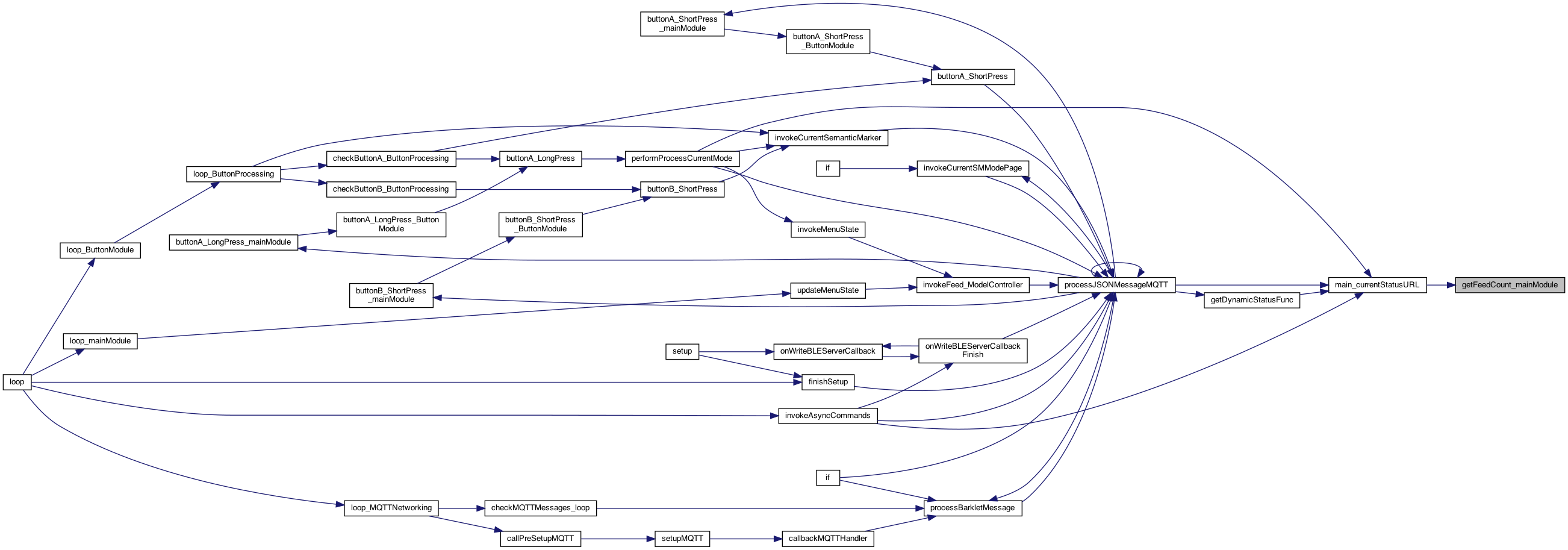
◆ getFeedCount_mainModule()
| int getFeedCount_mainModule | ( | ) |
feedcount info..
Definition at line 724 of file MainModule.cpp.
◆ getFeederType_mainModule()
| int getFeederType_mainModule | ( | ) |
get the feeder type (Sepper 1,2,3 ...)
Definition at line 730 of file MainModule.cpp.


◆ getFullBLEDeviceName_mainModule()
| char * getFullBLEDeviceName_mainModule | ( | ) |
returns full name and address, and service.
returns full name and address, and service.
8.16.25 BLE CLIENT
Definition at line 3730 of file MainModule.cpp.


◆ getLUXThreshold_mainModule()
| int getLUXThreshold_mainModule | ( | int | thresholdKind | ) |
get the threshold val
Definition at line 1963 of file MainModule.cpp.
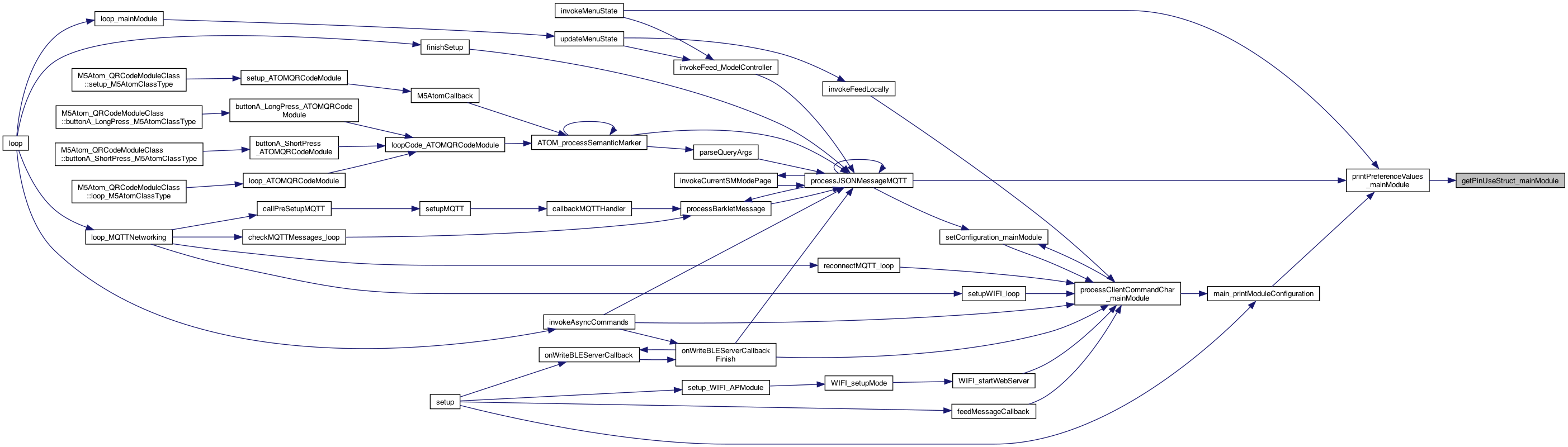
◆ getPinUseStruct_mainModule()
| PinUseStruct * getPinUseStruct_mainModule | ( | ) |
get the pin use array
Definition at line 4325 of file MainModule.cpp.
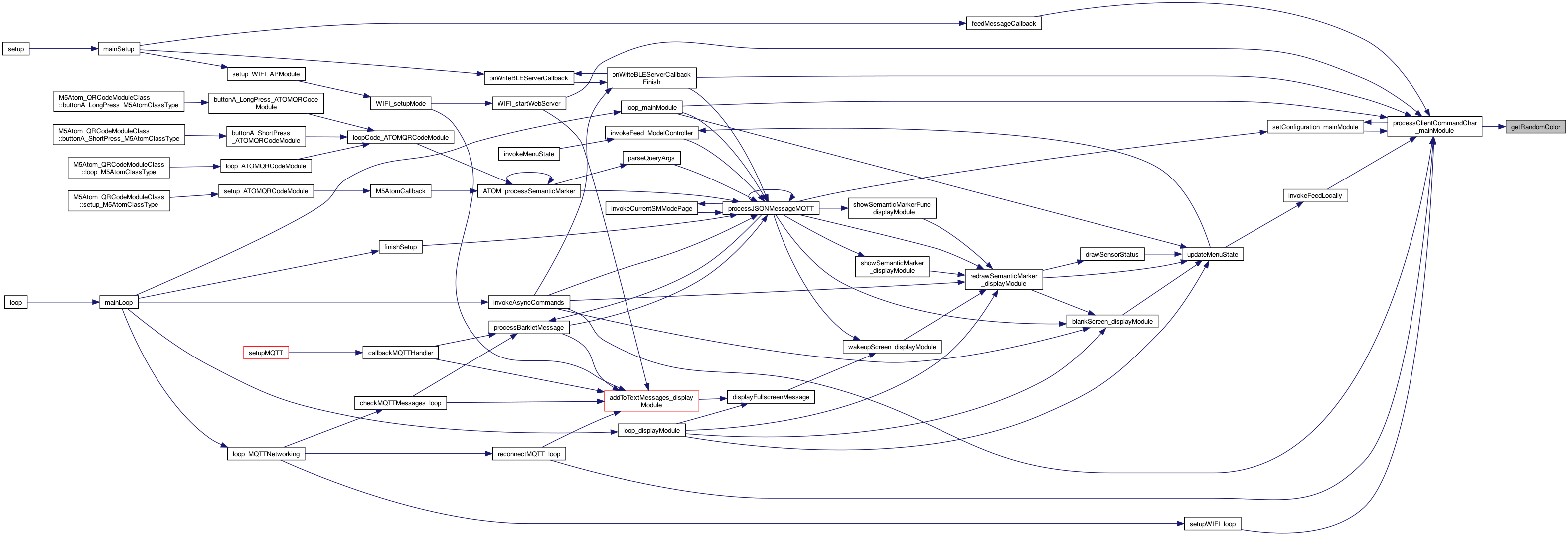
◆ getRandomColor()
| ColorsUnified getRandomColor | ( | ) |
7.24.25 return a (semi) random color
Definition at line 4494 of file MainModule.cpp.
◆ getSemanticMarkerDocFollow_mainModule()
| char * getSemanticMarkerDocFollow_mainModule | ( | ) |
get the latest semantic marker for doc follow
get the latest semantic marker for doc follow
Definition at line 2597 of file MainModule.cpp.
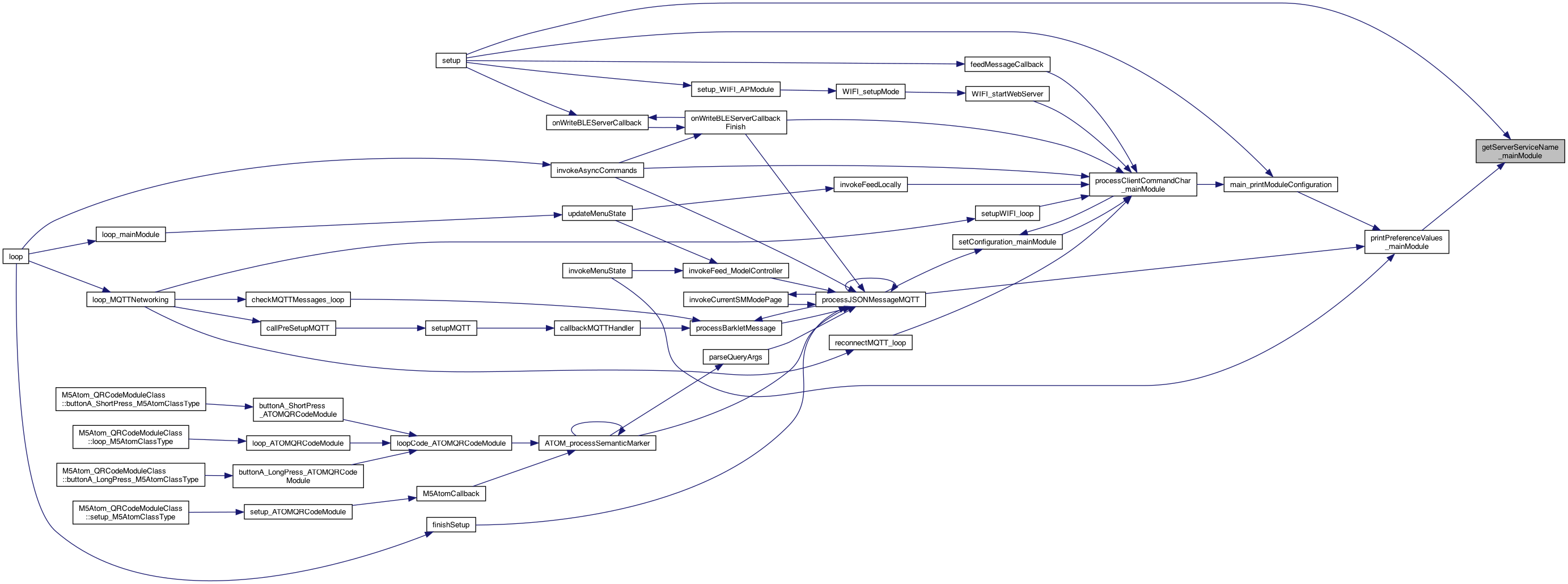
◆ getServerServiceName_mainModule()
| char * getServerServiceName_mainModule | ( | ) |
10.10.25 #405 #406 see if the device is a PTClicker if the M5Atom class is one.. return the service name: PTClicker or PTFeeder
Definition at line 336 of file MainModule.cpp.

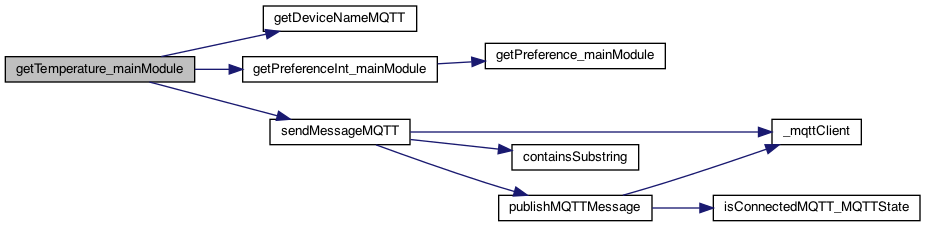
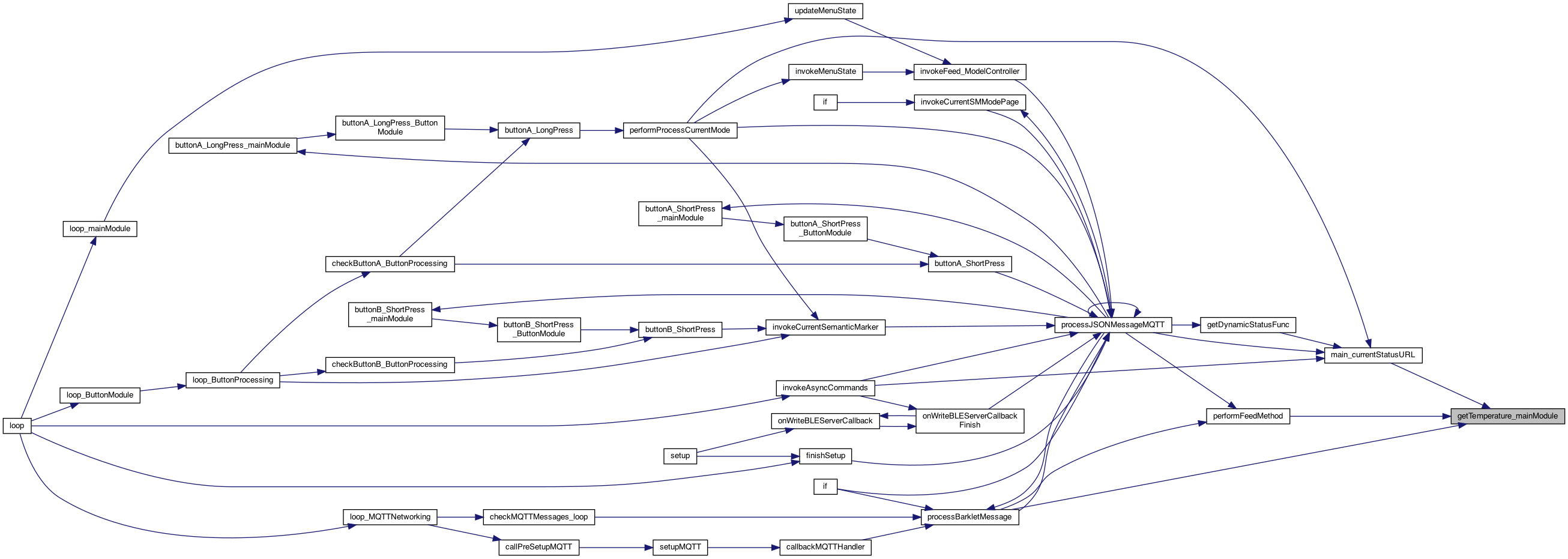
◆ getTemperature_mainModule()
| float getTemperature_mainModule | ( | ) |
retrieves the temperature in F.
retrieves the temperature in F.
return celcius float temperature = M5.Axp.GetTempInAXP192();
Definition at line 2352 of file MainModule.cpp.
◆ getTimeStamp_mainModule()
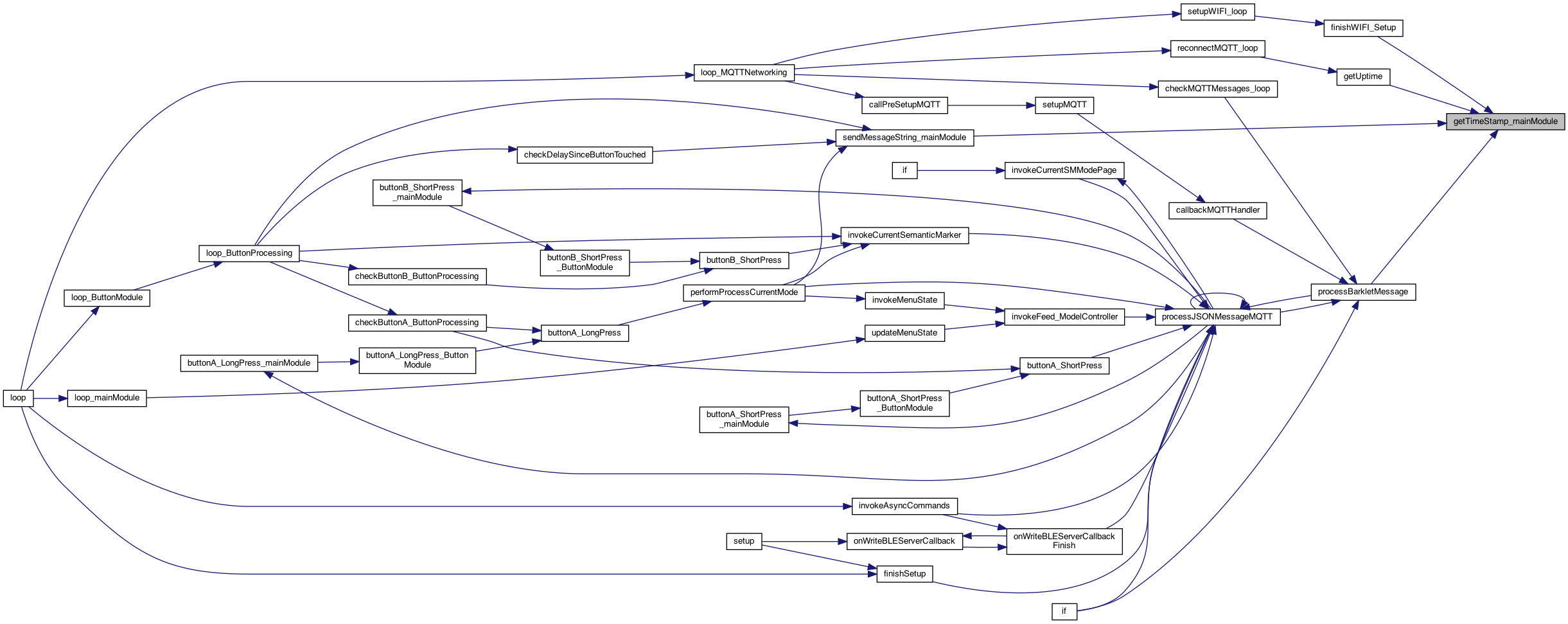
| int getTimeStamp_mainModule | ( | ) |
On the esp32, sec is all we can handle. We can return as a double if milisecond resolution is needed. This is the time since app started.. https://randomnerdtutorials.com/epoch-unix-time-esp32-arduino/
7.27.25 miliseconds .. convert to seconds
Definition at line 3599 of file MainModule.cpp.
◆ groupTopicFullName()
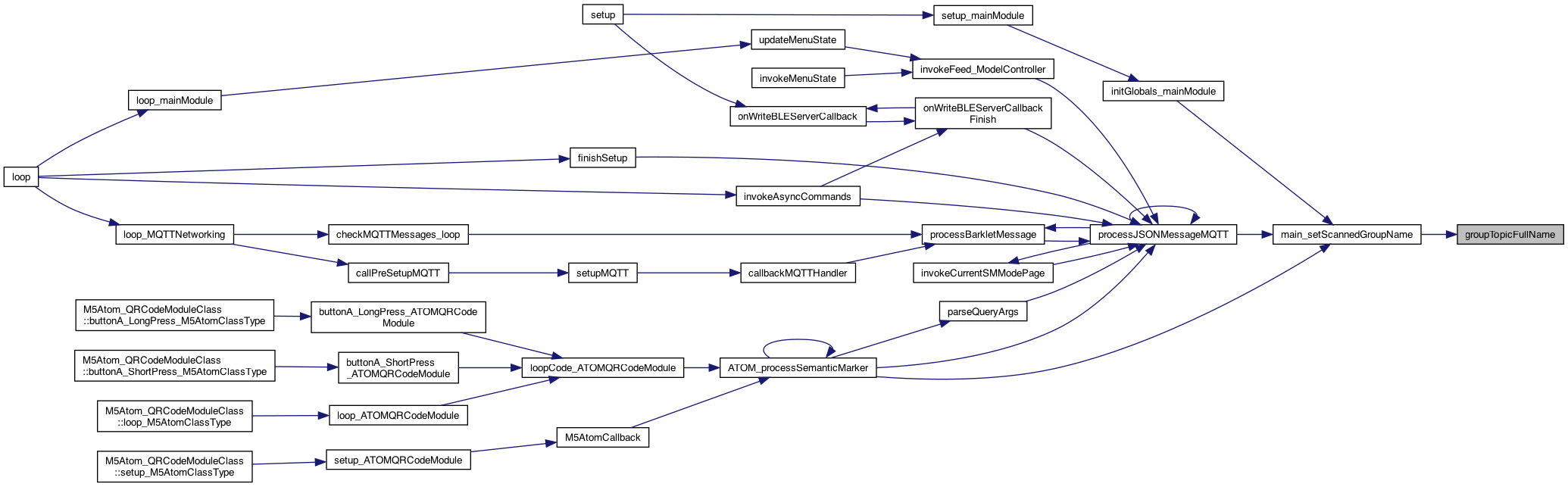
| char * groupTopicFullName | ( | char * | groupName | ) |
returns a groupTopic to use as a topic
Definition at line 1982 of file MainModule.cpp.
◆ incrementFeedCount_mainModule()
| void incrementFeedCount_mainModule | ( | ) |
increments .. and if MAX goes to 0 – and sends a message on MQTT
8.16.25 MQTT
NOTE: don't send "feed" as it might trigger a FEED ...
called by the feed operation to say the device is still running.. and count it as a button click. Issue #145 8.8.22
Definition at line 737 of file MainModule.cpp.


◆ incrementSMMode_mainModule()
| void incrementSMMode_mainModule | ( | ) |
increment the currentSMMode, wrapping and using the max menu
Definition at line 3709 of file MainModule.cpp.

◆ initAsyncCallFlags()
| void initAsyncCallFlags | ( | ) |
storage for asyncCallCommands
storage for asyncCallCommands
Definition at line 1489 of file MainModule.cpp.

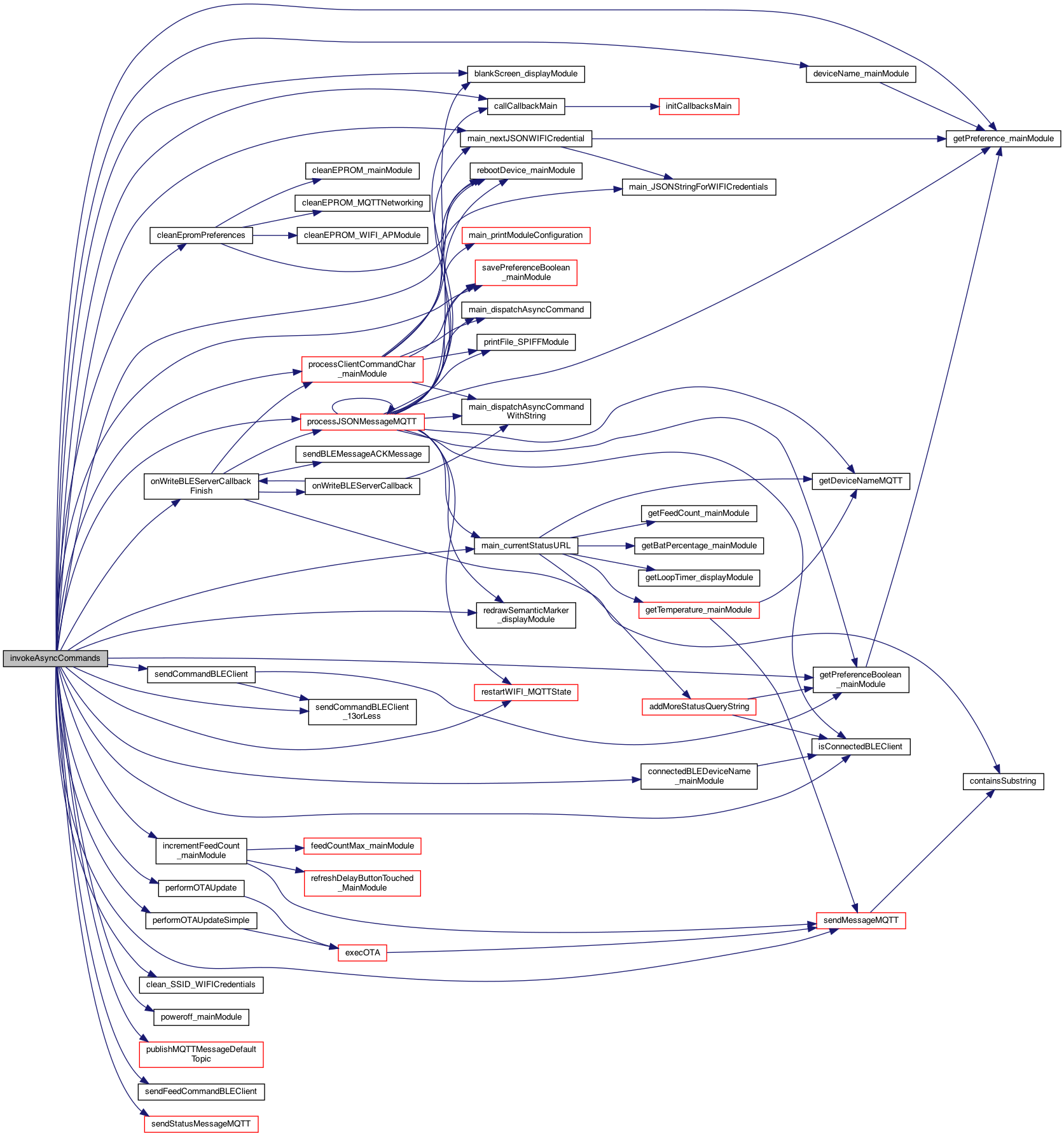
◆ invokeAsyncCommands()
| void invokeAsyncCommands | ( | ) |
checks if any async commands are in 'dispatch' mode, and if so, invokes them, and sets their flag to false
8.16.25 BLE CLIENT
8.16.25 MQTT
The FINISH of callback for "onWrite" of the bluetooth "onWrite' 1.10.24 add ability to send a MQTT Semantic Marker message This sends a MQTT message. Currently GROUP not supported TODO: add GROUP 3.9.24 REST call now process those that don't have a string parameter 8.16.25 MQTT 8.16.25 WIFI AP 8.16.25 MQTT register the 2 callbacks for now.. this is a sending of the message 8.16.25 MQTT 8.16.25 BLE CLIENT 9.30.22 IF SET .. send a feed but to all devices except ours and our pair (if any) uses new wildcard syntax either ! OUR NAME [ & ! OUR_CONNECTED_NAME if not paired, then feed everyone except out device... if not BLE connected .. send wifi fee to all below... 8.16.25 BLE CLIENT returns whether connected over BLE as a client to a server(like a ESP feeder) If not connected over BLE – then send the MQTT feed message.. ??? WHY?? 8.16.25 MQTT only if not WIFI with BLE 8.20.24 put back to MQTT feed to all .. for now.. SerialCall.println("async_send_feed.1");
send a BLE feed command as we are connected
perform ACK too 8.16.25 MQTT
11.26.25 send Status instead
this is a sending of the message 5.15.25 Sodbuster Rod plowing/disking in minutes with Mark and Bud
set the persistence (Note, this is locally saved. If sending elsewhere .. then they have to set their value)
click call synchronously ...
OK: issue. if we are an ESP feeder, the STEPPER is on .. so we're good, if an M5 - then either send over BLE or MQTT
send via BLE or MQTT .. 8.16.25 BLE CLIENT returns whether connected over BLE as a client to a server(like a ESP feeder)
If not connected over BLE – then send the MQTT buzzon message.. 8.16.25 MQTT
send over BLE...
setGatewayOn/Off called from the processJSON message in MQTT or via the EPROM setting (TODO)
sends the status from the main module URL 8.16.25 MQTT
NO MORE: sendDocFollowMessageMQTT(statusURL);
8.16.25 MQTT
These are the ASYNC_CALL_PARAMETERS_MAX NO: just change our credentials ...
8.16.25 MQTT Restarts (or attempts) a restart of the WIFI using the existing credentials – vs the 'n' command
Definition at line 1556 of file MainModule.cpp.

◆ isEmptyString()
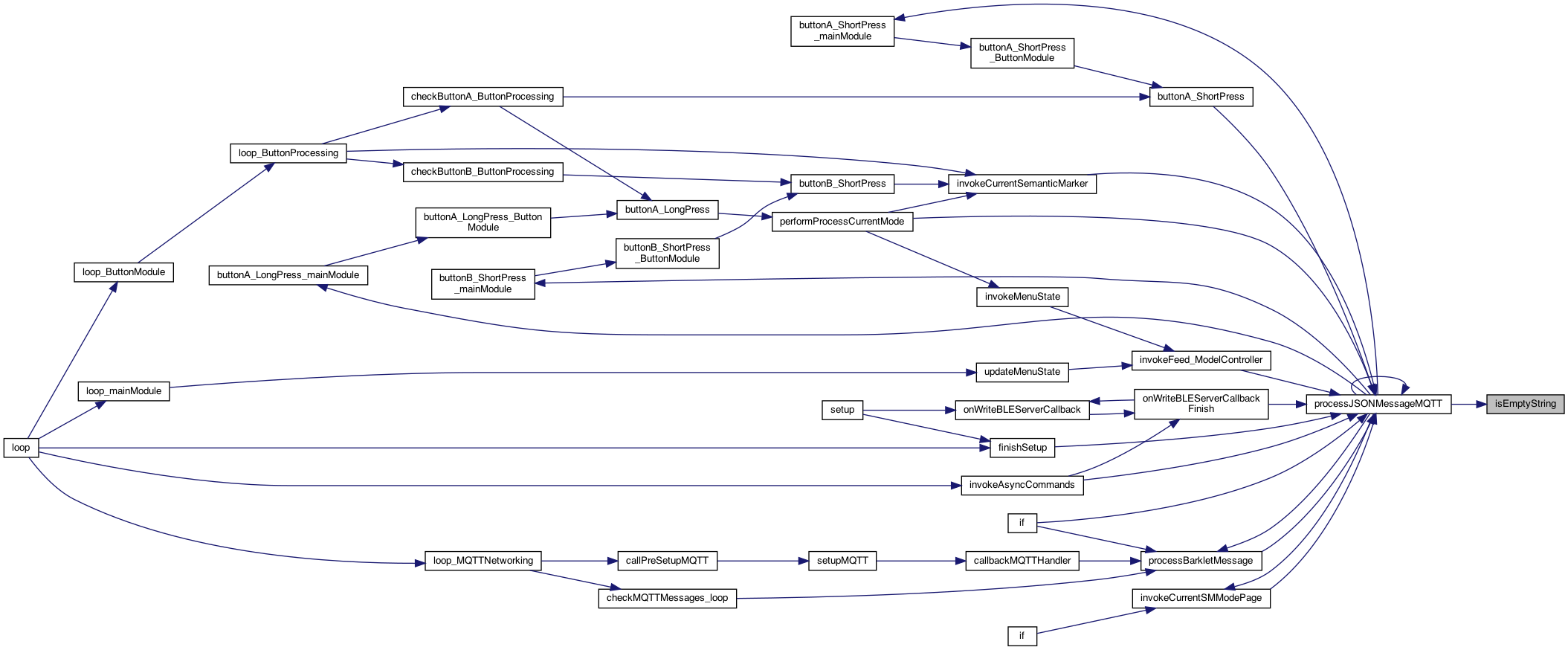
| boolean isEmptyString | ( | char * | stringA | ) |
if an empty string
if an empty string
Definition at line 2258 of file MainModule.cpp.
◆ isMinimalMenuMode_mainModule()
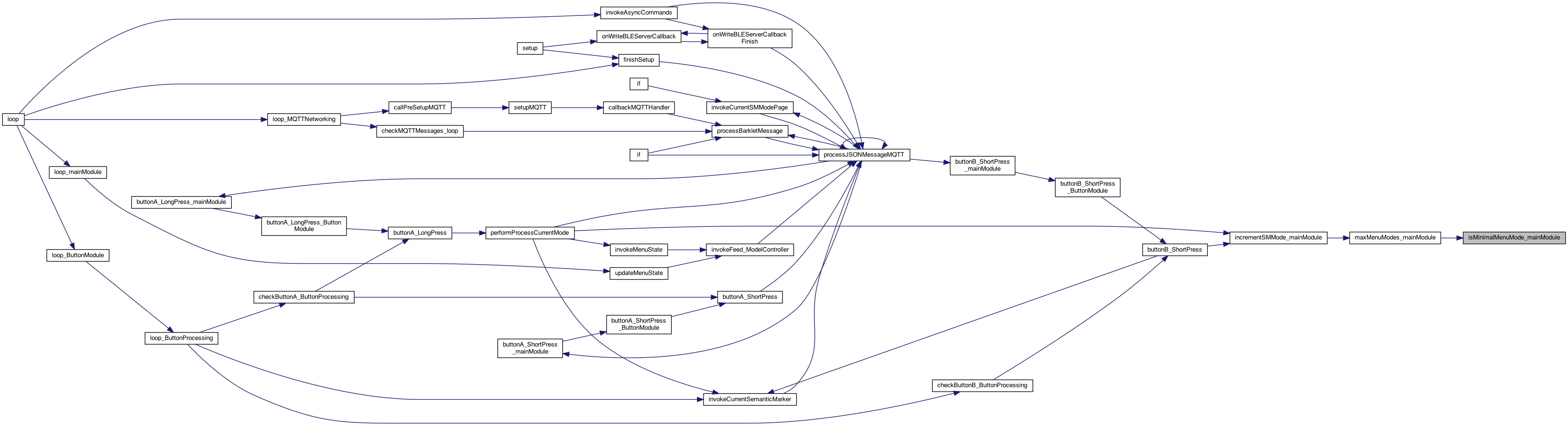
| boolean isMinimalMenuMode_mainModule | ( | ) |
returns which mode in (min or expanded)
Definition at line 3659 of file MainModule.cpp.

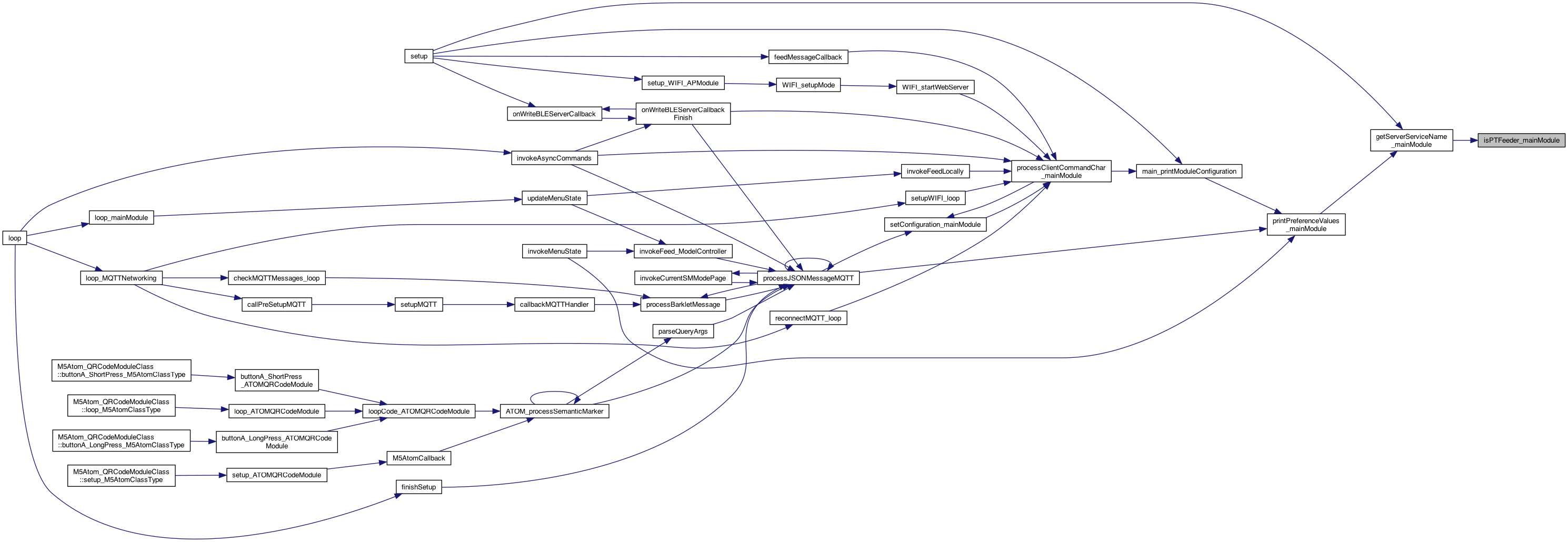
◆ isPTFeeder_mainModule()
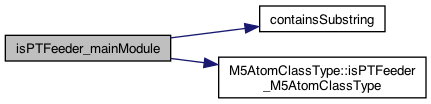
| boolean isPTFeeder_mainModule | ( | ) |
gets if PTFeeder a surrogate for the M5Atom class
Defines the name of the service of the server, which for M5 will be PTClicker
Definition at line 315 of file MainModule.cpp.
◆ isTrueString_mainModule()
| boolean isTrueString_mainModule | ( | String | valCmdString | ) |
whether the string is TRUE, ON, 1
Definition at line 918 of file MainModule.cpp.

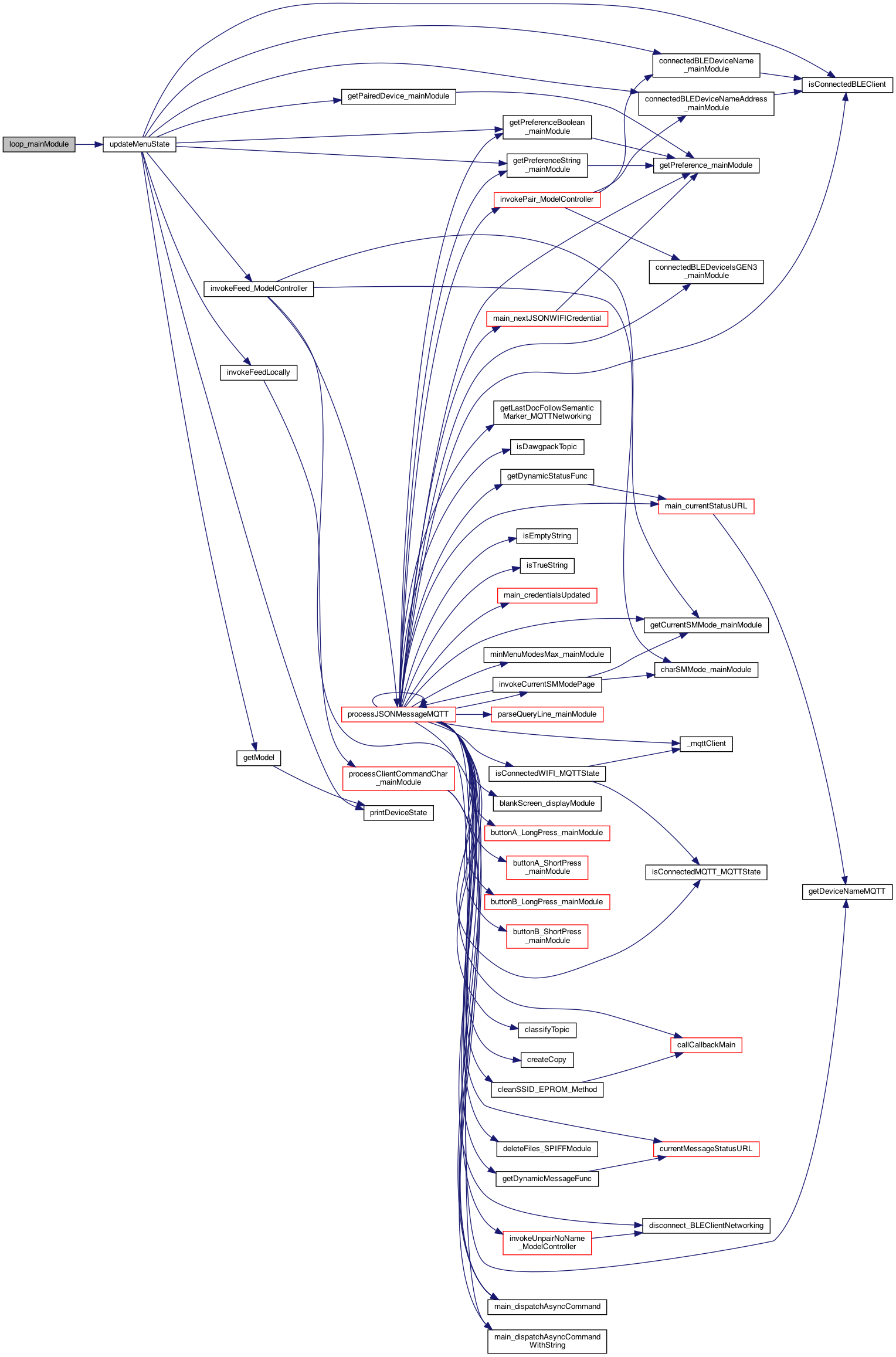
◆ loop_mainModule()
| void loop_mainModule | ( | ) |
called for the loop() of this plugin
7.9.26 add this. 20 mile bike ride .. felt good
6.20.25 works with full code (JSON, or single commands - with '.' as help) 6.19.25 Mt Peak finally (kept to 124 bpm) Per ##373 let the serial monitor get some input, and let us set a few features see if data on the serial input Re-indexed and now command completion works!!!!!! 3 years later.
save globally for the callback below..
7.23.26 this callback only gets called if the BLE_Server is on.. so let's call it anyway without the callback.
8.10.26 Nice boat trip to Fox Island and Tanglewood work on the TEST ideas
8.11.26 reate test user
These are the ASYNC_CALL_PARAMETERS_MAX NO: just change our credentials ...
8.7.26 w laura babe, Tyler, if BLEServer is on .. send the serial buffer .. if not serial server .. then accept single commands .. and go right there .. basically to turn on the server
call the callback specified from the caller (eg. NimBLE_PetTutor_Server .. or others)
7.23.26 this callback only gets called if the BLE_Server is on.. so let's call it anyway without the callback.
10.16.25 add the M5.update here... 7.14.26 THIS no-work, cannot do update 2 times.. the butotns won't work.
10.16.25 Mt out .. looks like storm comming implement the buttonA here.. big button on front of M5StickC Plus
10.16.25 seems the big button on M5ATOM is Button B .. the LED push button... (WE HAVE TO SUPPORT A,B,C buttons .. )
now process single button .. merged
11.25.25 Cold 30's call the long long
11.27.25 Turkey Day, loop
Definition at line 541 of file MainModule.cpp.

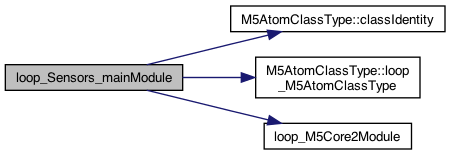
◆ loop_Sensors_mainModule()
| void loop_Sensors_mainModule | ( | ) |
1.22.24 add setup and loop at main so it can call appropriate plugs
these are the plugin modules .. and only 1 active at a time except for ATOM
5.6.25 use object version
Definition at line 3886 of file MainModule.cpp.

◆ main_cleanSavedWIFICredentials()
| void main_cleanSavedWIFICredentials | ( | ) |
clean the saved WIFI credential, otherwise the AP mode doesn't work (6.3.22)
go through the saved WIFI credentials and empty them with "" (vs null)
cannot null but can make stringlen=0
Definition at line 1352 of file MainModule.cpp.

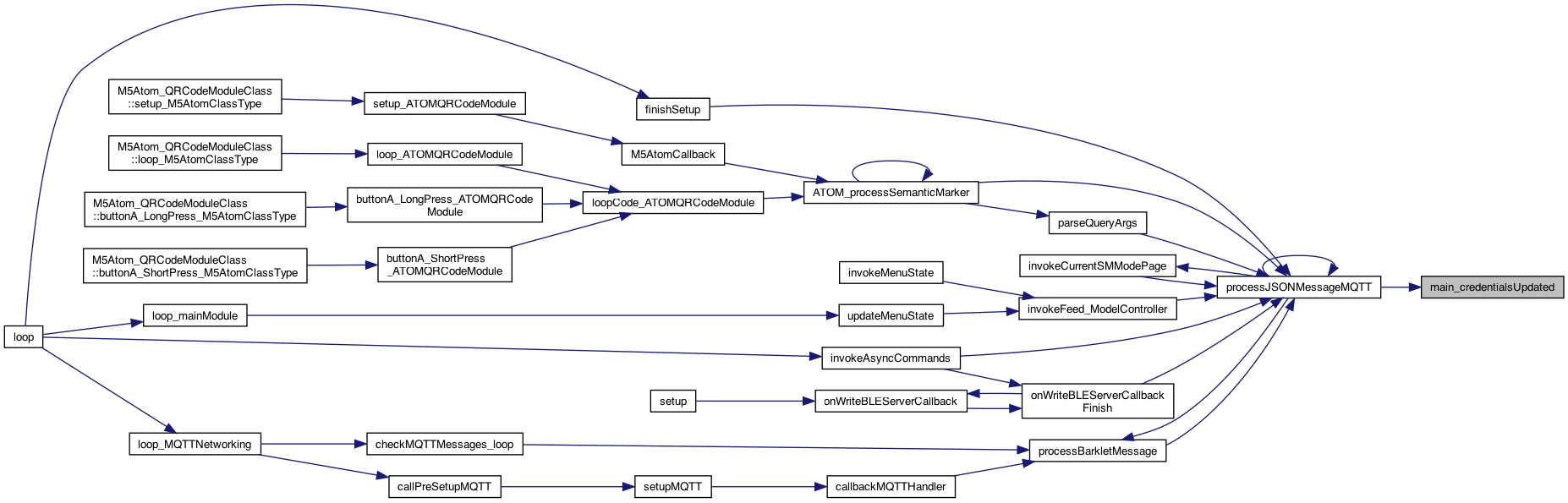
◆ main_credentialsUpdated()
| void main_credentialsUpdated | ( | ) |
moved here 4.25.22 (entirely from ESP_IOT.ino)
TESTING for saying credentials are filled in via BLE (while in AP mode), so kick out of AP and continue.. set that the credentials are set. Called from the MQTT after processJSONMessage() found things were good.. April 8, 2022
April 8, 2022 set that the credentials are set. Called from the MQTT after processJSONMessage() found things were good..
8.16.25 WIFI AP
Definition at line 1021 of file MainModule.cpp.

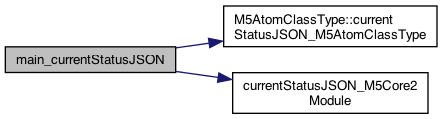
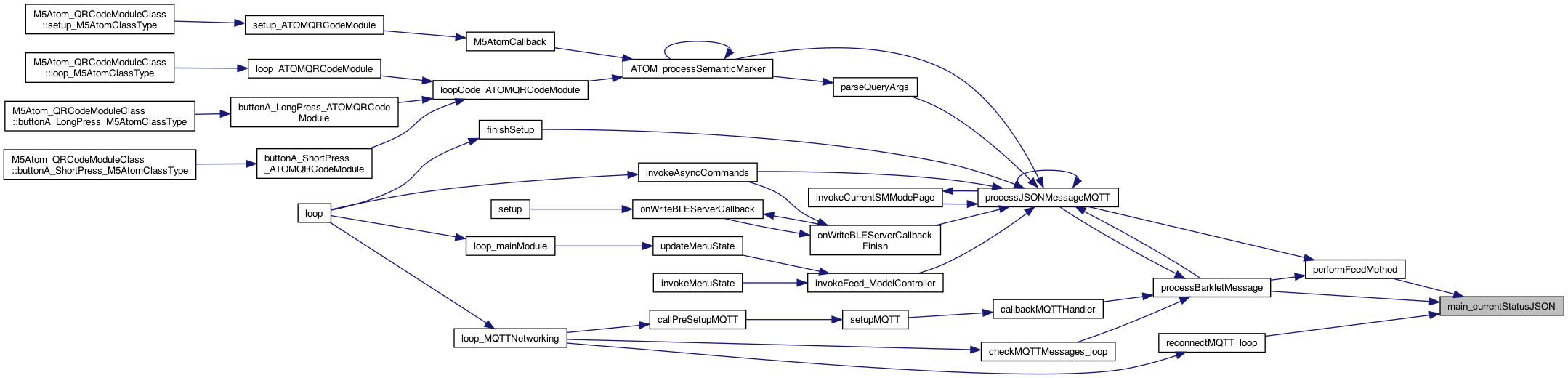
◆ main_currentStatusJSON()
| char * main_currentStatusJSON | ( | ) |
returns a string in JSON format, such that {'battery':'84'}, {'buzzon':'off'} .. etc
returns a string in JSON format, such that {'battery':'84'}, {'buzzon':'off'} .. etc
Sample format: {"status": [ { "BLE": "on" }, { "numfeeds": "8", "maxfeeds": "16" }, { "battery": "87" }, { "buzzon": "on" }, { "MQTT": "on" }, { "WIFI": "on" }, { "AP": "off" }, { "tilt": "55" } ] }
1.4.24 work on ATOM kinds without IFDEF (except to bring in the code)
5.6.25 use object version
Definition at line 2422 of file MainModule.cpp.
◆ main_currentStatusURL()
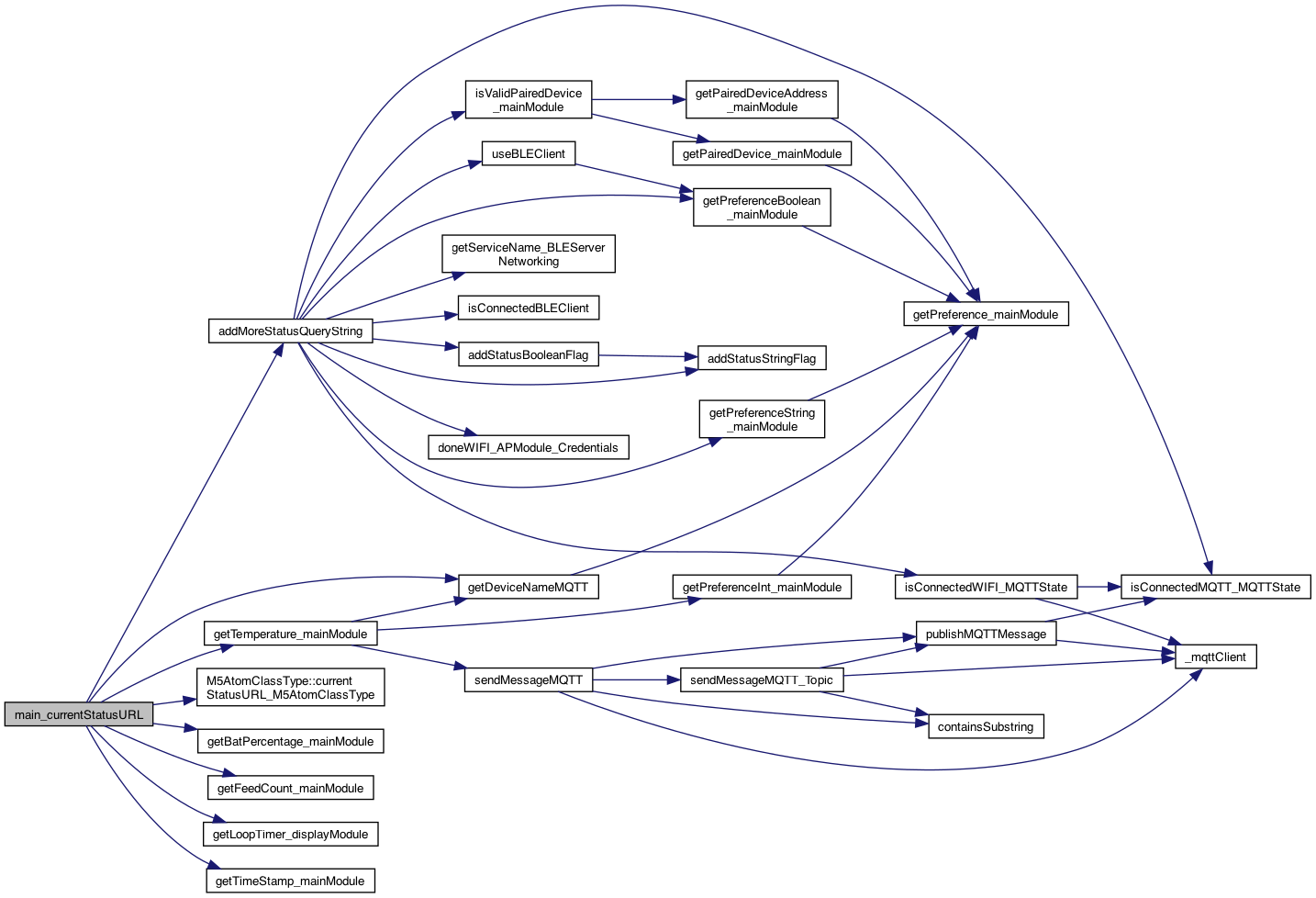
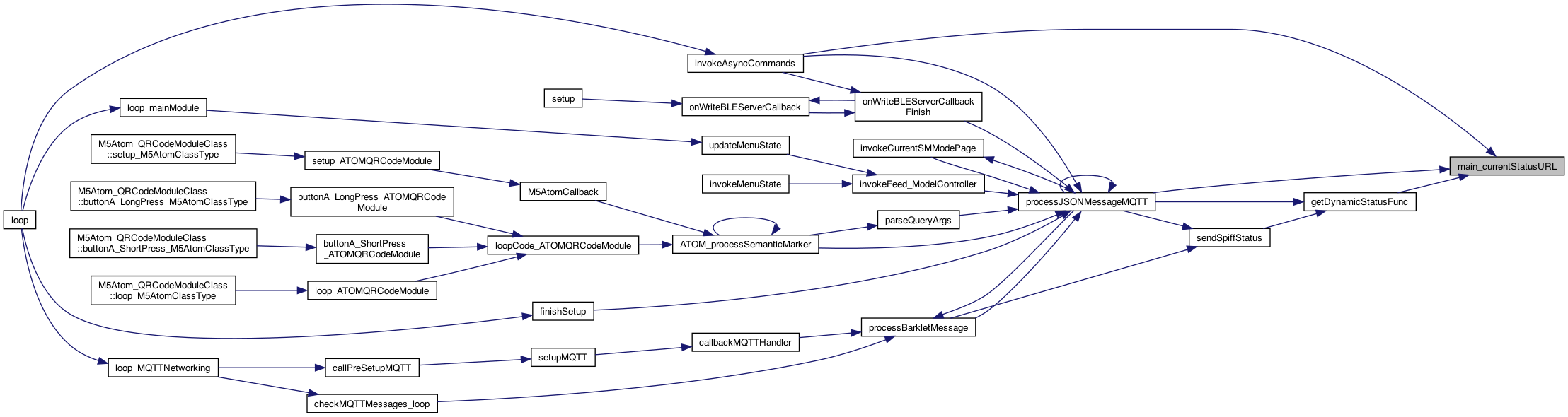
| char * main_currentStatusURL | ( | boolean | fullStatus | ) |
returns a string in in URL so: status&battery=84'&buzzon='off' } .. etc if fullStatus, return everything, else just the ATOM stuff
returns a string in in URL so: status?battery=84'&buzzon='off' } .. etc if fullStatus, return everything, else just the ATOM stuff
7.20.25 add T too
8.16.25 MQTT
TODO: make sure no spaces ... unless escaped
8.16.25 MQTT
TODO: make sure no spaces ... unless escaped
5.6.25 use object version
TODO: put these somewhere somehow (expandable easily..architecturally. eg. setStatus("battery","87") key,val the JSON DB supports db["battery"]=87 like syntax..
Definition at line 2531 of file MainModule.cpp.
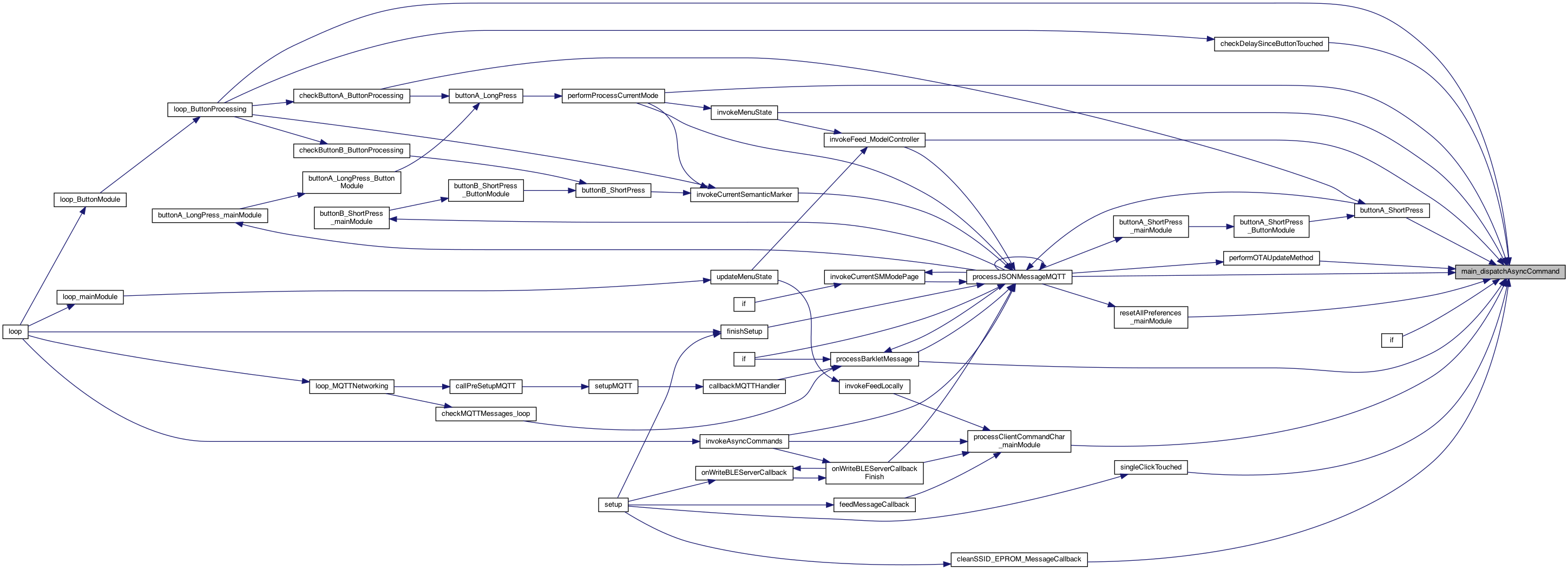
◆ main_dispatchAsyncCommand()
| void main_dispatchAsyncCommand | ( | int | asyncCallCommand | ) |
dispatches a call to the command specified. This is run on the next loop()
dispatches a call to the command specified. This is run on the next loop()
this just sets the flag, it's the next loop that makes the call
Definition at line 1507 of file MainModule.cpp.
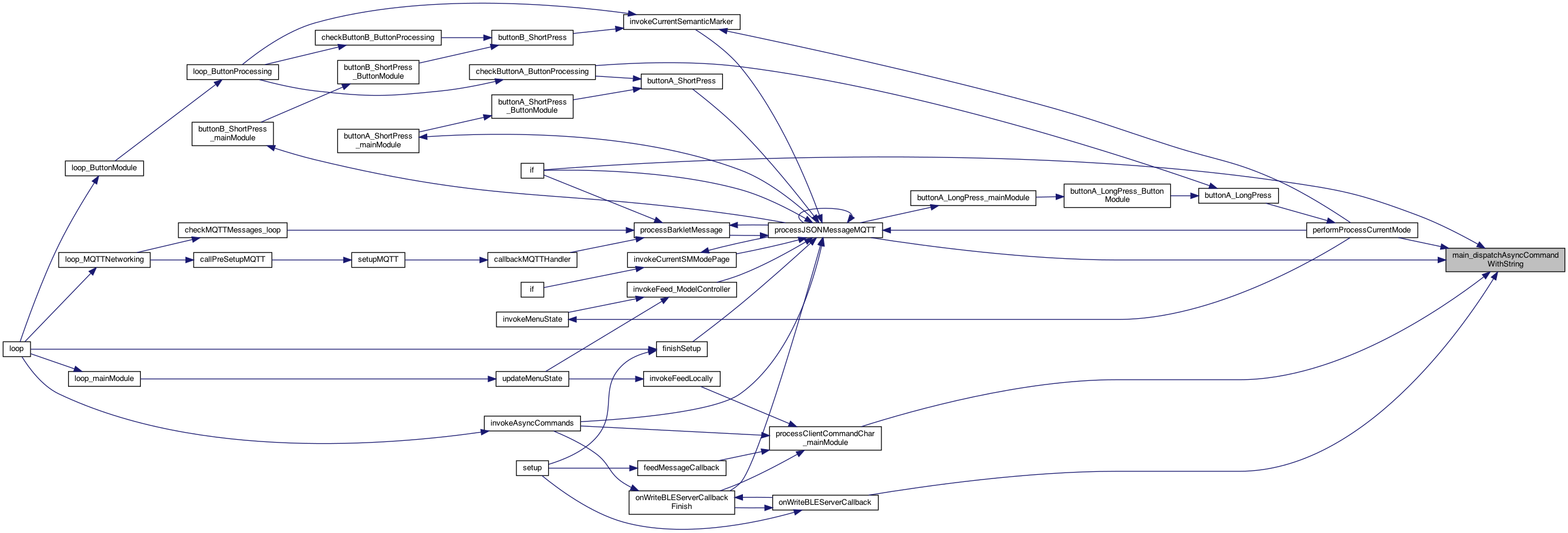
◆ main_dispatchAsyncCommandWithString()
| void main_dispatchAsyncCommandWithString | ( | int | asyncCallCommand, |
| char * | parameter | ||
| ) |
send an async call with a string parameter. This will set store the value and then async call the command (passing the parameter) These are the ASYNC_CALL_PARAMETERS_MAX
store in the parameter mailbox
this just sets the flag, it's the next loop that makes the call
6.15.25 Fathers Day seems issue when a GROVE or other sensor plugged in the main loop isn't working. SO for now, if the command is "r" then do an actual reboot..
Definition at line 1525 of file MainModule.cpp.

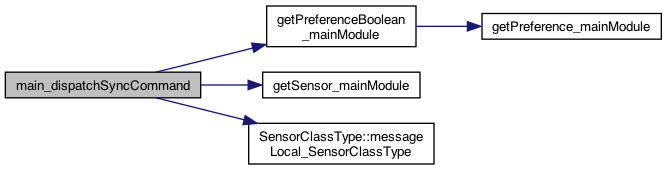
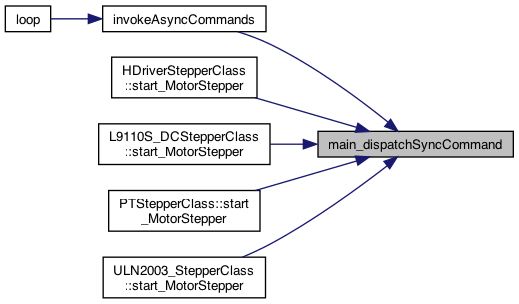
◆ main_dispatchSyncCommand()
| void main_dispatchSyncCommand | ( | int | syncCallCommand | ) |
the main sync command (no parameters yet)
5.16.25 Fountainhead, Raining cold weekend start SYNC calls starting with the SYNC_CLICK_SOUND
5.15.25 see if the Buzzer class is defined .. if so, then call local message
perform the click sound.. this will be the sensors...
Definition at line 1448 of file MainModule.cpp.
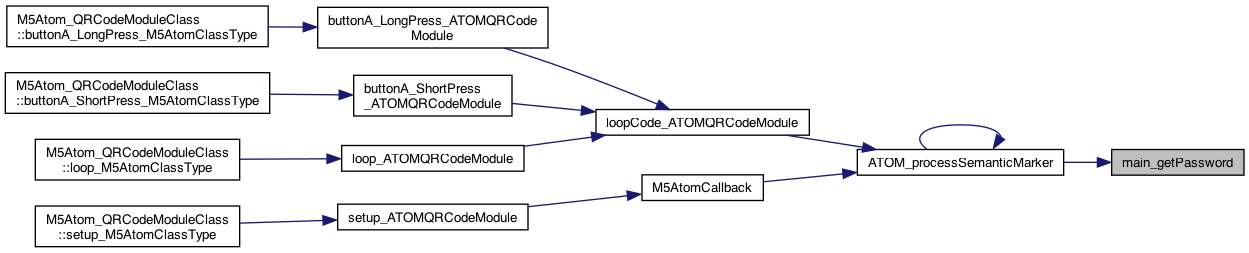
◆ main_getPassword()
| char * main_getPassword | ( | ) |
return password
Definition at line 1379 of file MainModule.cpp.
◆ main_getScannedDeviceName()
| char * main_getScannedDeviceName | ( | ) |
return devicename
Definition at line 1385 of file MainModule.cpp.

◆ main_getScannedGroupNameTopic()
| char * main_getScannedGroupNameTopic | ( | ) |
return groupname – returns "" or nil if not set, or the FULL group name topic, or nil
Definition at line 1414 of file MainModule.cpp.

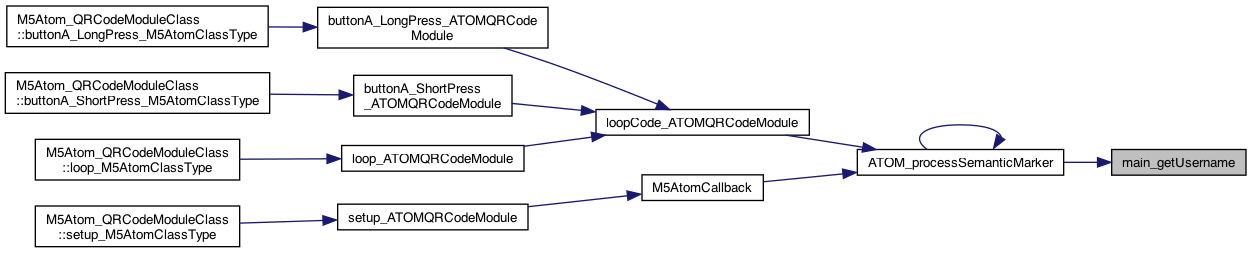
◆ main_getUsername()
| char * main_getUsername | ( | ) |
return the username and password 12.14.23 to support calling the SMART buttons (smrun) with parameters
Definition at line 1373 of file MainModule.cpp.
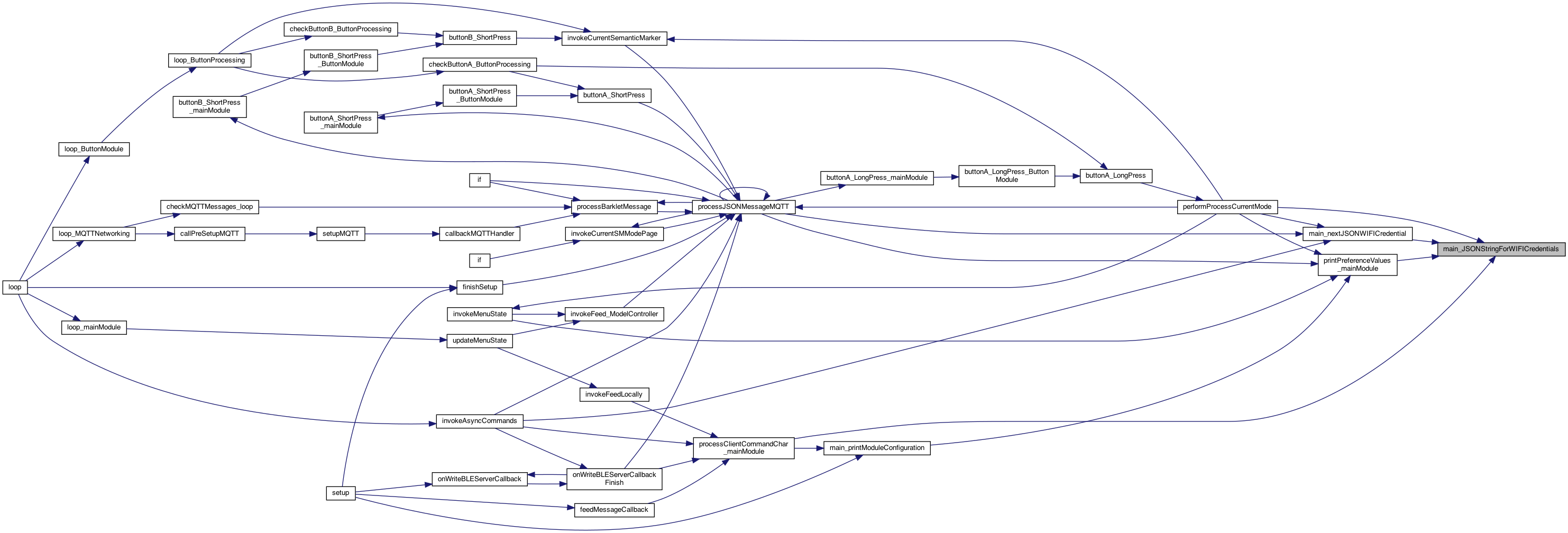
◆ main_JSONStringForWIFICredentials()
| char * main_JSONStringForWIFICredentials | ( | ) |
retrieve a JSON string for the ssid and ssid_password: {'ssid':<ssid>,'ssidPassword':<pass>"}
Definition at line 1289 of file MainModule.cpp.
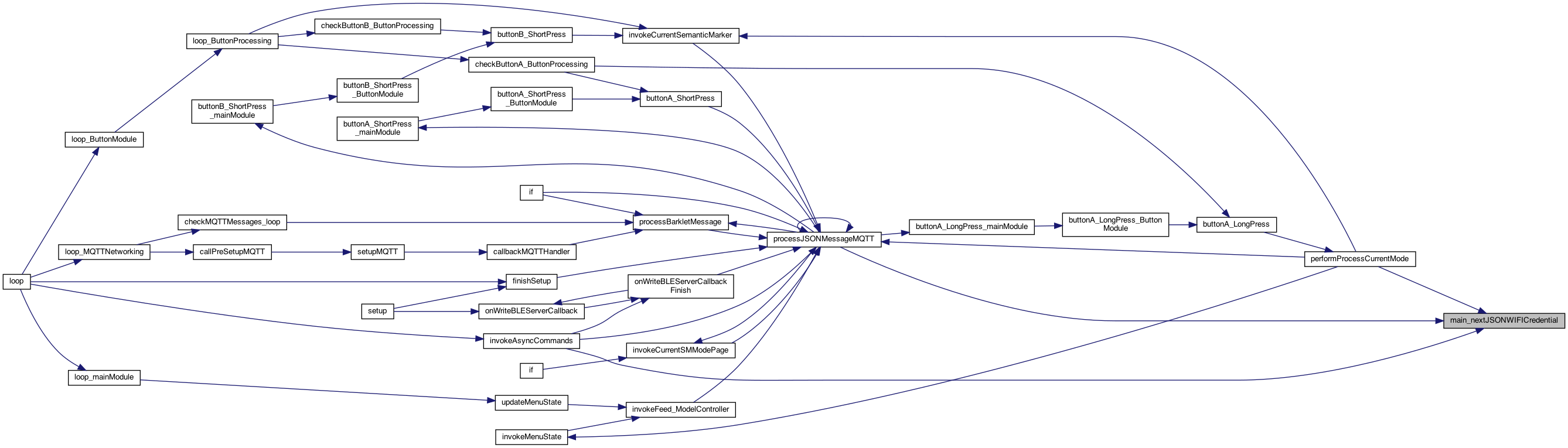
◆ main_nextJSONWIFICredential()
| char * main_nextJSONWIFICredential | ( | ) |
! cycle through the next WIFI saved credential - return next one that isn't our current one..
! cycle through the next WIFI saved credential - return next one that isn't our current one..
WIFI_CREDENTIALS_MAX
jump out of loop if no match.. so index is valid
Definition at line 1295 of file MainModule.cpp.

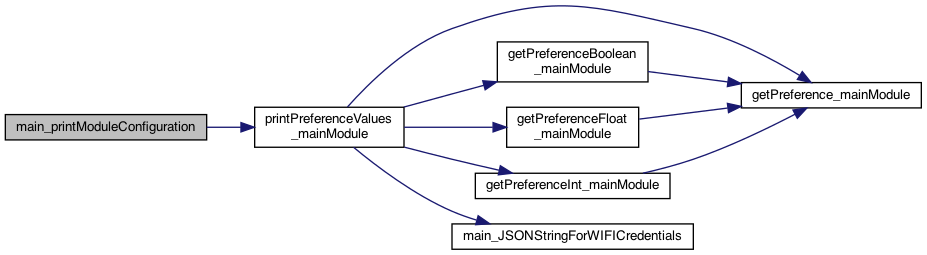
◆ main_printModuleConfiguration()
| void main_printModuleConfiguration | ( | ) |
prints the module configuration by looking at defines Eventually this might be an object returned letting the code know a capability is included for runtime (vs compile time) decisions
prints the module configuration by looking at #defines Eventually this might be an object returned letting the code know a capability is included for runtime (vs compile time) decisions
Module Configuration
[x] ESP_M5
7.9.26 Nice summer.. up and dow, 20 mile bike today..
8.16.25 MQTT [x] USE_MQTT_NETWORKING
8.16.25 BLE SERVER [x] USE_BLE_SERVER_NETWORKING
8.16.25 BLE CLIENT [x] USE_BLE_CLIENT_NETWORKING
8.16.25 WIFI AP [x] USE_WIFI_AP_MODULE
and print any preferences to show
Definition at line 2081 of file MainModule.cpp.

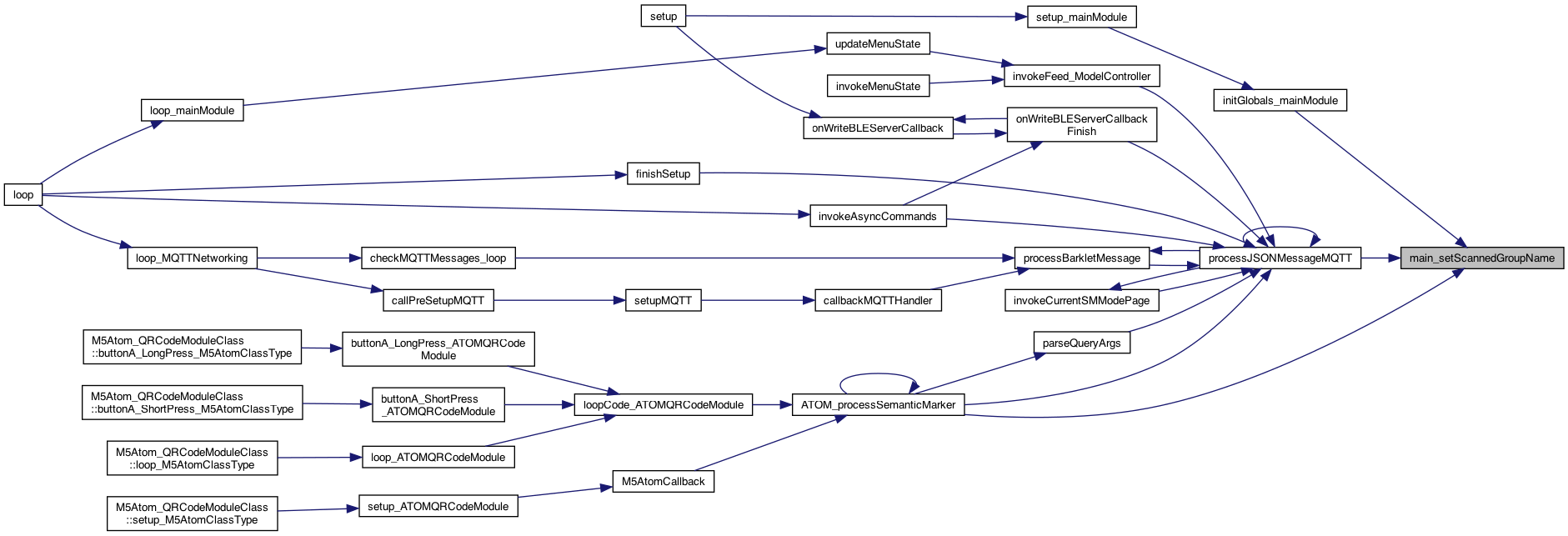
◆ main_setScannedDeviceName()
| void main_setScannedDeviceName | ( | char * | deviceName | ) |
set the scanned device name
Definition at line 1392 of file MainModule.cpp.
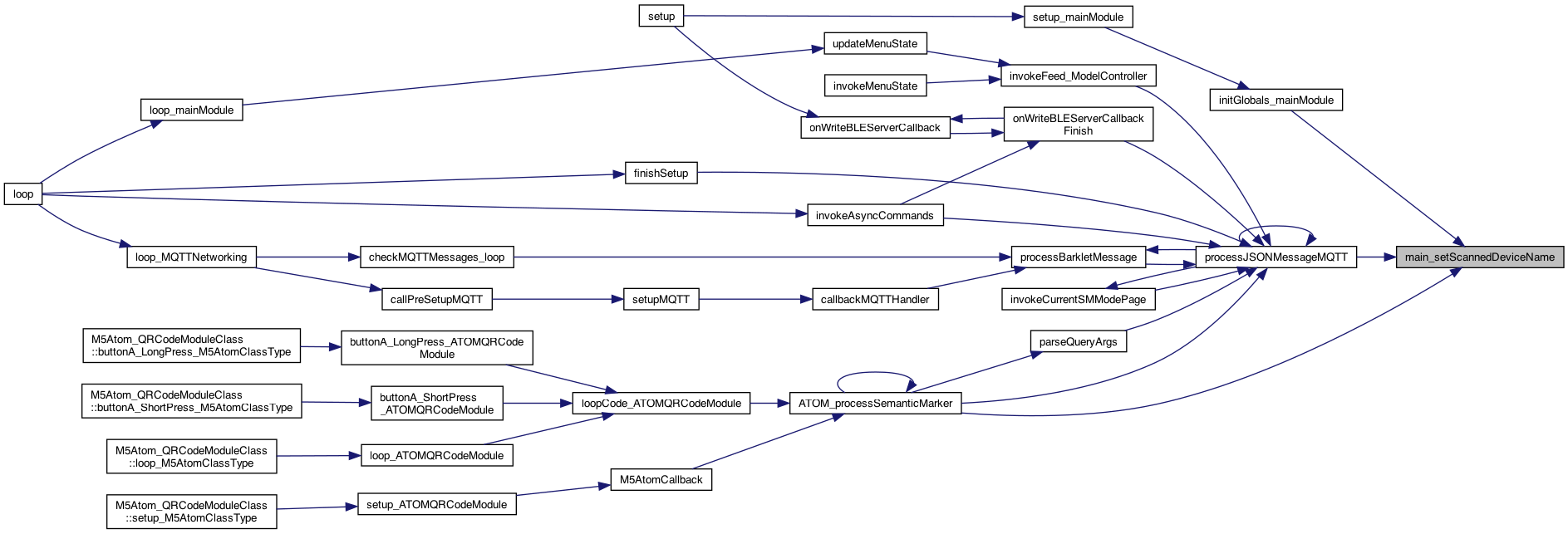
◆ main_setScannedGroupName()
| void main_setScannedGroupName | ( | char * | groupName | ) |
set the scanned group name 1.7.24
Definition at line 1400 of file MainModule.cpp.

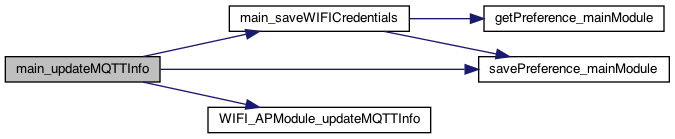
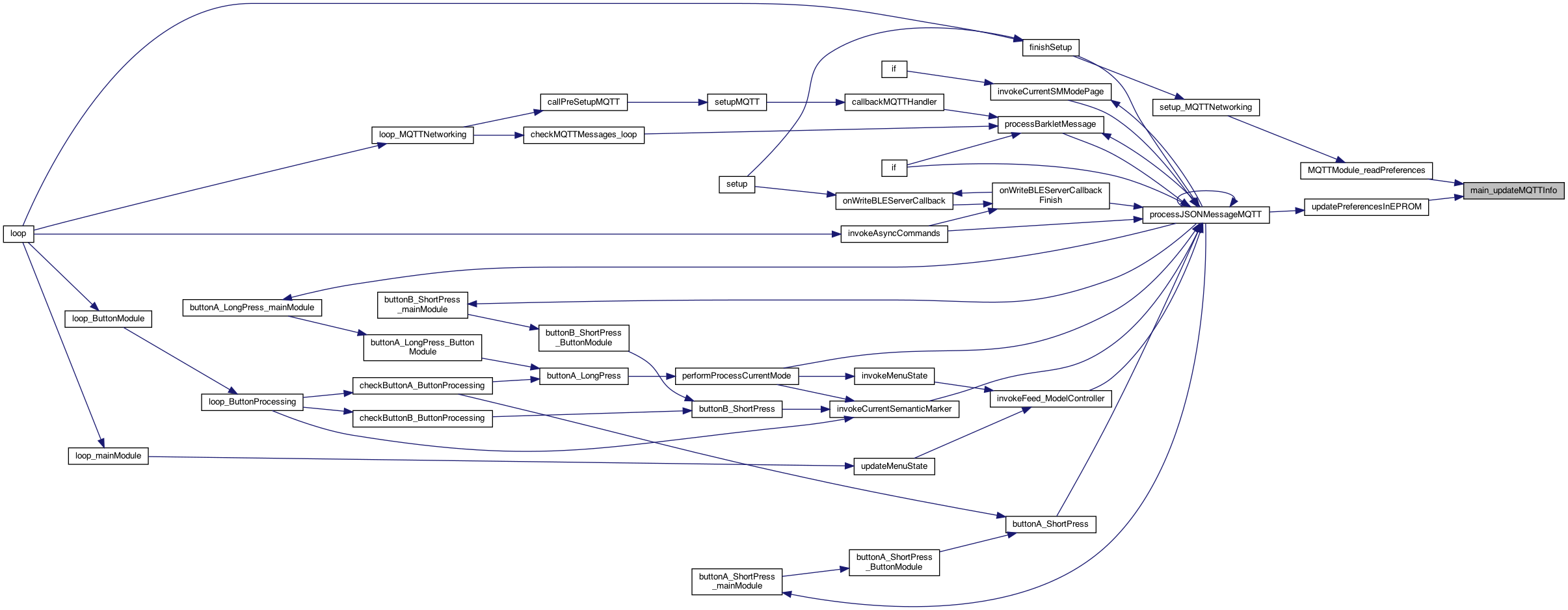
◆ main_updateMQTTInfo()
| void main_updateMQTTInfo | ( | char * | ssid, |
| char * | ssid_password, | ||
| char * | username, | ||
| char * | password, | ||
| char * | guestPassword, | ||
| char * | deviceName, | ||
| char * | host, | ||
| char * | port, | ||
| char * | locationString | ||
| ) |
sets the WIFI and MQTT user/password. It's up to the code to decide who needs to know (currently this calls APmodule..)
sets the WIFI and MQTT user/password. It's up to the code to decide who needs to know (currently this calls APmodule..)
store the device name
store the JSON version of these credentials..
8.16.25 WIFI AP
Definition at line 1426 of file MainModule.cpp.
◆ matchesSMMode_mainModule()
| boolean matchesSMMode_mainModule | ( | char * | cmd, |
| int | whichSMMode | ||
| ) |
returns if a match the mode. whichSMMode is 0..12 and == sm0 .. smn
Definition at line 3642 of file MainModule.cpp.

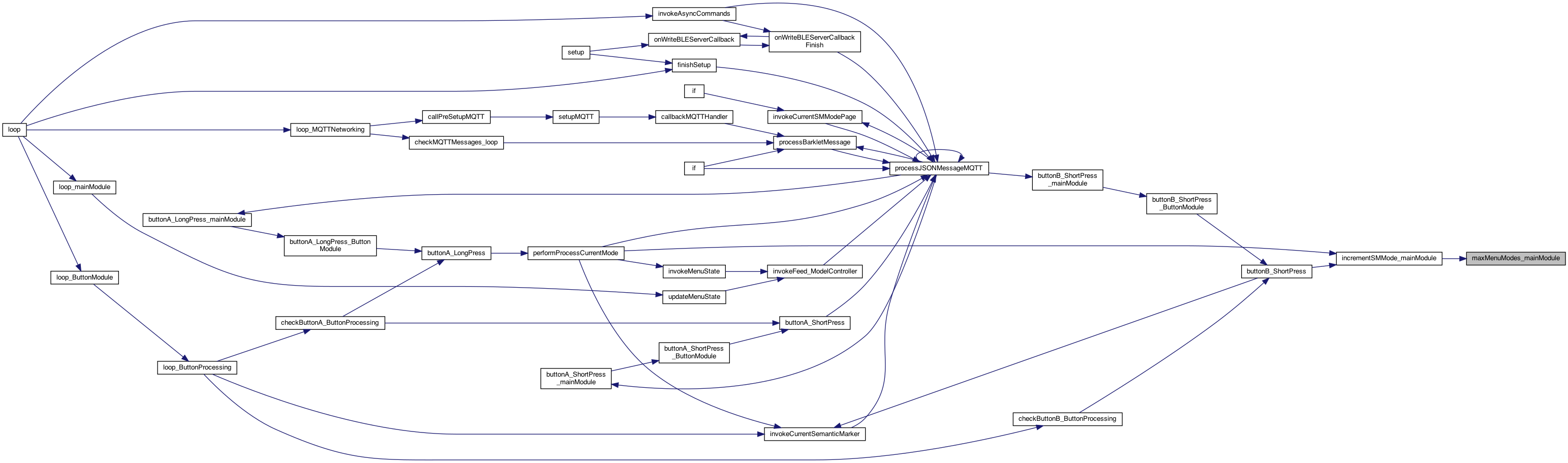
◆ maxMenuModes_mainModule()
| int maxMenuModes_mainModule | ( | ) |
returns the current max of the menu modes (using the setting of min or expanded) to determine
Definition at line 3677 of file MainModule.cpp.

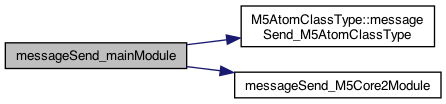
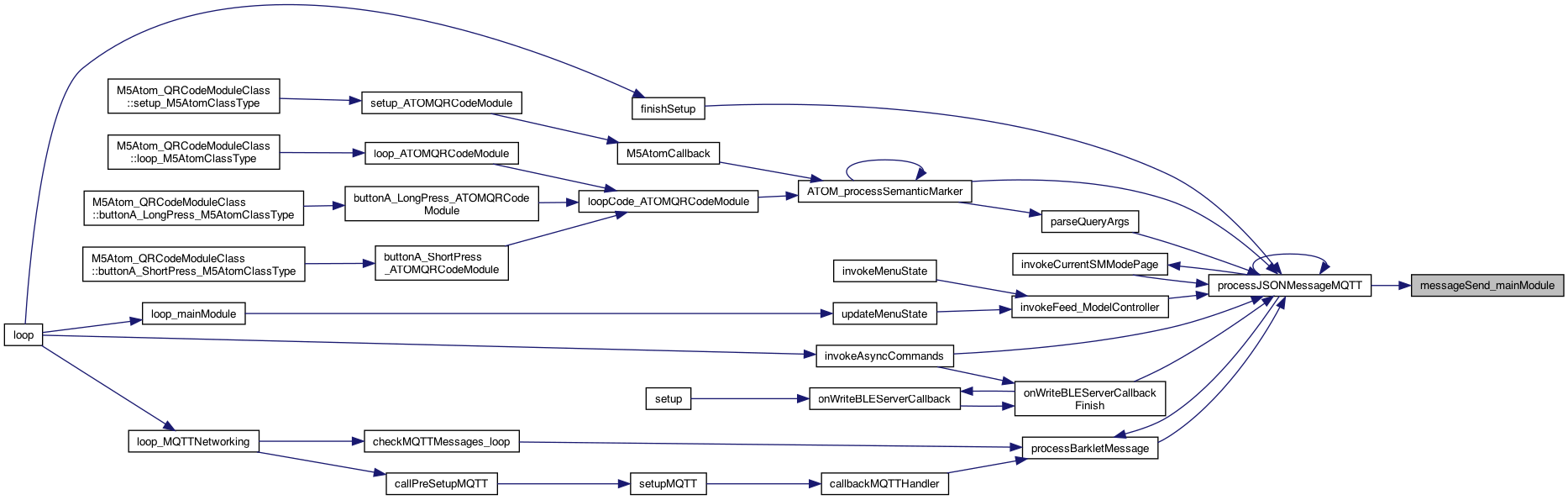
◆ messageSend_mainModule()
| void messageSend_mainModule | ( | char * | sendValue, |
| boolean | deviceNameSpecified | ||
| ) |
TODO: have a callback regist approach.
12.28.23, 8.28.23 Adding a way for others to get informed on messages that arrive for the set,val 5.21.25 SEND and CMD will be treated the same and put to "send"
5.21.25 this will overlap with the "cmd" .. so send == cmd
5.6.25 use object version
Definition at line 956 of file MainModule.cpp.
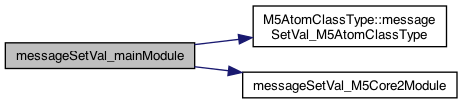
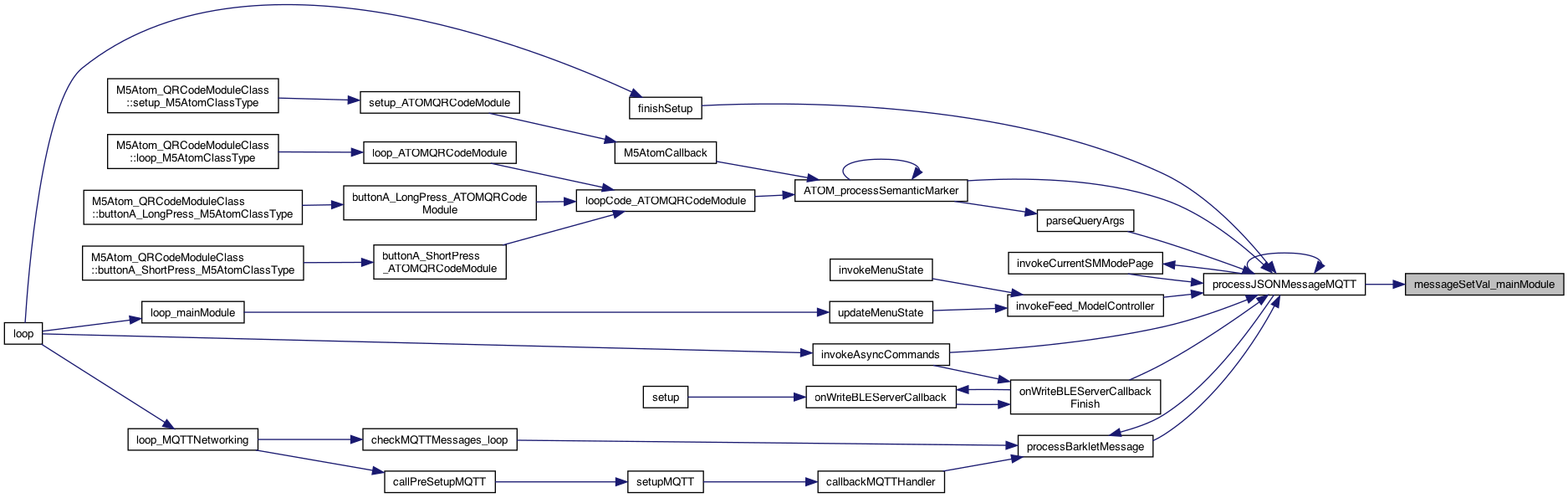
◆ messageSetVal_mainModule()
| void messageSetVal_mainModule | ( | char * | setName, |
| char * | valValue, | ||
| boolean | deviceNameSpecified | ||
| ) |
8.28.23 Adding a way for others to get informed on messages that arrive for the set,val. 1.10.24 if deviceNameSpecified then this matches this device, otherwise for all. It's up to the receiver to decide if it has to be specified
8.28.23 Adding a way for others to get informed on messages that arrive for the set,val 1.10.24 if deviceNameSpecified then this matches this device, otherwise for all. It's up to the receiver to decide if it has to be specified
5.6.25 use object version
1.24.26 call the same on the SensorClassType
Definition at line 929 of file MainModule.cpp.
◆ minMenuModesMax_mainModule()
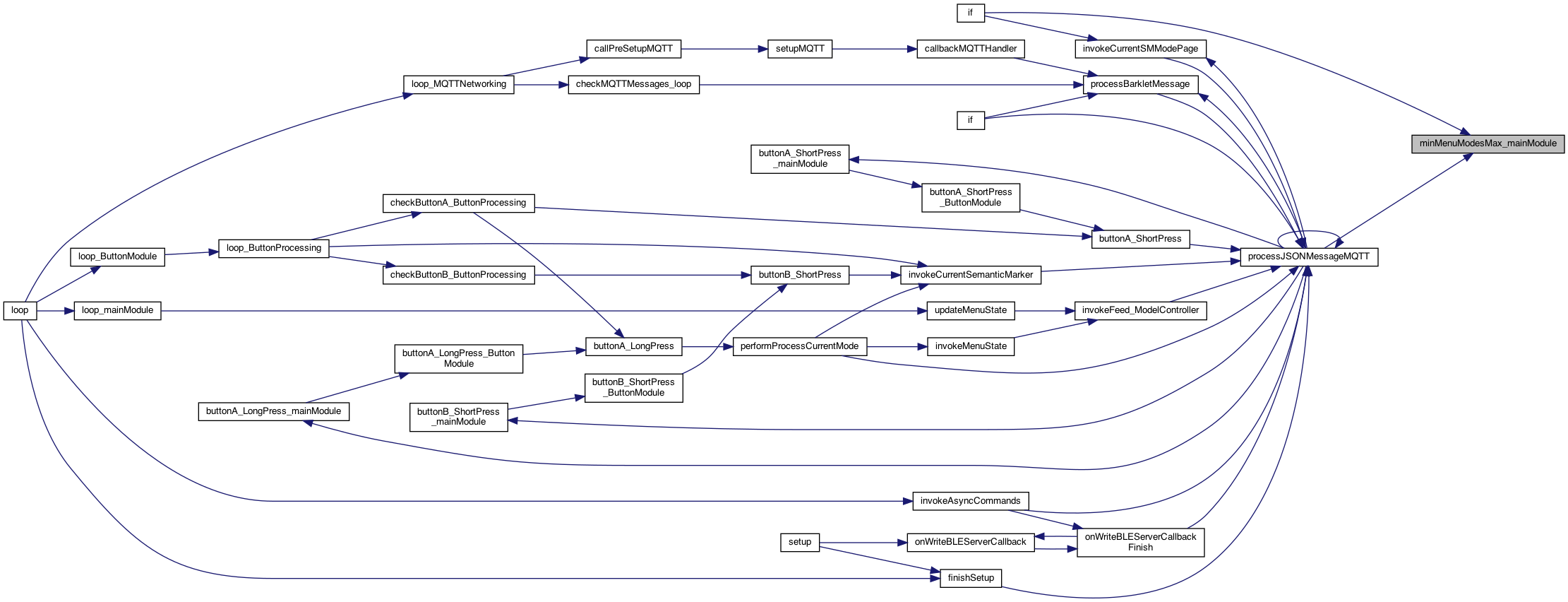
| int minMenuModesMax_mainModule | ( | ) |
returns the current max of the MIN menu modes (using the setting of min or expanded) to determine
Definition at line 3671 of file MainModule.cpp.
◆ onBLEServerCallback()
| void onBLEServerCallback | ( | char * | message | ) |
The callback for "onWrite" of the bluetooth "onWrite'.
Definition at line 1032 of file MainModule.cpp.
◆ onStatusMessageBLEServerCallback()
| void onStatusMessageBLEServerCallback | ( | char * | message | ) |
** The callback for "status messages" of the bluetooth
** The callback for "status messages" of the bluetooth
2.2.22 send this over bluetooth.. TODO.
Definition at line 1039 of file MainModule.cpp.

◆ onWriteBLEServerCallback()
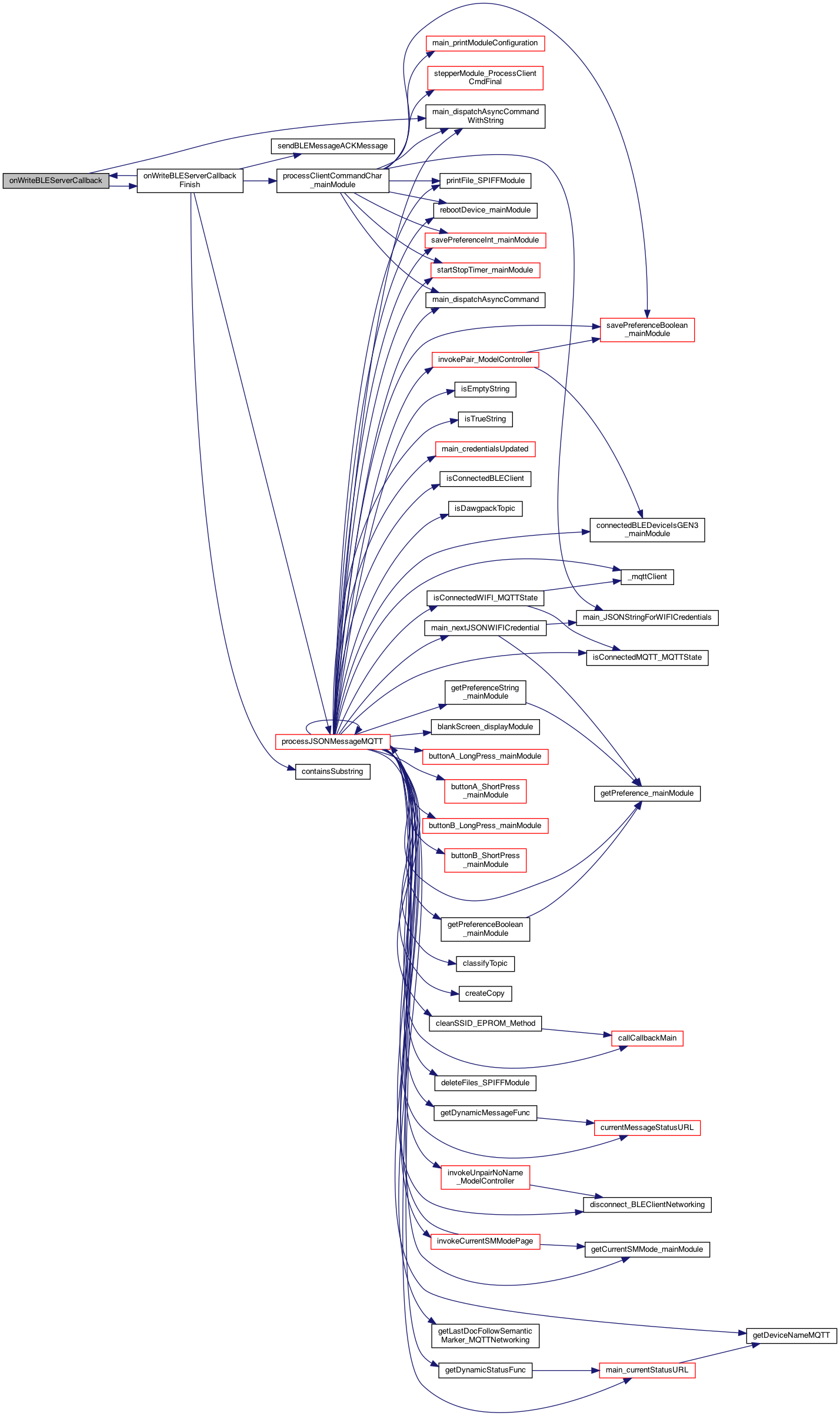
| void onWriteBLEServerCallback | ( | char * | message | ) |
The callback for "onWrite" of the bluetooth "onWrite'.
send an async call with a string parameter. This will set store the value and then async call the command (passing the parameter) These are the ASYNC_CALL_PARAMETERS_MAX
Definition at line 1136 of file MainModule.cpp.

◆ poweroff_mainModule()
| void poweroff_mainModule | ( | ) |
power off
Definition at line 1240 of file MainModule.cpp.

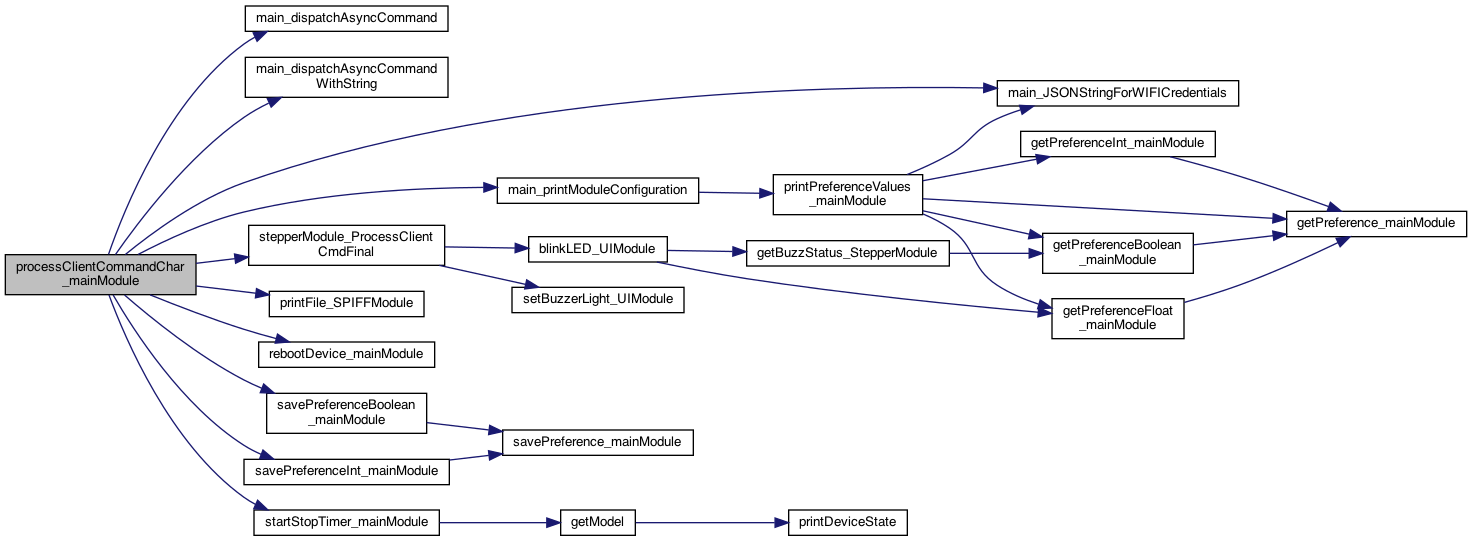
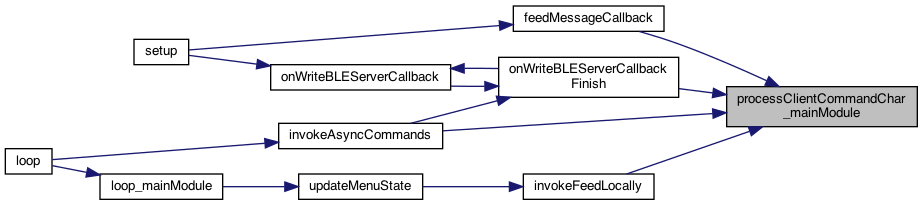
◆ processClientCommandChar_mainModule()
| void processClientCommandChar_mainModule | ( | char | cmd | ) |
single character version of processClientCommand (since many used that already)
processes a message that might save in the EPROM.. the cmd is still passed onto other (like the stepper module) returns true if finished processing, otherwise this can be sent onto other modules (like stepper)
Keep ProcessClientCmd short to let the callback run. instead change the feeder state flag processes a message that might save in the EPROM.. the cmd is still passed onto other (like the stepper module)
the sentToStepper is only needed if there are 'actions' on the command, versus just setting persistent EPROM data. Like feed, buzzer, etc.. Thus we don't need to know much of their implementation.. or we just pass anyway!
only process things that are stored persistently.. 7.20.25 6 months T Using switch to guarentee unique case of single characters
start timer..
start timer..
Issue #332 8.17.2024
set autoRotoate as well..
default to clockwise == 0 8.18.24 setting this will check for the factory setting..
Issue #332 8.17.2024
8.18.24 setting this will check for the factory setting..
Issue #332 8.17.2024
set autoRotoate as well..
set autoRotoate as well.. 8.18.24 setting this will check for the factory setting..
11.25.25 toggle the buzzer, THIS is local already, but the toggle:buzzer will be ONLY be to a BLE device that way it sends 'F'
then toggle value
will be turned on so make sound.. the main sync command (no parameters yet)
this is a call to the connected device
this will be a BLE message to the connectd device sending a 'F" then toggle value see if connected to a BLE device.. send via BLE send a string of 13 or less characters. 11.27.25 Turkey Day, Nice day Mt Out. Also make the Buzzer sound will be turned on so make sound.. the main sync command (no parameters yet) 6.20.25 7.16.26 SpaceX 1 sec stoppage only suport Clean Credentials dispatches a call to the command specified. This is run on the next loop() 8.16.25 MQTT send to ourself dispatches a call to the command specified. This is run on the next loop() NOTE: the gateway is auto selected for now. A future version might manually set it in other situations (eg. my iPhone app should have a flag to not be a gateway at time) 7.25.25 chilly morning, Mt starting to come out. SPIFF clean SPIFF file"
upload SPIFF to web
number of lines to send TODO: configure thie number of lines to save..
Restarts (or attempts) a restart of the WIFI using the existing credentials – vs the 'n' command
7.24.25 use SPIFF
toggle spiff on/off
WIFI credential changes...
These are the ASYNC_CALL_PARAMETERS_MAX
NOTE: this is almost the same as 'w' except there might be more WIFI than 2 (so swap is different).
8.16.24 per #332
8.16.24 per #332
NOTE: no current mode to specify CCW or CW dynamically (non factory reset)
9.30.23 reverse direction
note: reboot not needed as the next time a feed happens, it reads this value
if set, the BLE Server (like PTFeeder) will tack on the device name (or none if not defined).
if set, the BLE Server (like PTFeeder) will tack on the device name (or none if not defined).
poweroff
7.12.25 0 == Clear SENSOR definitions
poweroff
reboot .. so the sensors are set..
7.9.25 1 == Init SENSOR definitions
12.21.25 Winter Solstice, Eagles, support the new Chain Buttons
7.19.25 add Clear Sensors
8.18.26 use this for the mode of a released PTStepper
E mode first . don't use the DEVICE_NAME
do the PTStepper but first set the E mode
cannot do anything else, as the line above reoots the computer
7.9.25 grabbed from BOOTSTRAP let someone update the atom to the recent OTA
8.16.25 MQTT retrieves from constant location
7.9.25 grabbed from BOOTSTRAP let someone update the atom to the recent OTA
8.16.25 MQTT retrieves from constant location
8.16.25 MQTT retrieves from constant location
7.10.26 M5AtomS3 (without display)
must be first..
retrieves from constant location
retrieves from constant location
8.11.26 added the platform.io bin (which Wes creates)
retrieves from constant location
8.15.26 add - for the released version
retrieves from constant location
8.18.25
8.2.26 random LED color
8.16.25 MQTT send to ourself
8.11.26 BLE Server and Client on/off
reboot .. so the sensors are set..
reboot .. so the sensors are set..
reboot .. so the sensors are set..
reboot .. so the sensors are set..
returns if the BLEClient is turned on.. note, if connected to a BLE device, then disconnect
toggle spiff on/off
this is local buzzer on/off calling the current Atom Class
this will be a BLE message to the connectd device sending a 'F"
6.20.25
7.10.26 M5AtomS3 (without display)
8.11.26 M5AtomS3_platformIO
8.11.26 BLE Server and Client on/off
print out stuff
Definition at line 2643 of file MainModule.cpp.
◆ rebootDevice_mainModule()
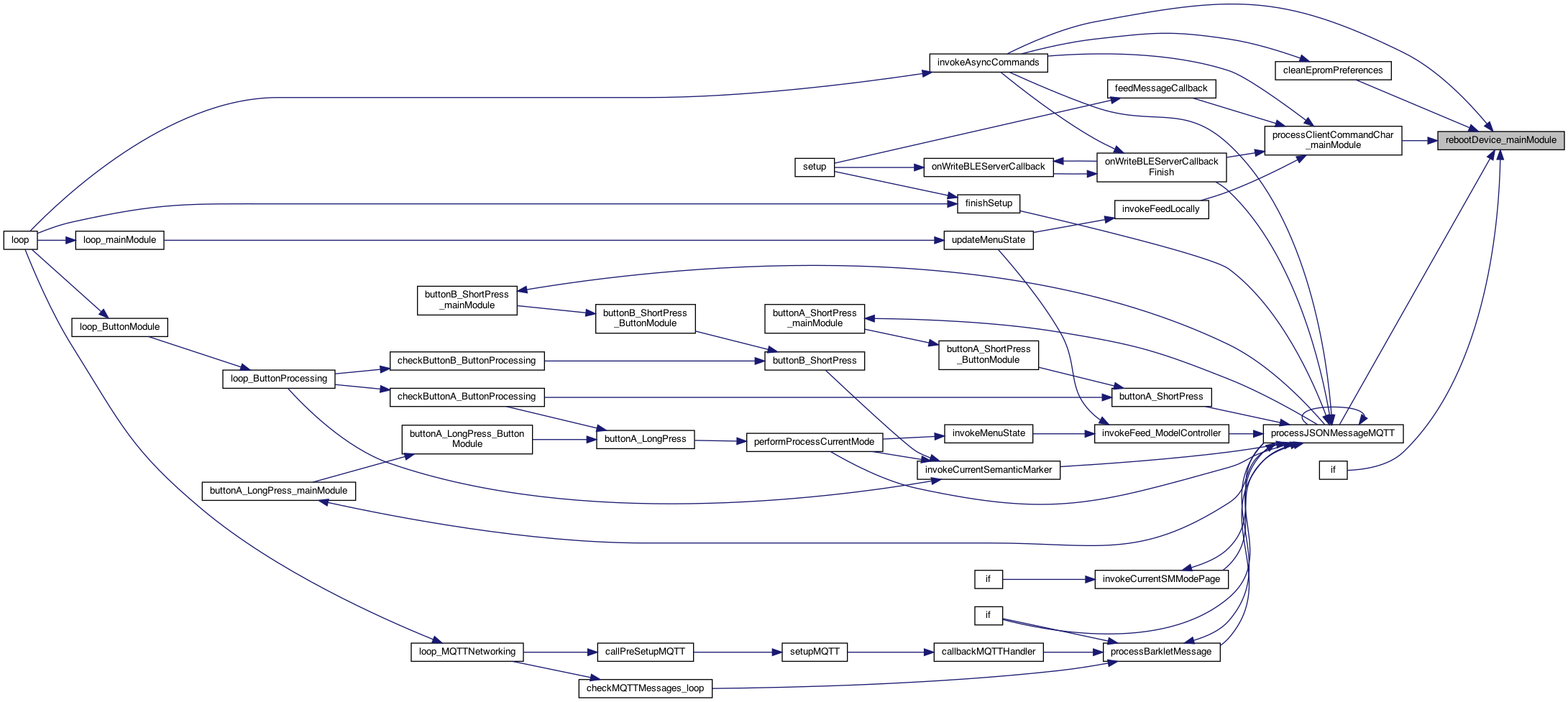
| void rebootDevice_mainModule | ( | ) |
power of devices reboot
Definition at line 1233 of file MainModule.cpp.
◆ refreshDelayButtonTouched_MainModule()
| void refreshDelayButtonTouched_MainModule | ( | ) |
called by the feed operation to say the device is still running.. and count it as a button click.
called by the feed operation to say the device is still running.. and count it as a button click. Issue #145 8.8.22
Definition at line 1153 of file MainModule.cpp.

◆ registerCallbackMain()
| void registerCallbackMain | ( | int | callbacksModuleId, |
| int | callbackType, | ||
| void(*)(char *) | callback | ||
| ) |
register the callback based on the callbackType. use the callbacksModuleId for which one..
Definition at line 881 of file MainModule.cpp.


◆ registerPinUse_mainModule()
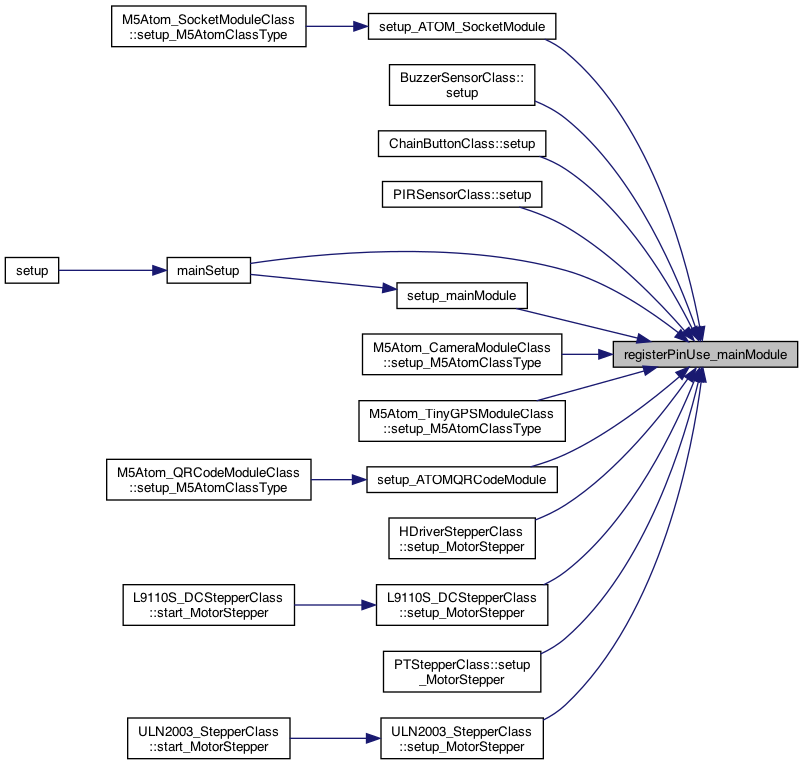
| boolean registerPinUse_mainModule | ( | long | pin, |
| String | pinName, | ||
| String | moduleName, | ||
| boolean | isI2C | ||
| ) |
5.3.25 add a central clearing house for defining PIN use central clearing house for all pins used to we can analyze if there are overlaps pin is the actual number, pinName is the local name (eg. IN1_PIN or VIN_PIN). moduleName is the module in the code, isI2C is whether this is a I2C bus (which we aren't using much yet) 7.13.26 Ballon morning .. field haying return Boolean saying the pin was Valid of Invalie
7.31.25 store this information.. for STATUS 5.3.25 add a central clearing house for defining PIN use
- See also
- issue #365 central clearing house for all pins used to we can analyze if there are overlaps pin is the actual number, pinName is the local name (eg. IN1_PIN or VIN_PIN). moduleName is the module in the code, isI2C is whether this is a I2C bus (which we aren't using much yet) //! 7.13.26 Ballon morning .. field haying return Boolean saying the pin was Valid of Invalie
check if pins are valid ..
5.3.25 create storage here
store globally
8.30.25 add the pin
increment
Definition at line 4340 of file MainModule.cpp.
◆ resetFeedCount_mainModule()
| void resetFeedCount_mainModule | ( | ) |
sets the feed count max
Definition at line 759 of file MainModule.cpp.
◆ restartAllMenuStates_mainModule()
| void restartAllMenuStates_mainModule | ( | ) |
restarts all the menu states to the first one .. useful for getting a clean start. This doesn't care if the menu is being shown
restarts all the menu states to the first one .. useful for getting a clean start. This doesn't care if the menu is being shown
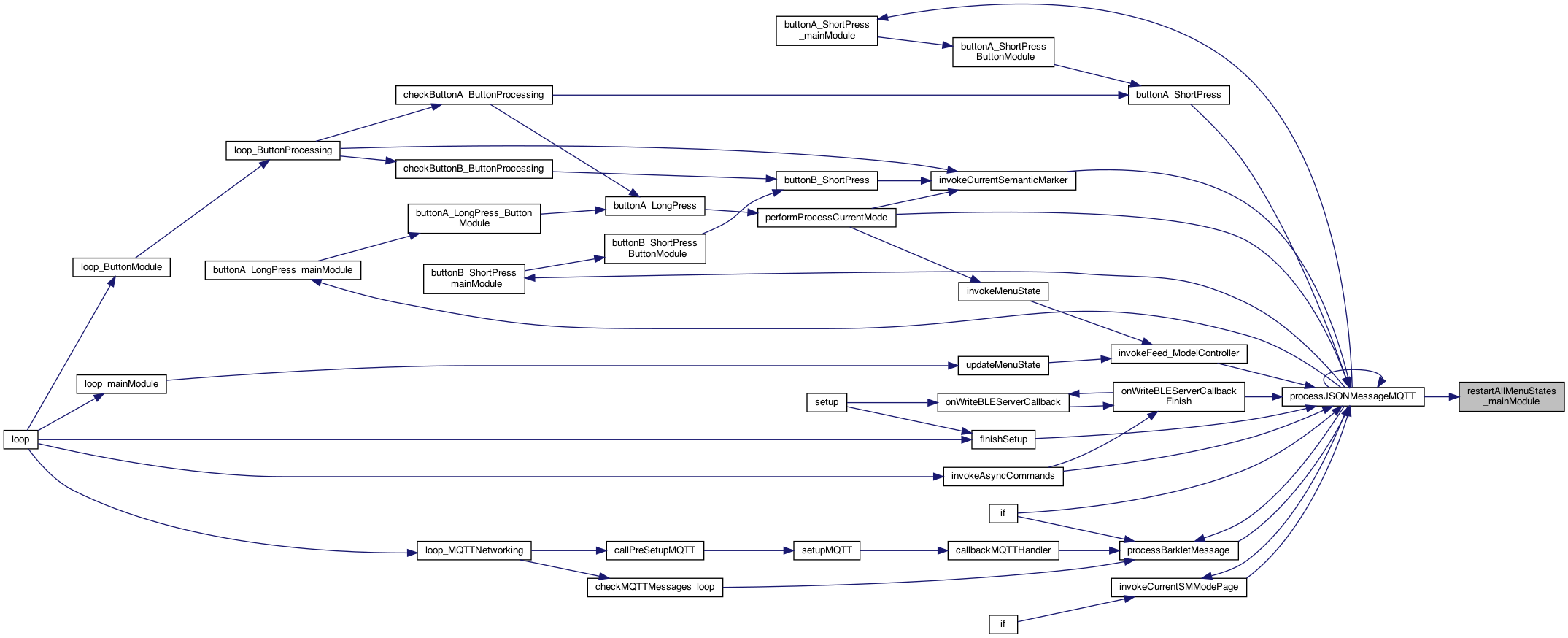
Definition at line 4283 of file MainModule.cpp.

◆ restartProcessesForOTAUpdate_mainModule()
| void restartProcessesForOTAUpdate_mainModule | ( | ) |
restart all loops... while OTA working..
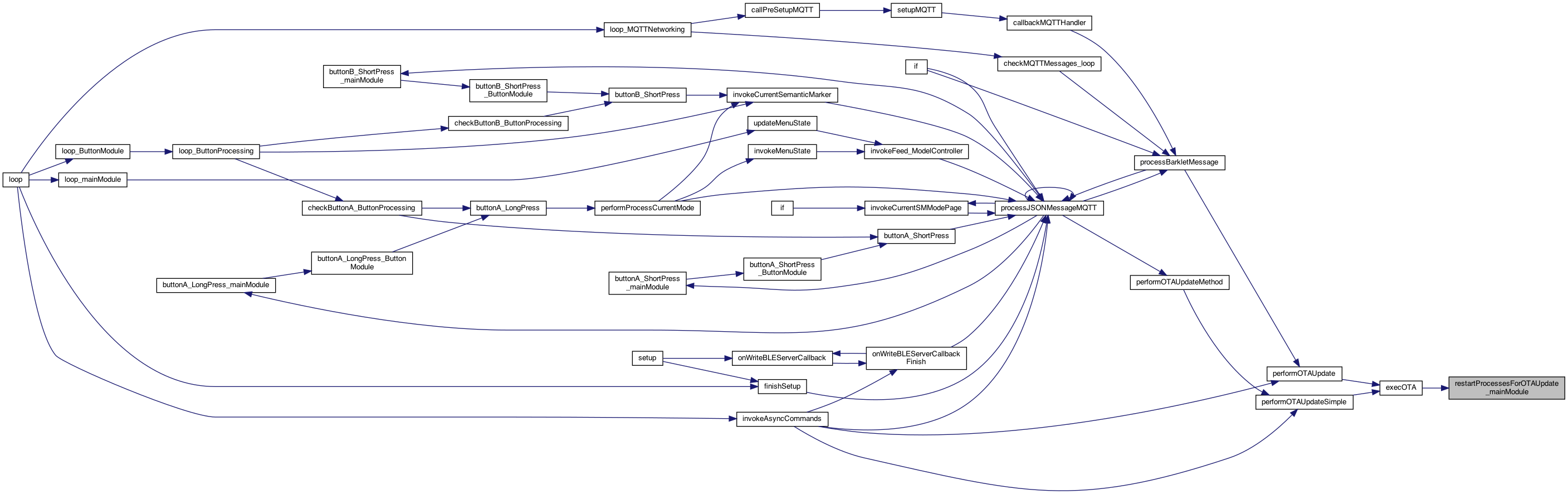
Definition at line 353 of file MainModule.cpp.
◆ semanticMarkerToJSON_mainModule()
| char * semanticMarkerToJSON_mainModule | ( | char * | semanticMarker | ) |
3.23.25 rainy weekend create a JSON string from the SemanticMarker https://semanticmarker.org/bot/setdevice/scott@konacurrents.com/PASS/M5AtomSocket/socket/on} Create a JSON knowing the "bot" syntax, eg. setdevice/USER/PASS/device/<set>/<flag> defined in TokenParser.h
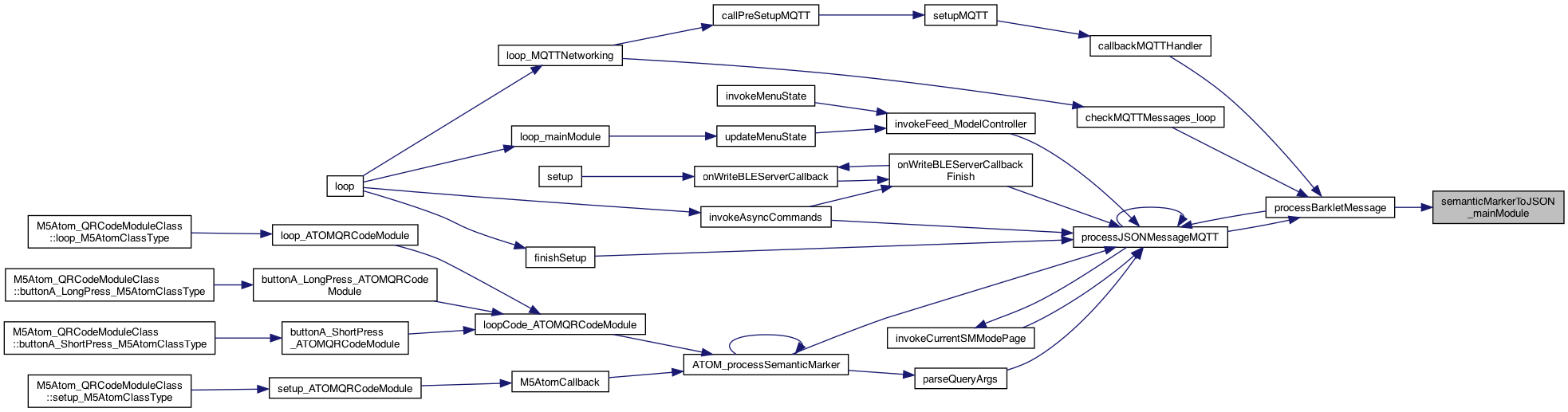
Definition at line 4303 of file MainModule.cpp.

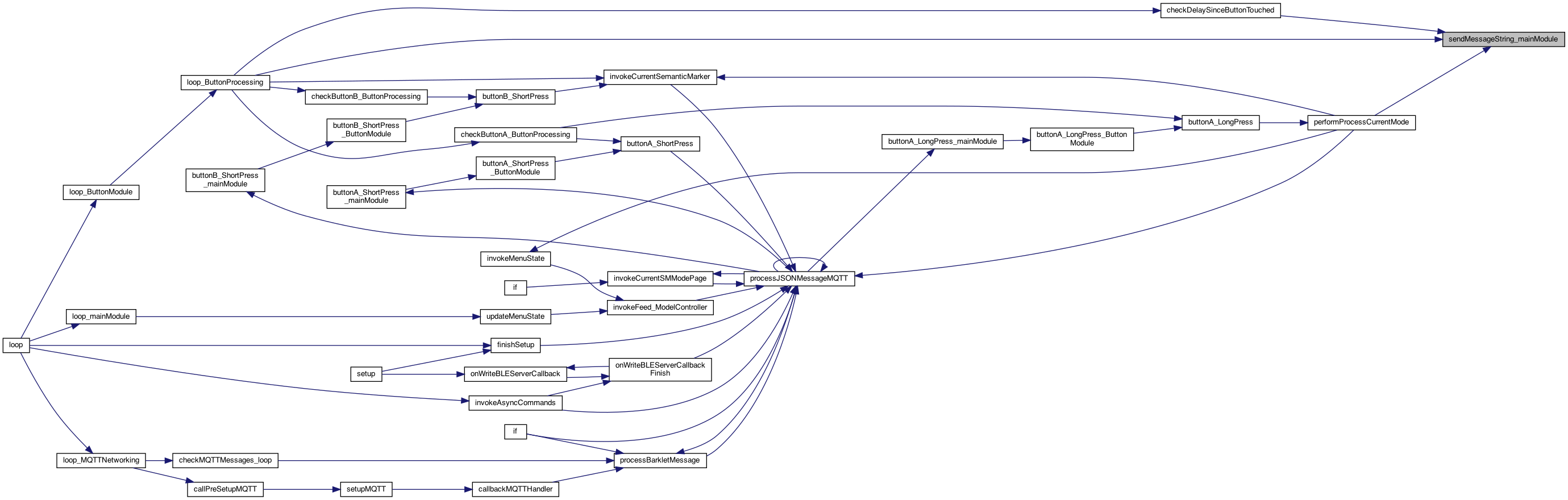
◆ sendMessageString_mainModule()
| void sendMessageString_mainModule | ( | char * | messageString | ) |
adding a synchronous call to send a message over the network (assuming MQTT but not specified), this tacks on {device} and {t:time}
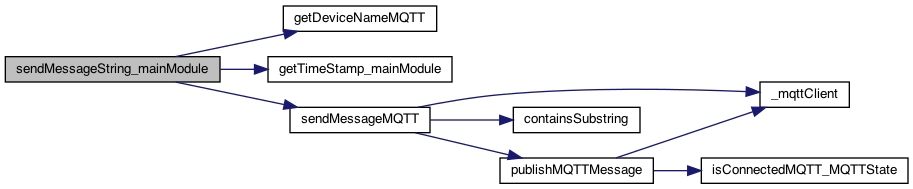
Definition at line 2325 of file MainModule.cpp.
◆ sendMessageStringTopic_mainModule()
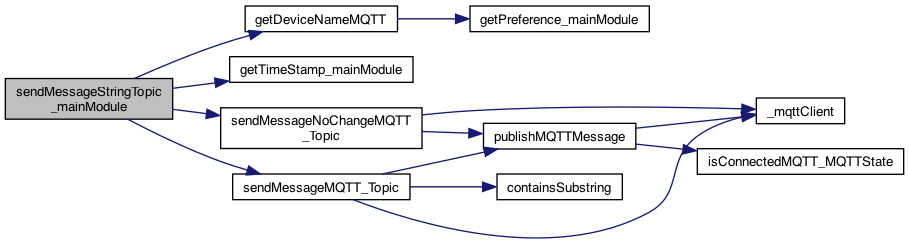
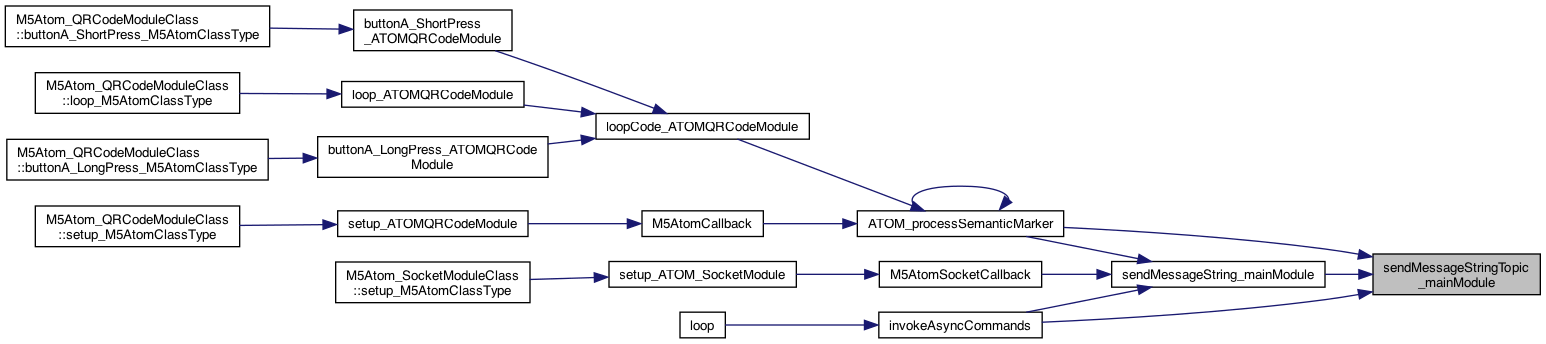
| void sendMessageStringTopic_mainModule | ( | char * | messageString, |
| char * | topicString | ||
| ) |
adding a synchronous call to send a message over the network (assuming MQTT but not specified), this tacks on {device} and {t:time}
8.16.25 MQTT
12.19.23 Amber in air from Iceland. 50 years since Dead 12.19.73
NOTE: the # has to be there, otherwise the sendMessageMQTT ignores it..
send this message over MQTT
Definition at line 2332 of file MainModule.cpp.
◆ sendSemanticMarkerDocFollow_mainModule()
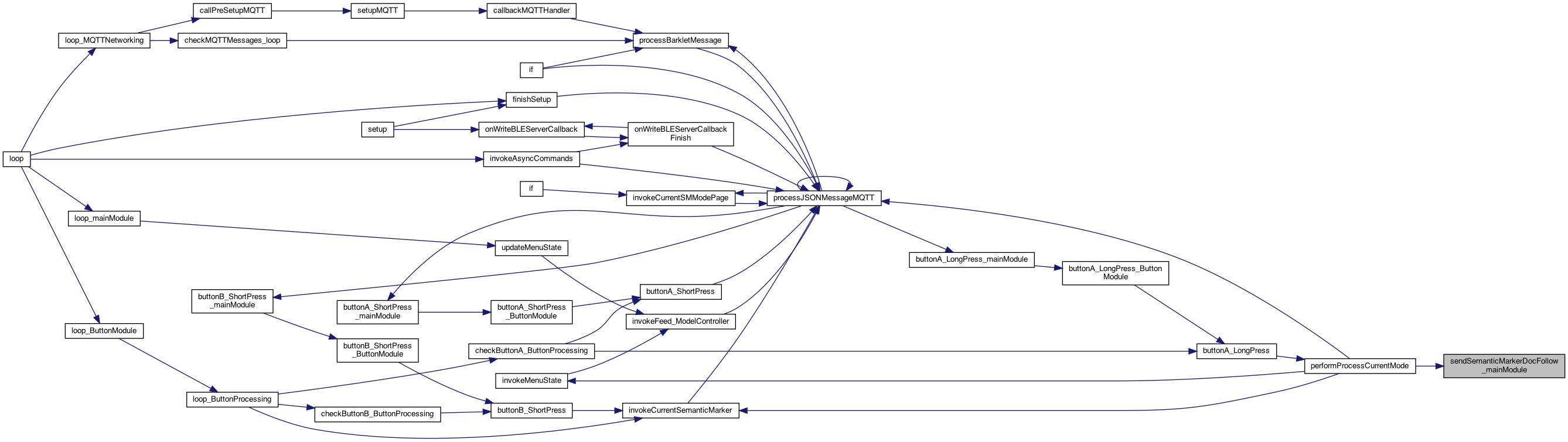
| void sendSemanticMarkerDocFollow_mainModule | ( | const char * | SMDocFollowAddress | ) |
sends the SM on the DOCFOLLOW channel (publish it..)
8.16.25 MQTT
Definition at line 2603 of file MainModule.cpp.

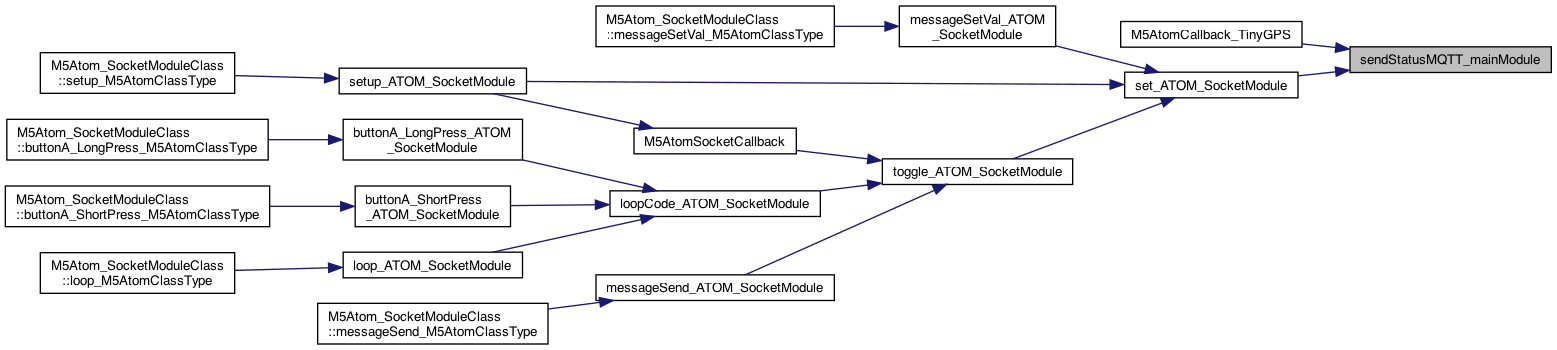
◆ sendStatusMQTT_mainModule()
| void sendStatusMQTT_mainModule | ( | ) |
TODO: have a callback regist approach.
1.1.24 send status of this device after events..
TODO: have a callback regist approach.
Definition at line 4290 of file MainModule.cpp.

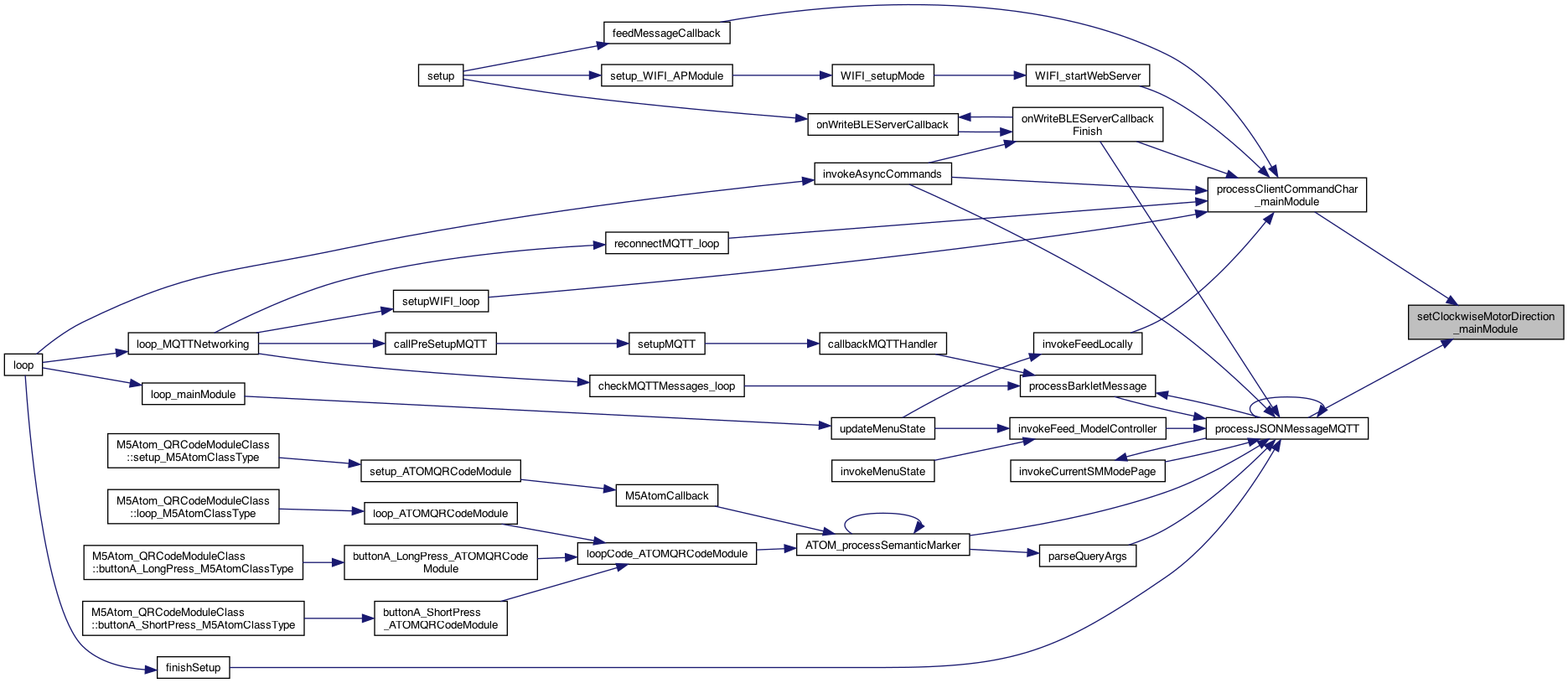
◆ setClockwiseMotorDirection_mainModule()
| void setClockwiseMotorDirection_mainModule | ( | boolean | isClockwiseFlag | ) |
8.18.24 setting this will check for the factory setting..
toggle flag and save as that mode..
this says: factory is CW and we want to turn CCW so we have to go the opposite direction (!CW)
toggle flag as well,
this says: factory is CCW and we want to turn CW so we have to go the opposite direction (!CW)
set to what it thinks it is...
Definition at line 2610 of file MainModule.cpp.

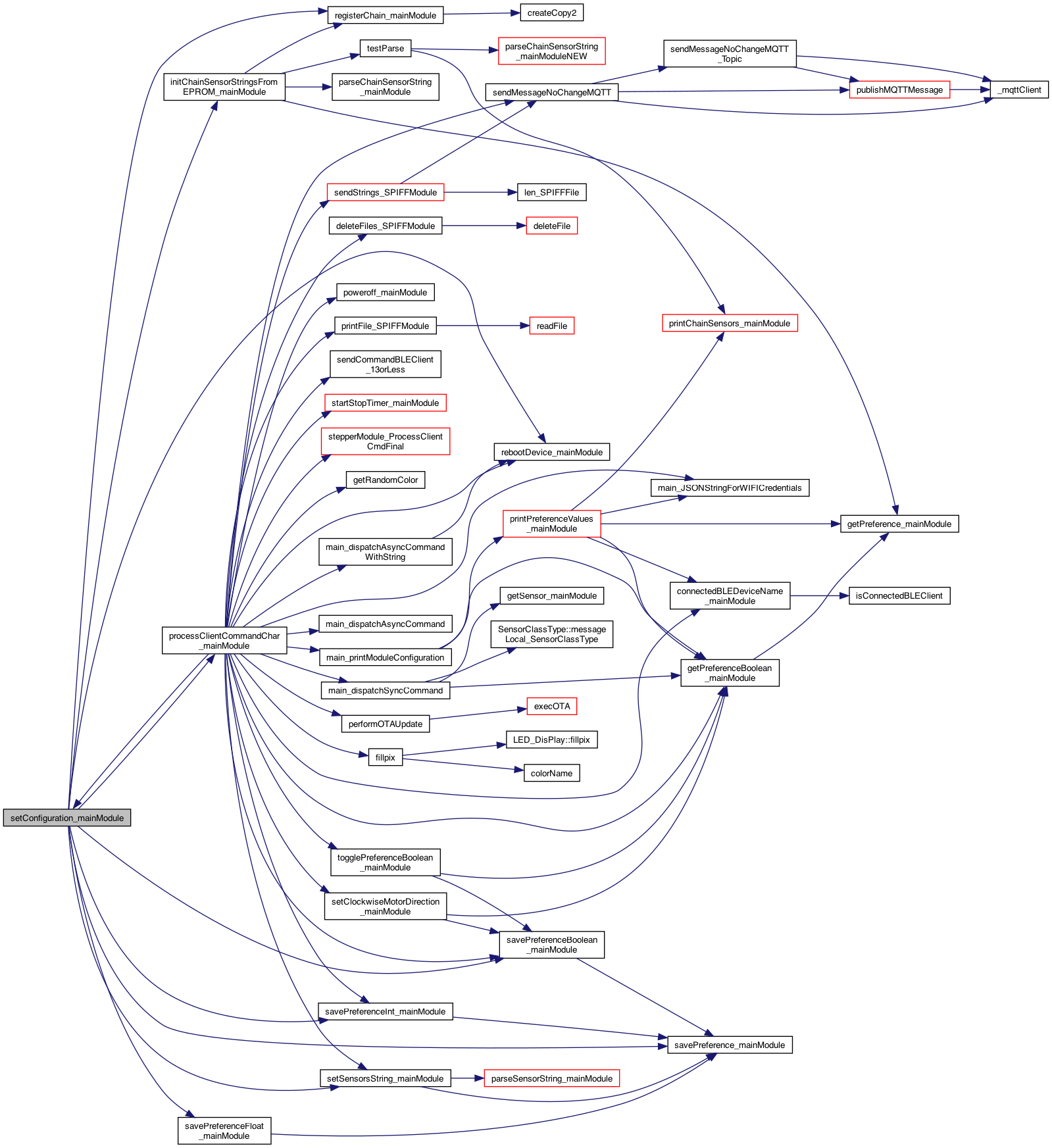
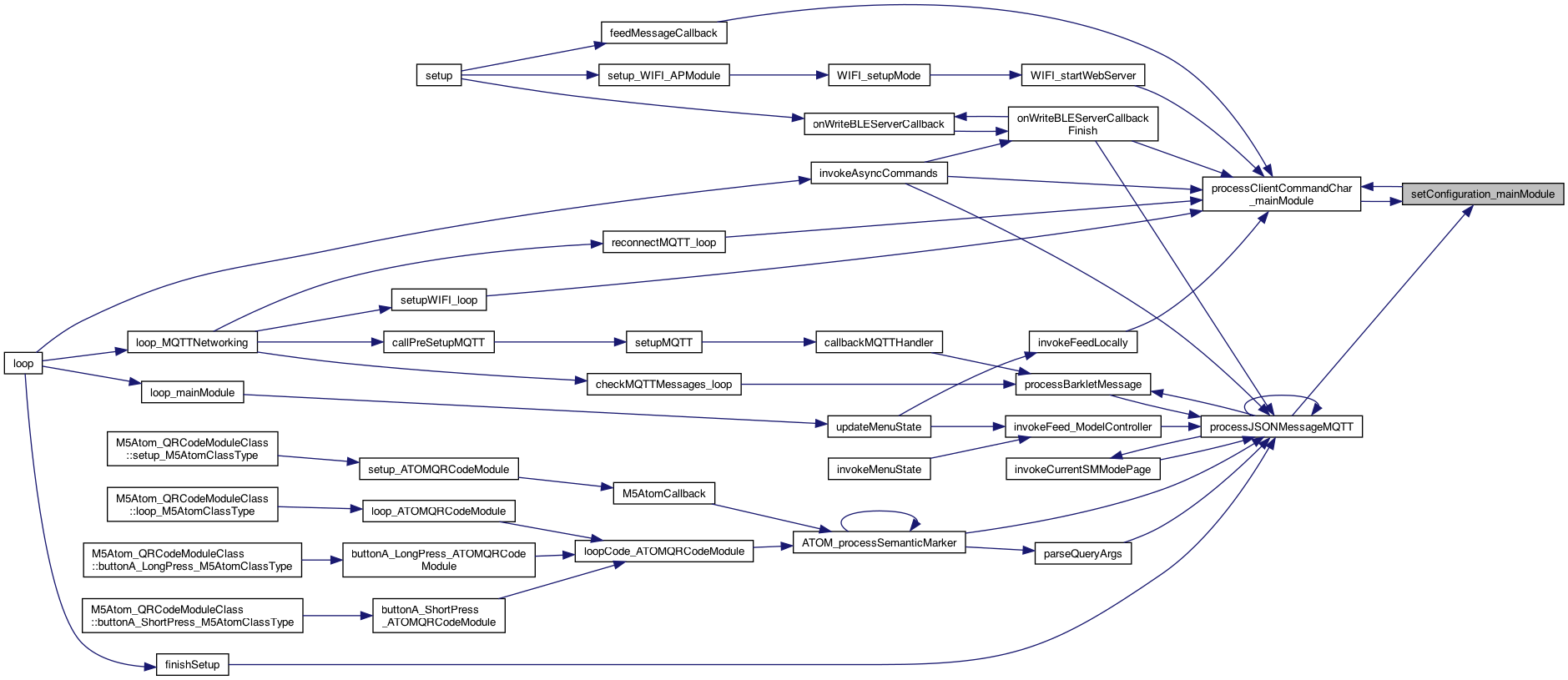
◆ setConfiguration_mainModule()
| void setConfiguration_mainModule | ( | char * | configurationName | ) |
8.20.25 Horses grazing if field first time for Mark and Bud add set/config PTStepper M5AtomCamera
poweroff
7.30.25 changing to the HDriver's board savePreference_mainModule(PREFERENCE_SENSORS_SETTING, _sensorsEPROM);
7.12.26 Ashton's 12th birtyday, Bike ride 20 seems the AtomS3 blows UP with 19,22 now they are 39, 38 now -1, 39
7.31.25 if Scanner or QR then pin 22 used .. so make M5HDriver (basically don't have a sensor)
also specify the sensor plug
for Tumbler .. use 200
- See also
- #390 this is the RPM of the stepper
set autoRotoate as well..
tumbler
8.18.26 default buzzer OFF
9.5.25 set the 2step OFF for now
10.24.25 also set BLE client and serve on, RAIN .. atosmopheric river
if set, the BLE Server (like PTFeeder) will tack on the device name (or none if not defined). 8.18.26 don't set it either way, use E if want other..
if set, the BLE client OFF 8.18.26
reboot .. so the sensors are set..
12.21.25 Winter Solstice, Eagles, Chain Button
poweroff
7.12.26 Ashton's 12th birtyday, Bike ride 20 seems the AtomS3 blows UP with 19,22 now they are G6 and G5
8.7.26 w Laura, swap pins .. RXD, TXD 8.8.26 Row Jimmy, Bike warm nice. less smoke, put back the 6,5 pins..
7.31.25 if Scanner or QR then pin 22 used .. so make M5HDriver (basically don't have a sensor)
also specify the sensor plug (non for now..
4.3.26 Off to the Moon This will send WIFI along with BLE (if double click). or WIFI if not BLE connected
TODO.. Chain presskind = 0, short, 1, long, 2, longlong ButtonKind, number_1based, pressKind, setString, valString, device if localhost then internal message, otherwise external MQTT message
iniitlize from the string ..
idea is you define the button and the press kind MatrixCell is Column Major 1,4, 7 // 2,5,8 // 3,6,9
10.24.25 also set BLE client and serve on, RAIN .. atosmopheric river
if set, the BLE Server (like PTFeeder) will tack on the device name (or none if not defined).
this initializes as well as prints (I think) 8.8.26
reboot .. so the sensors are set..
poweroff
7.30.25 changing to the HDriver's board
7.31.25 if Scanner or QR then pin 22 used .. so make M5HDriver (basically don't have a sensor)
also specify the sensor plug
1 second motor (overloads "angle" field) This is the RPM speed
- See also
- #390 this is the RPM of the stepper
set autoRotoate as well..
tumbler
if set, the BLE Server (like PTFeeder) will tack on the device name (or none if not defined).
reboot .. so the sensors are set..
poweroff
7.30.25 changing to the HDriver's board
7.31.25 if Scanner or QR then pin 22 used .. so make M5HDriver (basically don't have a sensor)
also specify the sensor plug
10.24.25 also set BLE client and serve on, RAIN .. atosmopheric river
if set, the BLE Server (like PTFeeder) will tack on the device name (or none if not defined).
reboot .. so the sensors are set..
7.30.25 changing to the HDriver's board
7.31.25 if Scanner or QR then pin 22 used .. so make M5HDriver (basically don't have a sensor)
also specify the sensor plug (non for now..
10.24.25 also set BLE client and serve on, RAIN .. atosmopheric river
if set, the BLE Server (like PTFeeder) will tack on the device name (or none if not defined).
reboot .. so the sensors are set..
7.30.25 changing to the HDriver's board
7.31.25 if Scanner or QR then pin 22 used .. so make M5HDriver (basically don't have a sensor)
also specify the sensor plug (non for now..
10.24.25 also set BLE client and serve on, RAIN .. atosmopheric river
if set, the BLE Server (like PTFeeder) will tack on the device name (or none if not defined).
reboot .. so the sensors are set..
7.30.25 changing to the HDriver's board
7.31.25 if Scanner or QR then pin 22 used .. so make M5HDriver (basically don't have a sensor)
also specify the sensor plug (non for now..
10.24.25 also set BLE client and serve on, RAIN .. atosmopheric river
if set, the BLE Server (like PTFeeder) will tack on the device name (or none if not defined).
reboot .. so the sensors are set..
Definition at line 3337 of file MainModule.cpp.
◆ setConnectedBLEDevice_mainModule()
| void setConnectedBLEDevice_mainModule | ( | char * | deviceName, |
| boolean | isGEN3 | ||
| ) |
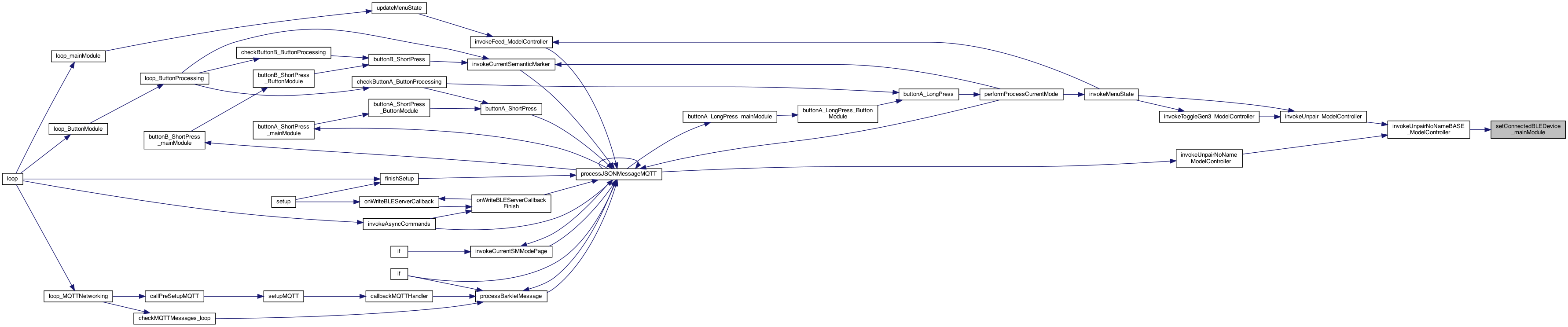
BLE Discovery Methods Connected to a BLE device with the advertised name. The syntax can include (PTFeeder:NAME) or just PTFeeder Being disconnected is already a flag isConnectedBLE ...
set the isGEN3 flag
now set the gateway based on if GEN3
seems device name = "Name: PTFeeder:HowieFeeder, Address: 7c:9e:bd:48:af:92, serviceUUID: 0xdead Note: the Address, eg "7c:9e:bd:48:af:92" is unique somehow.. lets use that to skip one.. parse out the 2nd half of name go past the : empty name (just PTFeeder) 8.29.23 send a message saying we connected.. parse for the address too.. strcpy(_fullBLEDeviceName, deviceName); seems device name = "Name: PTFeeder:HowieFeeder, Address: 7c:9e:bd:48:af:92, serviceUUID: 0xdead Note: the Address, eg "7c:9e:bd:48:af:92" is unique somehow.. lets use that to skip one..
parse out the 2nd half of name
empty name (just PTFeeder)
Definition at line 3752 of file MainModule.cpp.

◆ setCurrentSMMode_mainModule()
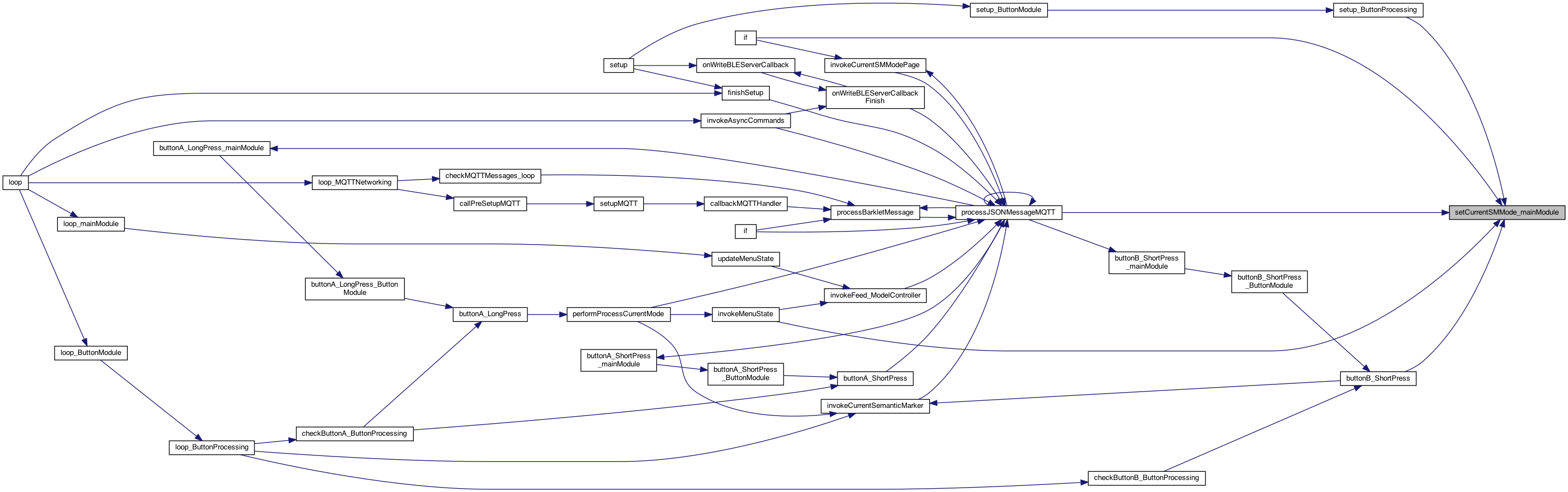
| void setCurrentSMMode_mainModule | ( | int | whichSMMode | ) |
sets the current screen mode .. which can be used by Button and Display processing
This is needed now as message from external (not button pressing) causes a state change, but the button processing isn't knowing about it... sets the current screen mode .. which can be used by Button and Display processing whichSMMode 0..SM_LAST
Definition at line 3689 of file MainModule.cpp.

◆ setLEDColor()
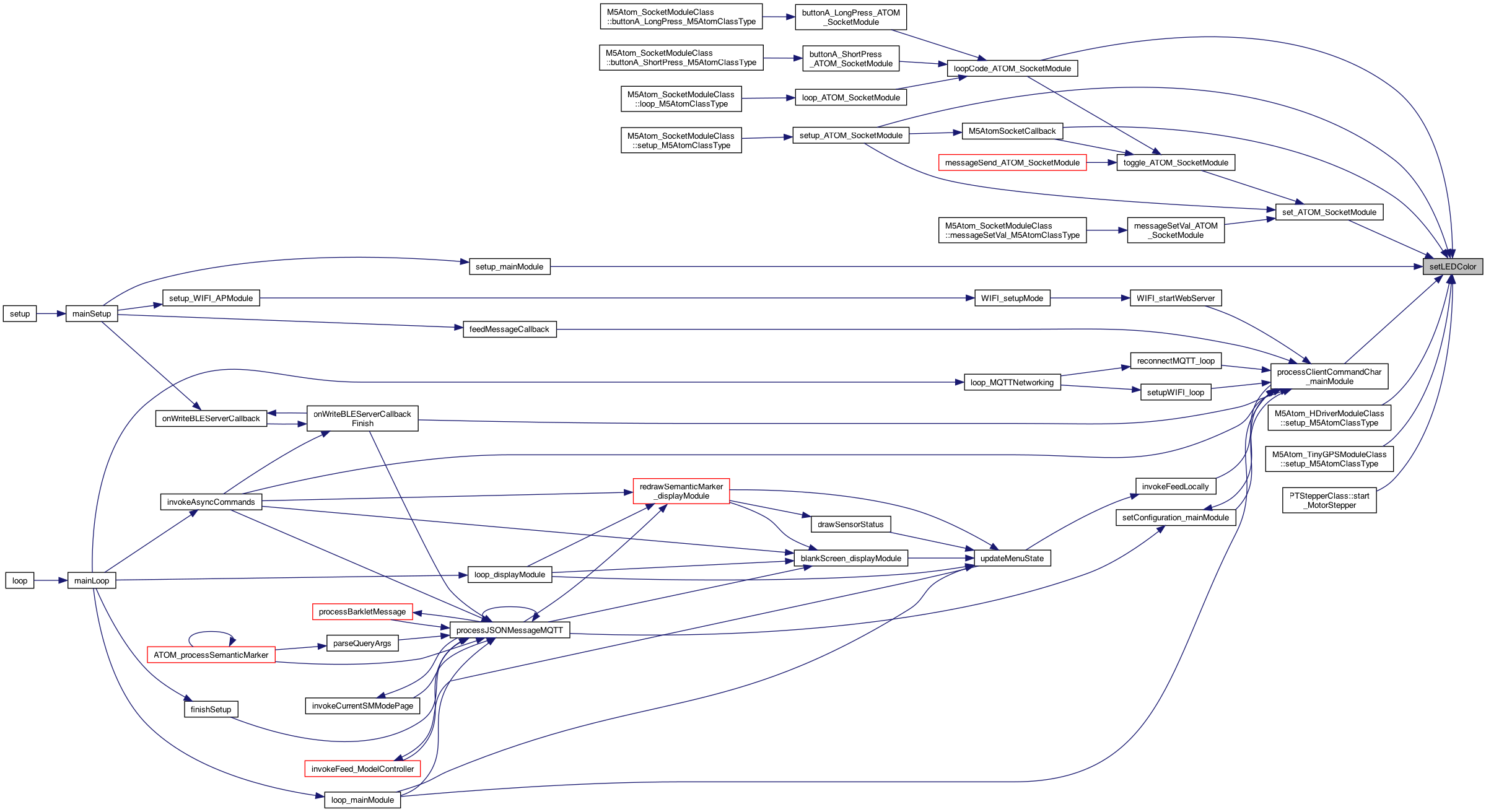
| void setLEDColor | ( | ColorsUnified | color | ) |
uses colors.. _GREEN_LED to be typed values
uses colors.. _GREEN_LED to be typed values
Definition at line 4539 of file MainModule.cpp.

◆ setLUXThreshold_mainModule()
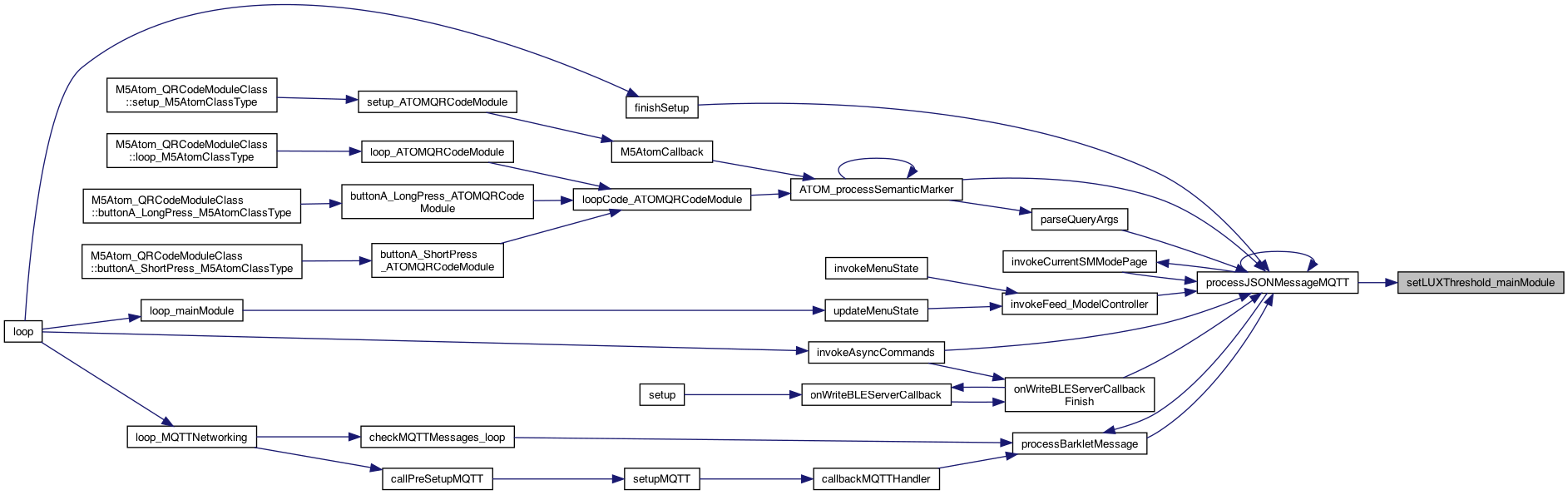
| void setLUXThreshold_mainModule | ( | int | thresholdKind, |
| int | luxVal | ||
| ) |
set the threshold val
Definition at line 1950 of file MainModule.cpp.
◆ setSemanticMarkerDocFollow_mainModule()
| void setSemanticMarkerDocFollow_mainModule | ( | char * | SMDocFollowAddress | ) |
sed the address to follow
SemanticMarker events This would see a DOCFollow message, and set the value.. then SM10 can display it..
Definition at line 2589 of file MainModule.cpp.
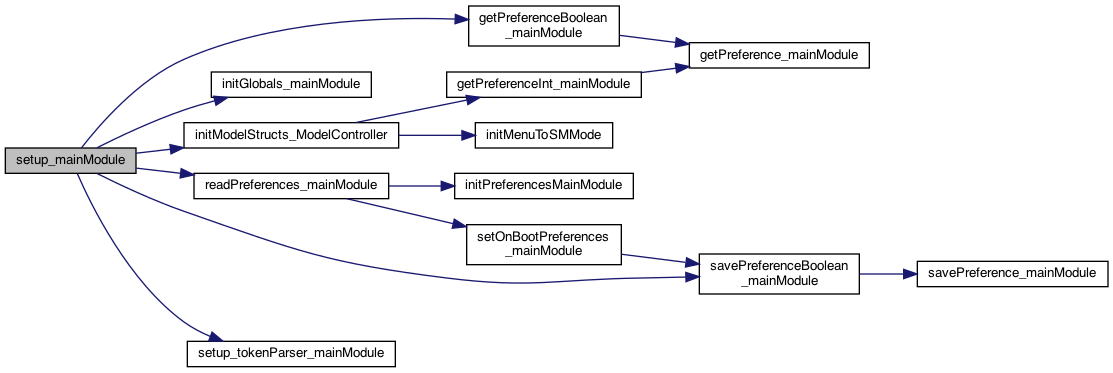
◆ setup_mainModule()
| void setup_mainModule | ( | ) |
called from the setup()
THIS IS the setup() and loop() but using the "component" name, eg MQTTNetworking() This will perform preference initializtion as well called from the setup()
change LED
setup for the token parser (really just for testing) – an
init globals like strings (but nothing that needs preferences)
read the preferences from EPROM
must initialize the structs NOTE: this has to ber AFTER the preferences are read in..
a first time feature .. to get EPROM changed to a different default
7.12.22 {'dev':'m5",'cmd':'bleserveron'} or bleserveroff will work later.. #issue 116 .. turn off the BLE_Server for the M5
5.6.25 use object version
all ..
5.14.25 use the Sensor types first we have N sensors then we get which ones the user wants (the SENSORS_SETTING) then we instantiate, and provide ping, etc.
Definition at line 412 of file MainModule.cpp.

◆ setup_Sensors_mainModule()
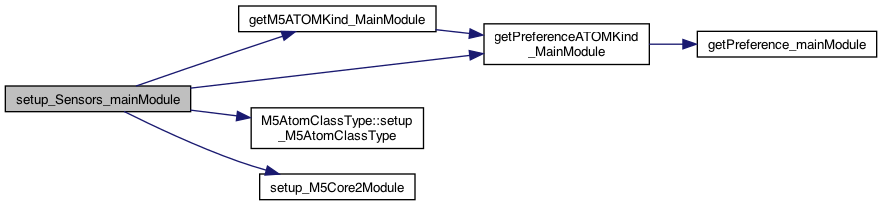
| void setup_Sensors_mainModule | ( | ) |
setup of buttons and sensors
setup of buttons and sensors
these are the plugin modules .. and only 1 active at a time except for ATOM
5.6.25 use the M5Atom ClassType
7.17.25
8.16.25 bring in the Camera
10.26.25 Power Out .. Wind Storm. Generator Running add a NoModule class
3.31.25 create array of plugs
7.17.25
8.16.25 bring in the Camera
10.26.25 Power Out .. Wind Storm. Generator Running add a NoModule class
add check..
use this one...
find the current atomKind. which is a string
find which one..
check against the identity.. (or make this part of that method?)
Matched..
now the setup() call
5.6.25 use object version
Definition at line 3919 of file MainModule.cpp.

◆ showText_mainModule()
| void showText_mainModule | ( | String | text | ) |
shows a FEED (or whatever) then blanks the screen after N seconds NOTE: This will be a scrolling text as sometime ..
Definition at line 2058 of file MainModule.cpp.


◆ singleClickTouched()
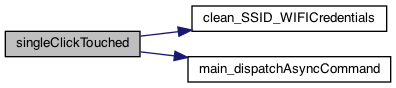
| void singleClickTouched | ( | char * | whichButton | ) |
called on single click NOTE: with BLE_CLIENT_NETWORKING, the right button and top button send a BLE command for feeding..
8.16.25 WIFI AP for now, only send the FEED command via BLE_CLIENT if turned on. No reboot to AP mode yet.. 8.16.25 BLE CLIENT send the async FEED
dispatches a call to the command specified. This is run on the next loop()
Definition at line 2045 of file MainModule.cpp.

◆ solidLight()
| void solidLight | ( | char * | message | ) |
callback for SOLID blinking led
◆ solidLightMessageCallback()
| void solidLightMessageCallback | ( | char * | message | ) |
callback for SOLID blinking led
Definition at line 2018 of file MainModule.cpp.


◆ solidLightOnOff()
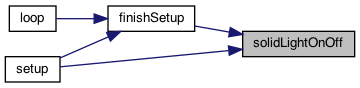
| void solidLightOnOff | ( | boolean | onOff | ) |
supports turning on the solid light..
supports turning on the solid light..
Definition at line 2066 of file MainModule.cpp.

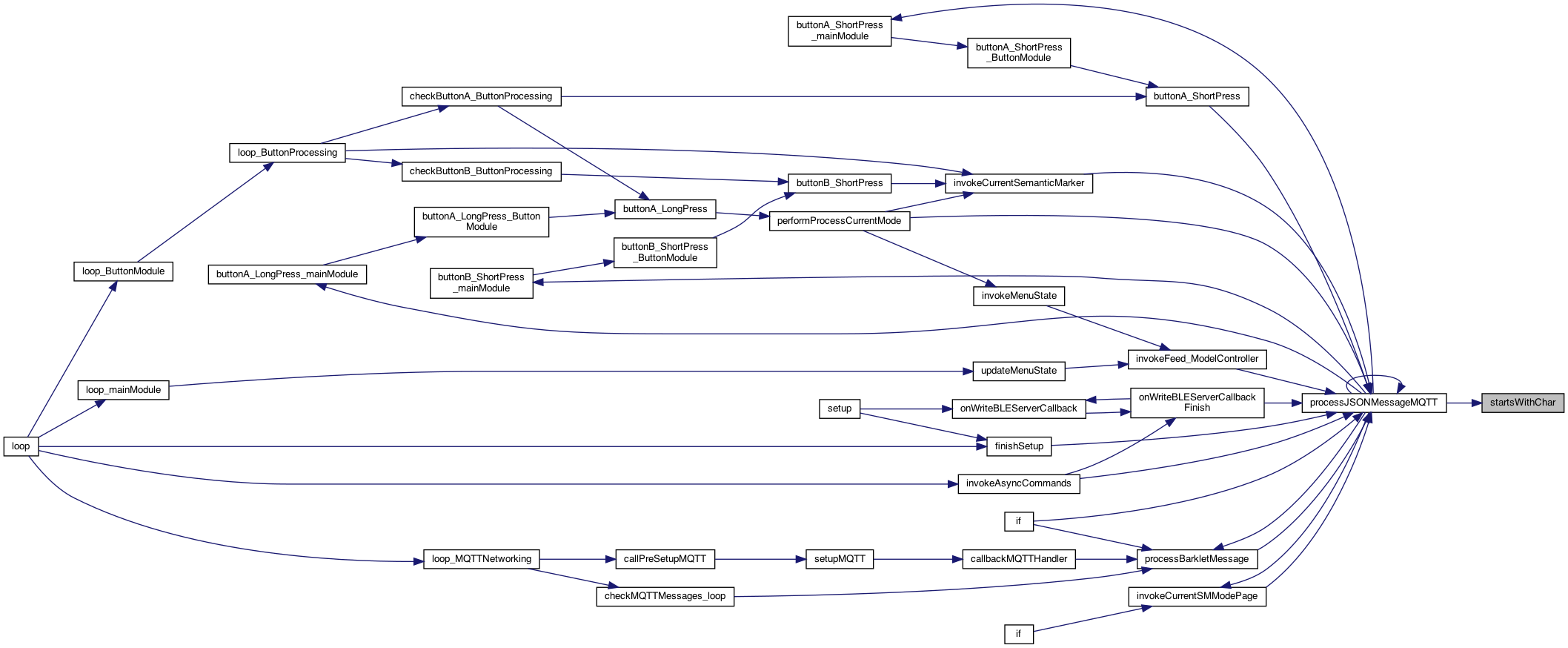
◆ startsWithChar()
| boolean startsWithChar | ( | char * | str, |
| char | c | ||
| ) |
a char* version of startsWith (after skipping spaces)
find first non space character, and if not '{' then return false
jump out if not a space, and 'i' will be the thing to look for
Definition at line 2273 of file MainModule.cpp.
◆ stopAllProcesses_mainModule()
| boolean stopAllProcesses_mainModule | ( | ) |
if stopped
try to disconnect..
Definition at line 358 of file MainModule.cpp.

◆ stopMotor_mainModule()
| void stopMotor_mainModule | ( | ) |
added 9.29.22 to support wildcards #196
always avaialble to others.. the model controller part of MVC. The View is in DisplayModule. The other part of Controller is the button clicks in ButtonProcess.h (but with this, there is no logic there..) preferences 3.29.25 add the TimerDelayClass 6.6.25 include to get the current one.. 6.7.25 hot air balloons over house.. stops the motor
6.7.25 hot air balloons over house.. stops the motor
Definition at line 308 of file MainModule.cpp.


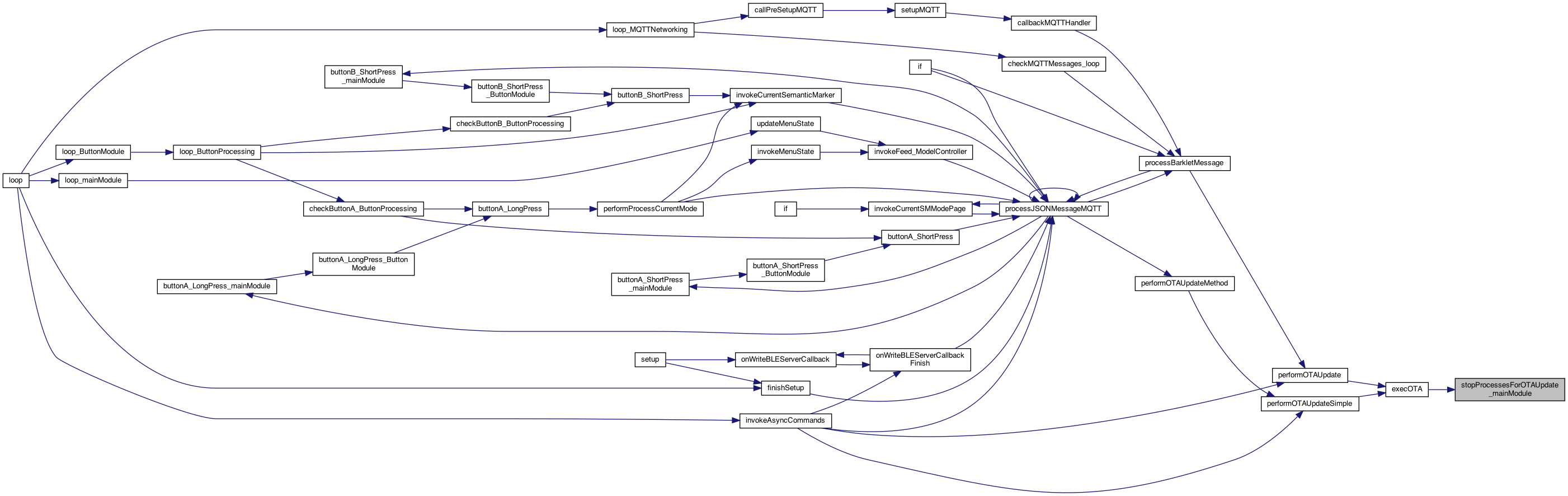
◆ stopProcessesForOTAUpdate_mainModule()
| void stopProcessesForOTAUpdate_mainModule | ( | ) |
stop all loops... while OTA working..
Definition at line 348 of file MainModule.cpp.
◆ stringMatch()
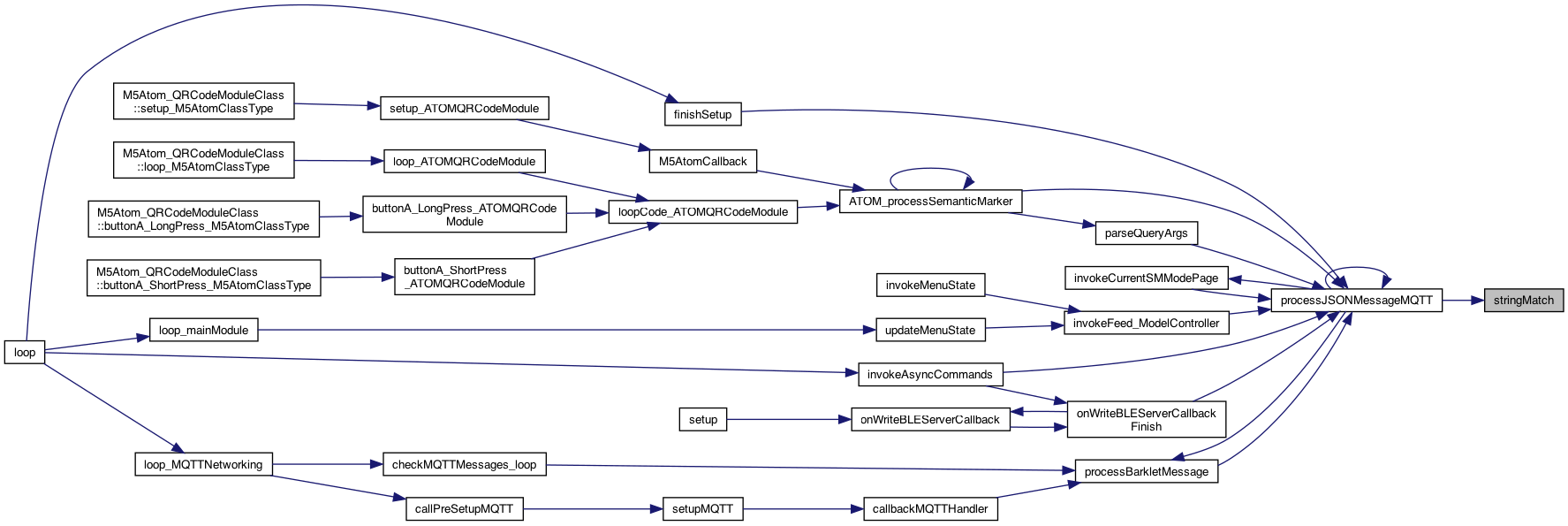
| bool stringMatch | ( | String | message, |
| String | substring | ||
| ) |
check if the string matches
Definition at line 2108 of file MQTTNetworking.cpp.
◆ toggleMinimalMenuMode_mainModule()
| void toggleMinimalMenuMode_mainModule | ( | ) |
toggles the menu mode
Definition at line 3665 of file MainModule.cpp.

◆ whichSMMode_mainModule()
| int whichSMMode_mainModule | ( | char * | cmd | ) |
returns an index from 0..max of SM matching cmd, or -1 if none
returns an index from 0..max of SM matching cmd, or -1 if none
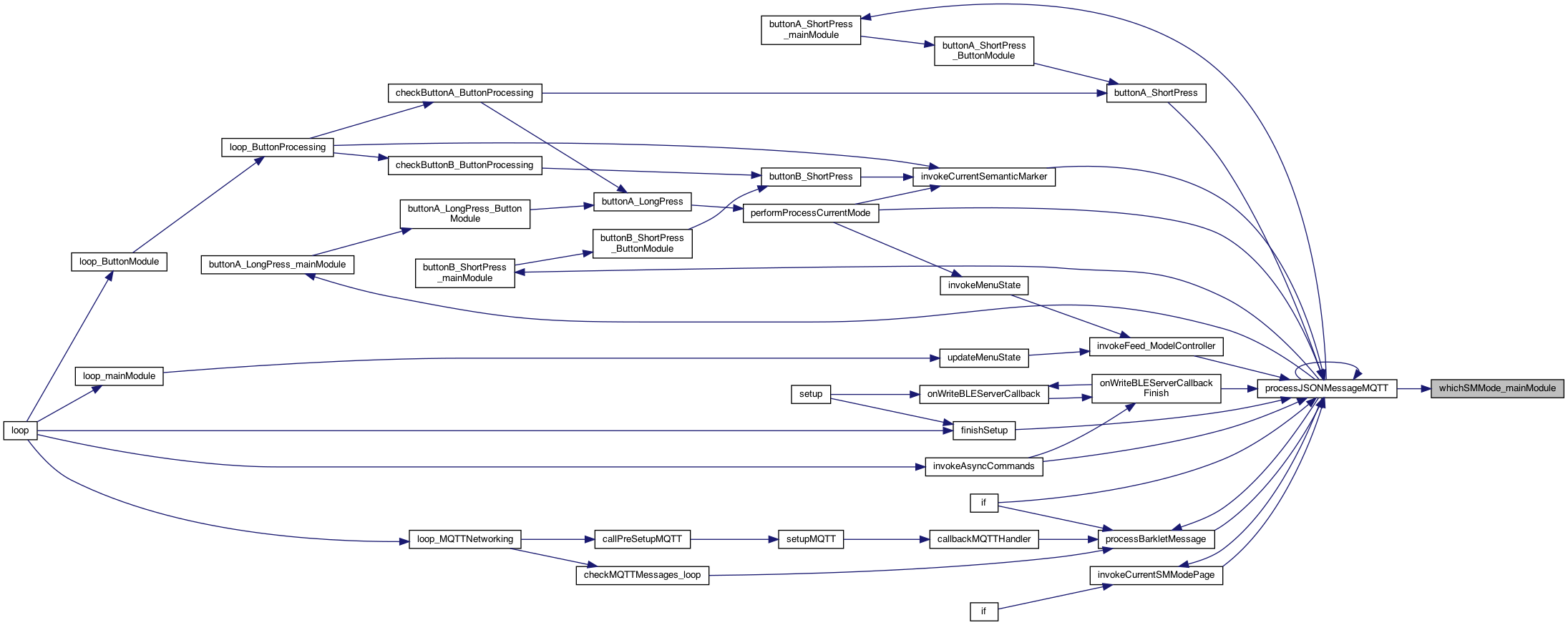
Definition at line 3616 of file MainModule.cpp.