#include "../../Defines.h"#include "ATOM_SocketModule.h"#include "AtomSocket.h"#include "../SensorClass/SensorClassType.h"#include "../SensorClass/KeyUnitSensorClass.h"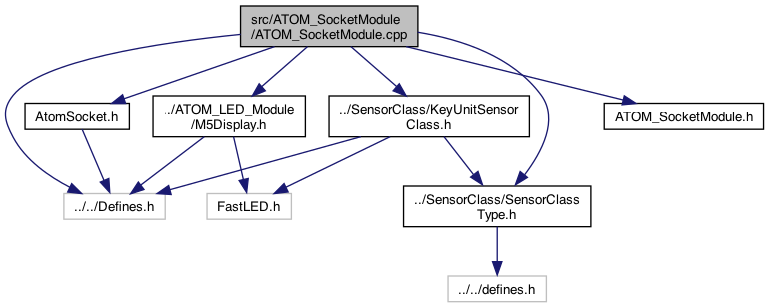
Go to the source code of this file.
Macros | |
| #define | RXD 22 |
| #define | RELAY 23 |
Functions | |
| HardwareSerial | AtomSerial (2) |
| interface to the hardware More... | |
| void | loopCode_ATOM_SocketModule () |
| LOOP code.. refactored so it's also called when a buttonPress message arrives. More... | |
| void | checkButtonB_ATOM_SocketModule () |
| big button on front of M5StickC Plus More... | |
| void | toggle_ATOM_SocketModule () |
| turn on/off the socket More... | |
| void | M5AtomSocketCallback (char *parameter, boolean flag) |
| void | set_ATOM_SocketModule (boolean flag) |
| turn on/off the socket More... | |
| void | messageSetVal_ATOM_SocketModule (char *setName, char *valValue, boolean deviceNameSpecified) |
| void | messageSend_ATOM_SocketModule (char *sendValue) |
| void | initGlobals_ATOM_SocketModule () |
| void | setup_ATOM_SocketModule () |
| void | loop_ATOM_SocketModule () |
| called for the loop() of this plugin More... | |
| void | buttonA_ShortPress_ATOM_SocketModule () |
| void | buttonA_LongPress_ATOM_SocketModule () |
| long press on buttonA (top button) More... | |
| char * | currentStatusURL_ATOM_SocketModule () |
| returns a string in in URL so: status&battery=84'&buzzon='off' } .. etc More... | |
| char * | currentStatusJSON_ATOM_SocketModule () |
Variables | |
| int | _Voltage = 0 |
| info from the socket power More... | |
| int | _ActivePower = 0 |
| float | _Current = 0 |
| ATOMSOCKET | ATOM |
| create the ATOMSOCKET connection to the power socket More... | |
| boolean | _shortPress_ATOM_SocketModule = false |
| not beware of linking another ATOM these names will overload.. More... | |
| boolean | _longPress_ATOM_SocketModule = false |
| boolean | _longLongPress_ATOM_SocketModule = false |
| boolean | _isOn_ATOM_SocketModule |
| KeyUnitSensorClass * | _KeyUnitSensorClass_ATOMSocketModule = NULL |
Macro Definition Documentation
◆ RELAY
| #define RELAY 23 |
Definition at line 31 of file ATOM_SocketModule.cpp.
◆ RXD
| #define RXD 22 |
Definition at line 30 of file ATOM_SocketModule.cpp.
Function Documentation
◆ AtomSerial()
| HardwareSerial AtomSerial | ( | 2 | ) |
interface to the hardware

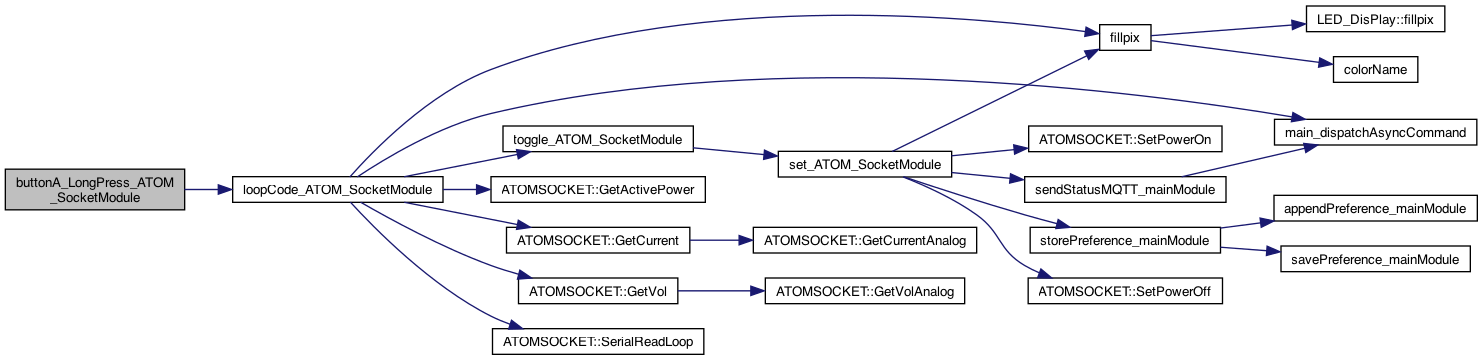
◆ buttonA_LongPress_ATOM_SocketModule()
| void buttonA_LongPress_ATOM_SocketModule | ( | ) |
long press on buttonA (top button)
Definition at line 274 of file ATOM_SocketModule.cpp.

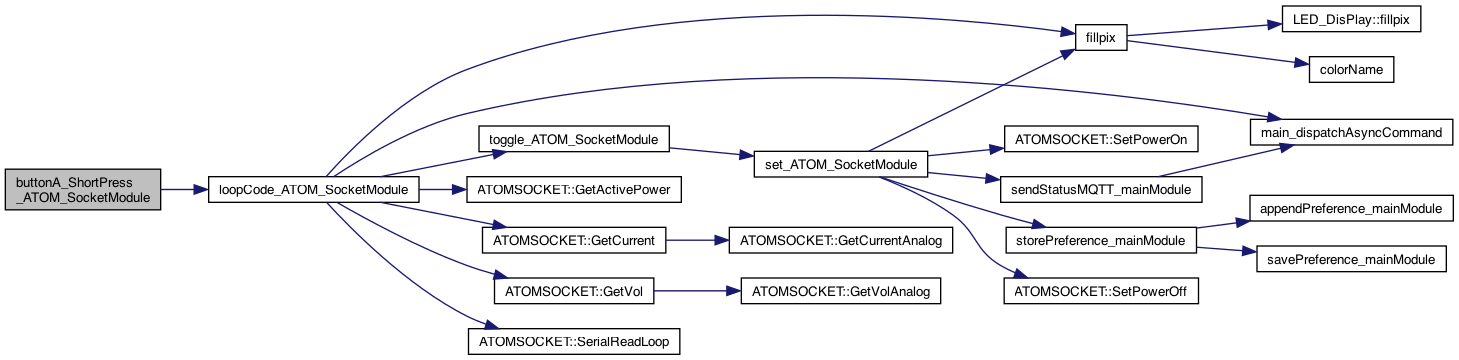
◆ buttonA_ShortPress_ATOM_SocketModule()
| void buttonA_ShortPress_ATOM_SocketModule | ( | ) |
BUTTON PROCESSING abstraction short press on buttonA (top button)
Definition at line 263 of file ATOM_SocketModule.cpp.

◆ checkButtonB_ATOM_SocketModule()
| void checkButtonB_ATOM_SocketModule | ( | ) |
big button on front of M5StickC Plus
Definition at line 286 of file ATOM_SocketModule.cpp.

◆ currentStatusJSON_ATOM_SocketModule()
| char * currentStatusJSON_ATOM_SocketModule | ( | ) |
returns a string in in JSON so: status&battery=84'&buzzon='off' } .. etc starts with "&"*
Definition at line 402 of file ATOM_SocketModule.cpp.

◆ currentStatusURL_ATOM_SocketModule()
| char * currentStatusURL_ATOM_SocketModule | ( | ) |
returns a string in in URL so: status&battery=84'&buzzon='off' } .. etc
returns a string in in URL so: status&battery=84'&buzzon='off' } .. etc starts with "&"*
8.4.25 add k=PWR
Definition at line 391 of file ATOM_SocketModule.cpp.

◆ initGlobals_ATOM_SocketModule()
| void initGlobals_ATOM_SocketModule | ( | ) |
init any globals 1.5.24
Definition at line 162 of file ATOM_SocketModule.cpp.

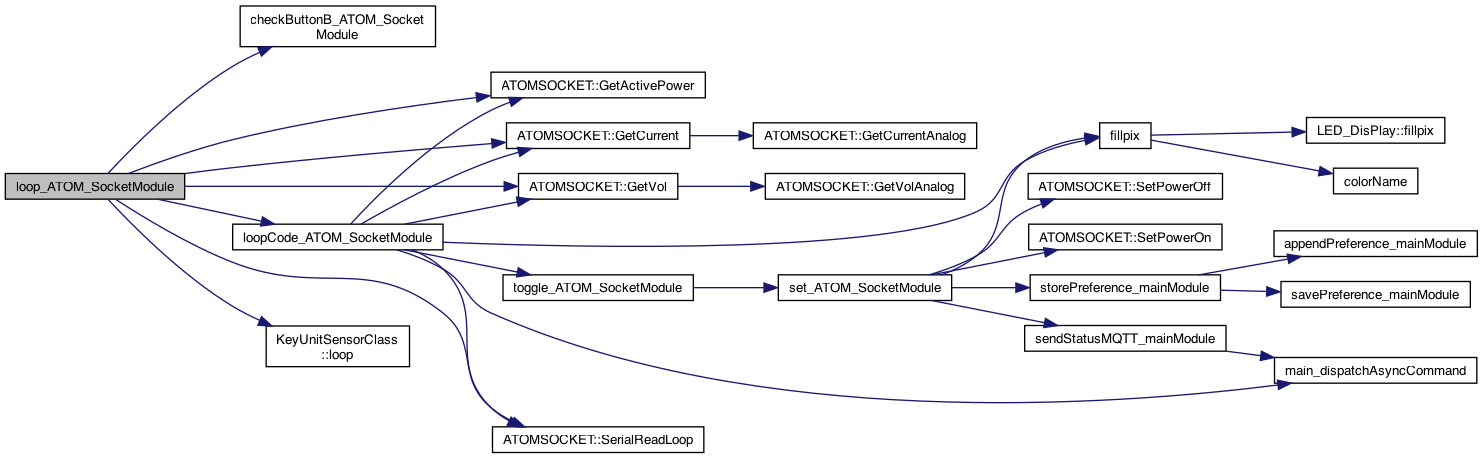
◆ loop_ATOM_SocketModule()
| void loop_ATOM_SocketModule | ( | ) |
called for the loop() of this plugin
TODO..
do loop code
Definition at line 230 of file ATOM_SocketModule.cpp.

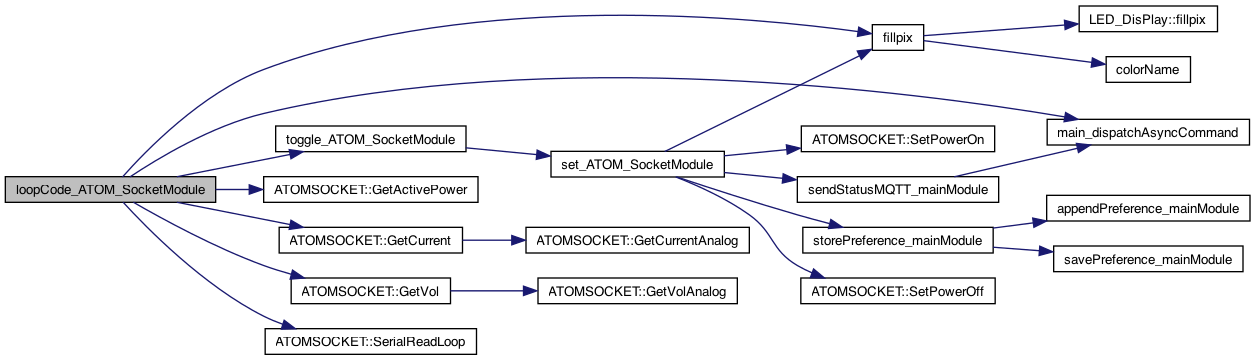
◆ loopCode_ATOM_SocketModule()
| void loopCode_ATOM_SocketModule | ( | ) |
LOOP code.. refactored so it's also called when a buttonPress message arrives.
1.11.24 one idea, use the PIR_SM and let this send that message That way a long press could turn on all the devices, for example.. OR: just have a long press toggle but for everyone.. TODO..
use STATUS, and Long Press to get info..
8.2.26 LED working
dispatches a call to the command specified. This is run on the next loop()
Definition at line 321 of file ATOM_SocketModule.cpp.

◆ M5AtomSocketCallback()
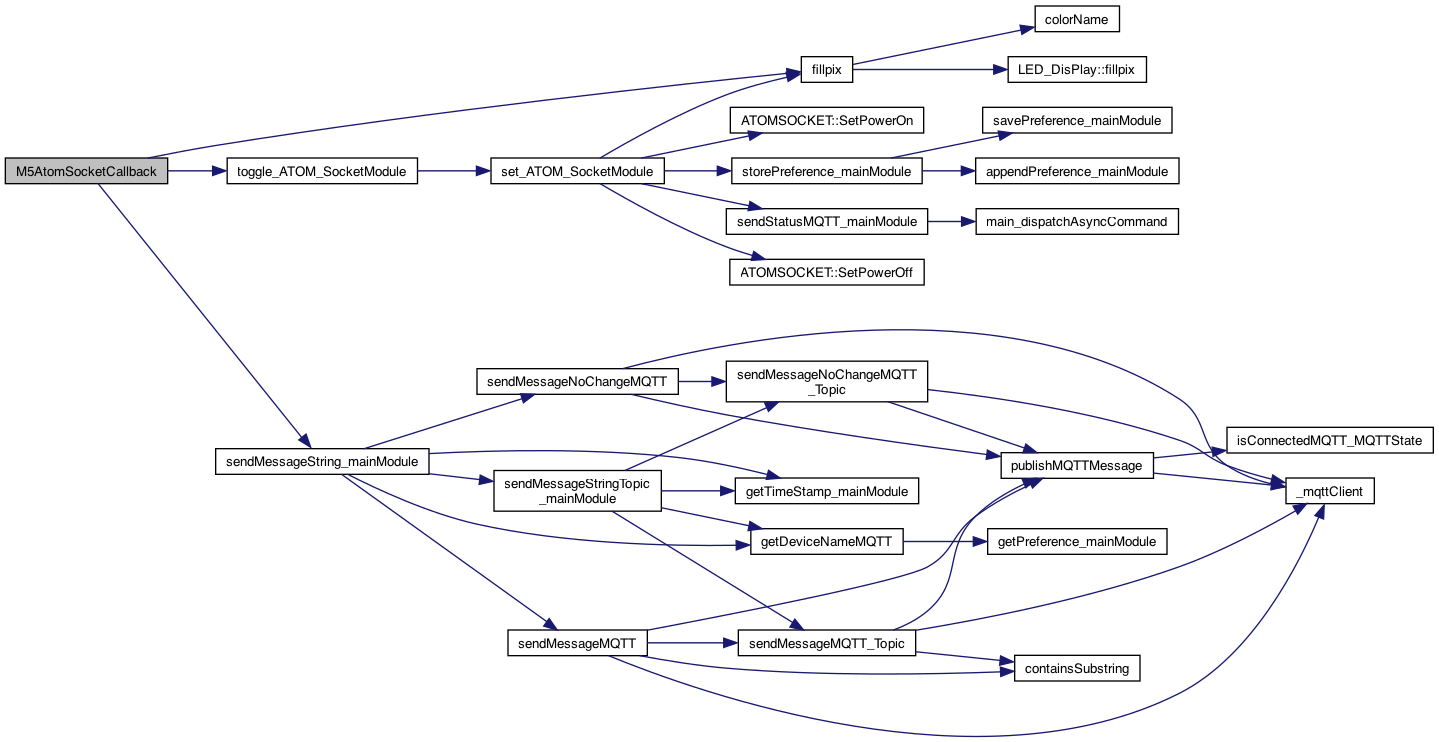
| void M5AtomSocketCallback | ( | char * | parameter, |
| boolean | flag | ||
| ) |
8.2.26 LED working
Definition at line 64 of file ATOM_SocketModule.cpp.

◆ messageSend_ATOM_SocketModule()
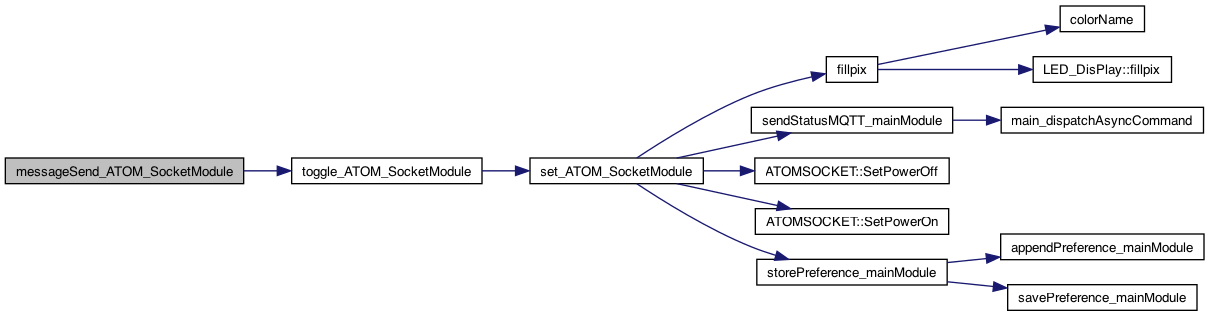
| void messageSend_ATOM_SocketModule | ( | char * | sendValue | ) |
12.28.23, 8.28.23 Adding a way for others to get informed on messages that arrive for the send
Definition at line 151 of file ATOM_SocketModule.cpp.

◆ messageSetVal_ATOM_SocketModule()
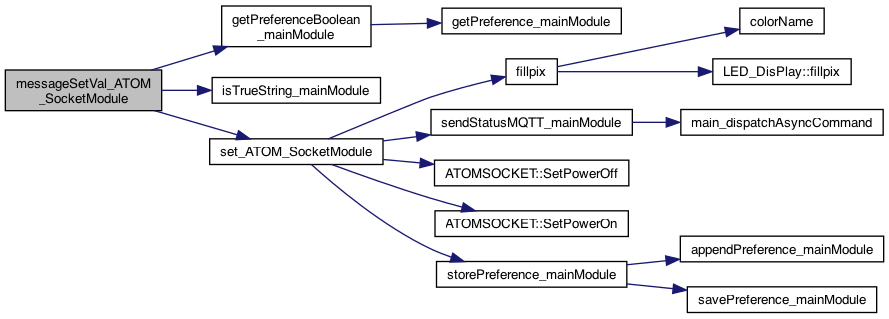
| void messageSetVal_ATOM_SocketModule | ( | char * | setName, |
| char * | valValue, | ||
| boolean | deviceNameSpecified | ||
| ) |
8.28.23 Adding a way for others to get informed on messages that arrive for the set,val 2.27.23 support setName == "socket" 1.10.24 if deviceNameSpecified then this matches this device, otherwise for all. It's up to the receiver to decide if it has to be specified 1.12.24 AtomSocketGlobalOnOff to turn on/off global onoff
see if global on/off is supported.. So if globalOnOff definitely perform action. If deviceNameSpecified - perform action so OR of them
Definition at line 132 of file ATOM_SocketModule.cpp.

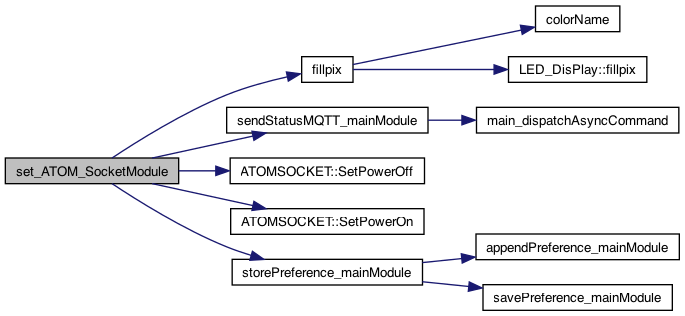
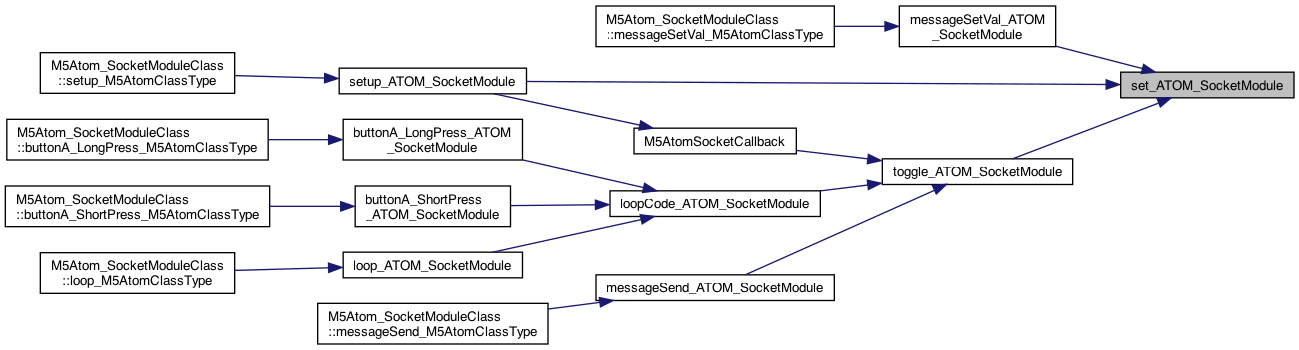
◆ set_ATOM_SocketModule()
| void set_ATOM_SocketModule | ( | boolean | flag | ) |
turn on/off the socket
store globally
8.2.26 LED working
1.1.24 syntax: socket=on or socket=off (somewhere in the string..) .. this version, only string avaialble..
8.2.26 LED working
1.1.24 syntax: socket=on or socket=off (somewhere in the string..)
send status after power on/off change..
Definition at line 82 of file ATOM_SocketModule.cpp.
◆ setup_ATOM_SocketModule()
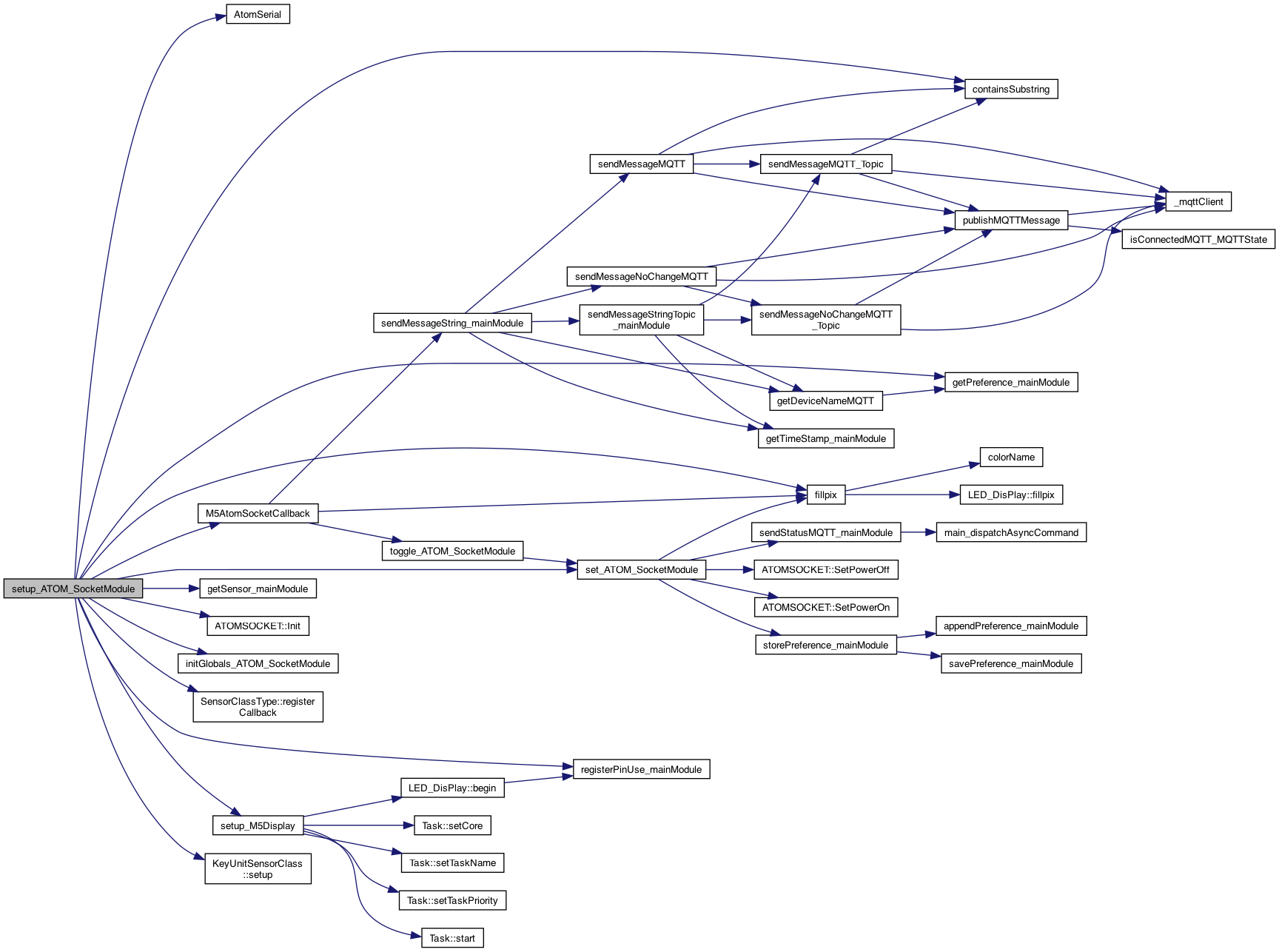
| void setup_ATOM_SocketModule | ( | ) |
THIS IS the setup() and loop() but using the "component" name, eg AudioModule() This will perform preference initializtion as well called from the setup() Pass in the method to call on a loud (over a threshhold. The parameter for value will be sent
5.3.25 register our PIN use
1.1.24 syntax: socket=on or socket=off (somewhere in the string..)
8.2.26 LED working
ijnit the ATOM Socket
default whatever was the last mode Persistently..
NOTE: error without (char*) – warning: ISO C++ forbids converting a string constant to 'char' [-Wwrite-strings]
if the Buzzer isn't on .. then we are good to go try this 5.14.25 .. But this is probablly wrong .. is should be just the KeyUnitSensorClass .. and maybe more generic..
create instance..
specify the callback
call the setup
Definition at line 172 of file ATOM_SocketModule.cpp.

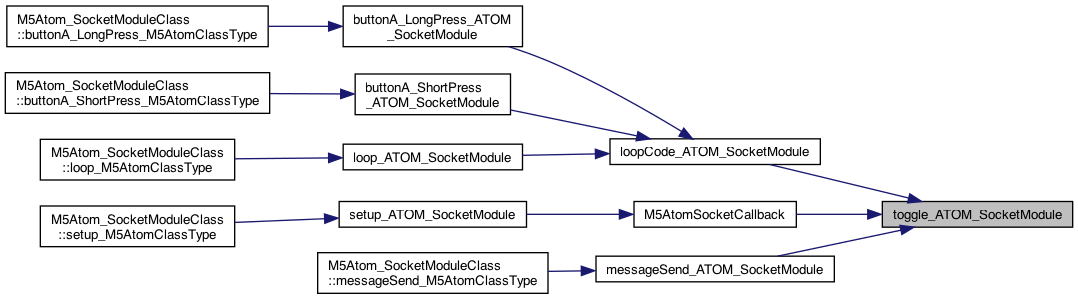
◆ toggle_ATOM_SocketModule()
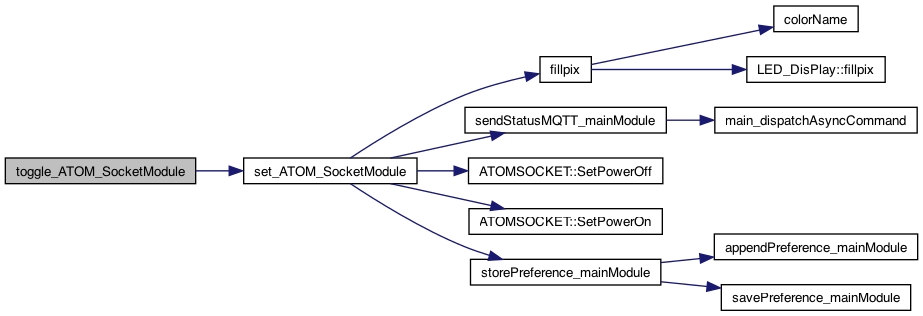
| void toggle_ATOM_SocketModule | ( | ) |
turn on/off the socket
Definition at line 120 of file ATOM_SocketModule.cpp.
Variable Documentation
◆ _ActivePower
| int _ActivePower = 0 |
Definition at line 24 of file ATOM_SocketModule.cpp.
◆ _Current
| float _Current = 0 |
Definition at line 25 of file ATOM_SocketModule.cpp.
◆ _isOn_ATOM_SocketModule
| boolean _isOn_ATOM_SocketModule |
whether the device is ON (default of) called "RelayFlag" is the example
Definition at line 50 of file ATOM_SocketModule.cpp.
◆ _KeyUnitSensorClass_ATOMSocketModule
| KeyUnitSensorClass* _KeyUnitSensorClass_ATOMSocketModule = NULL |
Definition at line 60 of file ATOM_SocketModule.cpp.
◆ _longLongPress_ATOM_SocketModule
| boolean _longLongPress_ATOM_SocketModule = false |
Definition at line 46 of file ATOM_SocketModule.cpp.
◆ _longPress_ATOM_SocketModule
| boolean _longPress_ATOM_SocketModule = false |
Definition at line 45 of file ATOM_SocketModule.cpp.
◆ _shortPress_ATOM_SocketModule
| boolean _shortPress_ATOM_SocketModule = false |
not beware of linking another ATOM these names will overload..
Definition at line 44 of file ATOM_SocketModule.cpp.
◆ _Voltage
| int _Voltage = 0 |
info from the socket power
Use ATOM Socket to monitor the socket power, press the middle button of ATOM to switch the socket power on and off. Connect to the AP hotspot of the device and access 192.168.4.1 to wirelessly control the socket power and view the power voltage, current and power information. 使用ATOM插座监控插座电源,按ATOM的中间按钮即可打开和关闭插座电源。 连接到设备的AP热点,接入192.168.4.1,无线控制插座电源,查看电源电压、电流和电源信息。
Definition at line 23 of file ATOM_SocketModule.cpp.
◆ ATOM
| ATOMSOCKET ATOM |
create the ATOMSOCKET connection to the power socket
Definition at line 28 of file ATOM_SocketModule.cpp.